

Trading Platforms
Exness Webtrader: Browser-Based Trading Platform Guide
Learn how to use Exness Webtrader for seamless browser-based trading without downloads.

Forex Analyst
Forex Analyst specializing in currency markets, market trends, technical and fundamental analysis, and providing clear insights to help traders make informed decisions.
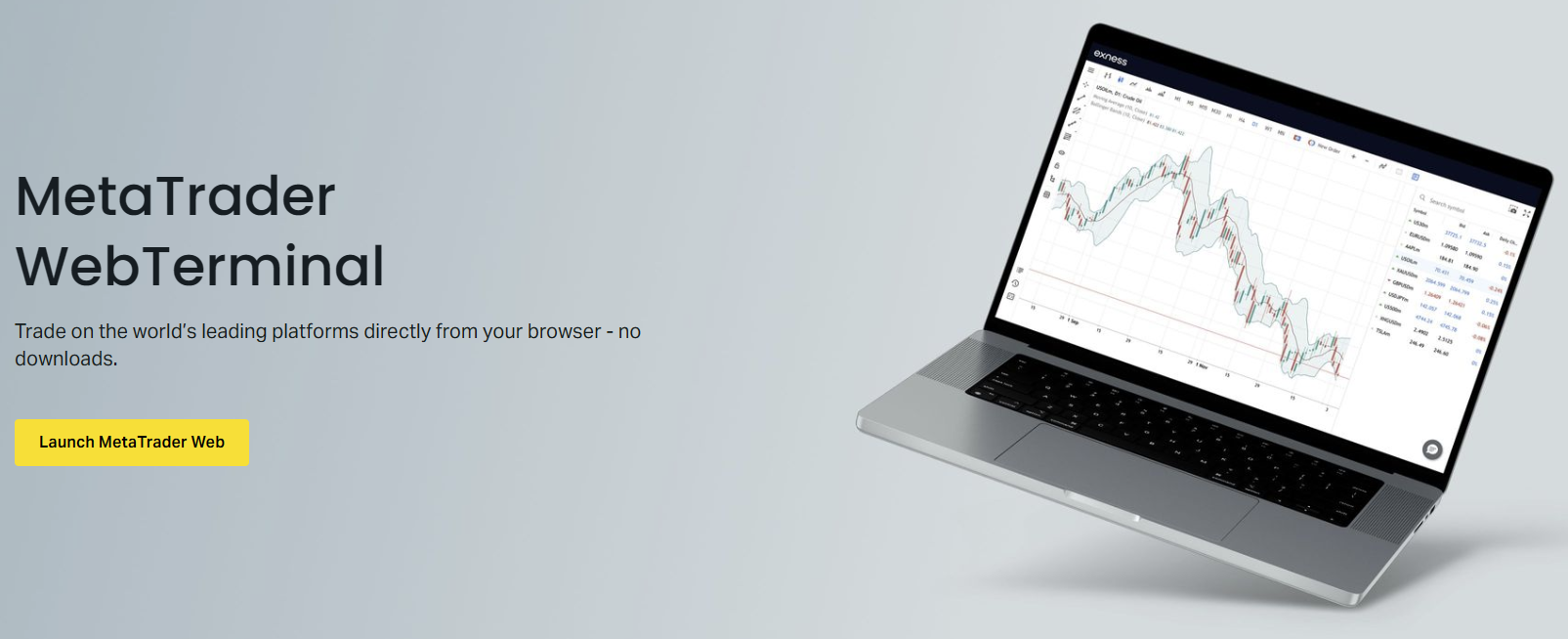
Exness Webtrader provides traders with direct market access through any modern browser without requiring software installation. This browser-based terminal delivers core trading functionality including real-time quotes, charting tools, and order execution across forex, metals, energies, indices, stocks, and cryptocurrencies. The platform operates on Exness proprietary technology optimized for speed and reliability.
Contents
- Platform Architecture and Technology Stack
- Getting Started with Exness Webtrader
- Market Watch and Symbol Management
- Charting Capabilities and Technical Analysis
- Order Types and Execution Workflow
- Risk Management Tools and Position Control
- Trading Instruments Available on Webtrader
- Execution Quality and Speed Metrics
- Security Features and Data Protection
- Mobile Browser Experience and Responsiveness
- Integration with Exness Ecosystem
- Performance Optimization and Troubleshooting
- Comparing Webtrader with MT4, MT5, and Exness Trade App
- Advanced Features for Experienced Traders
- Account Management from the Web Terminal
- Final Assessment of Exness Webtrader
Traders can access their accounts from any device with internet connectivity, making it ideal for those who switch between workstations, travel frequently, or prefer not to install dedicated applications. The web terminal synchronizes with the Exness Personal Area, ensuring account settings, watchlists, and preferences remain consistent across all access points.
This guide examines the platform architecture, key features, supported instruments, execution model, security measures, and practical workflows. Whether you are evaluating Exness Webtrader against desktop alternatives or seeking to optimize your browser-based trading routine, the following sections provide detailed operational insight.
Platform Architecture and Technology Stack
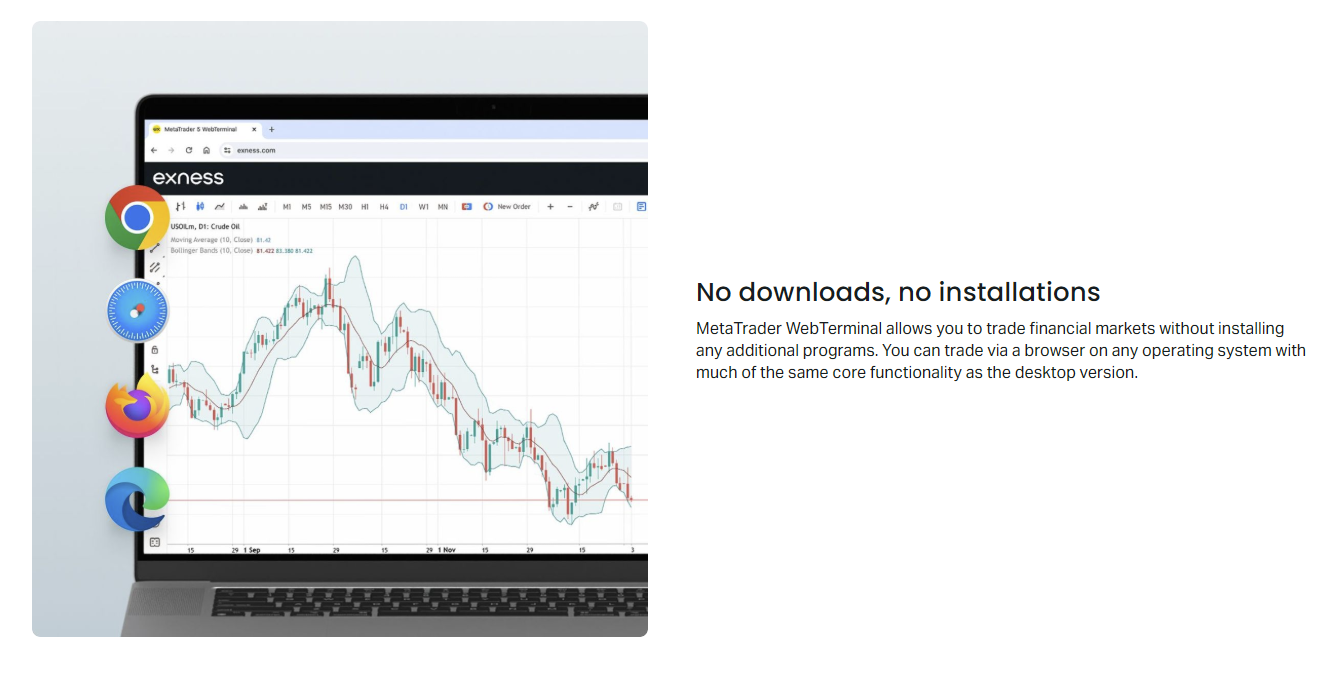
Exness Webtrader runs on a lightweight HTML5 and JavaScript framework that communicates with Exness trade servers through secure WebSocket connections. This architecture eliminates plugin dependencies and functions across Chrome, Firefox, Safari, and Edge without additional configuration. The terminal loads essential components progressively, prioritizing the trading interface and market data feed for rapid initialization.
- HTML5 Canvas for high-performance chart rendering
- WebSocket protocol for low-latency price streaming
- LocalStorage caching for workspace persistence
- Responsive CSS Grid layout adapting to screen dimensions
- Service Worker support for offline workspace access
The platform separates presentation logic from trade execution, routing orders through Exness matching engine with the same priority as desktop terminals. This design ensures that browser-based traders experience equivalent execution quality, including access to Exness market execution model with no requotes and minimal slippage under normal conditions.
Getting Started with Exness Webtrader
Accessing the web terminal requires an active Exness account. New users must complete registration and verification through the Exness Personal Area before trading. The process involves email confirmation, identity verification, and acceptance of client agreements. Once verified, traders can launch the web terminal directly from the Personal Area dashboard or via direct URL.
- Log into Exness Personal Area with credentials
- Navigate to Trading Platforms section
- Select Web Terminal launch button
- Grant browser permissions for notifications if prompted
- Configure initial workspace layout and default symbols
The terminal remembers window positions, chart templates, and indicator settings per browser profile. For shared or public computers, use private browsing mode and ensure logout after each session. Exness recommends enabling two-factor authentication on the Personal Area for additional account protection when accessing from multiple devices.
The default workspace displays Market Watch on the left, a central chart area, and a toolbox panel at the bottom showing Trade, History, News, and Alerts tabs. Traders can detach panels into separate browser windows for multi-monitor setups. The platform supports up to 100 simultaneous chart windows across multiple browser tabs.
Market Watch and Symbol Management
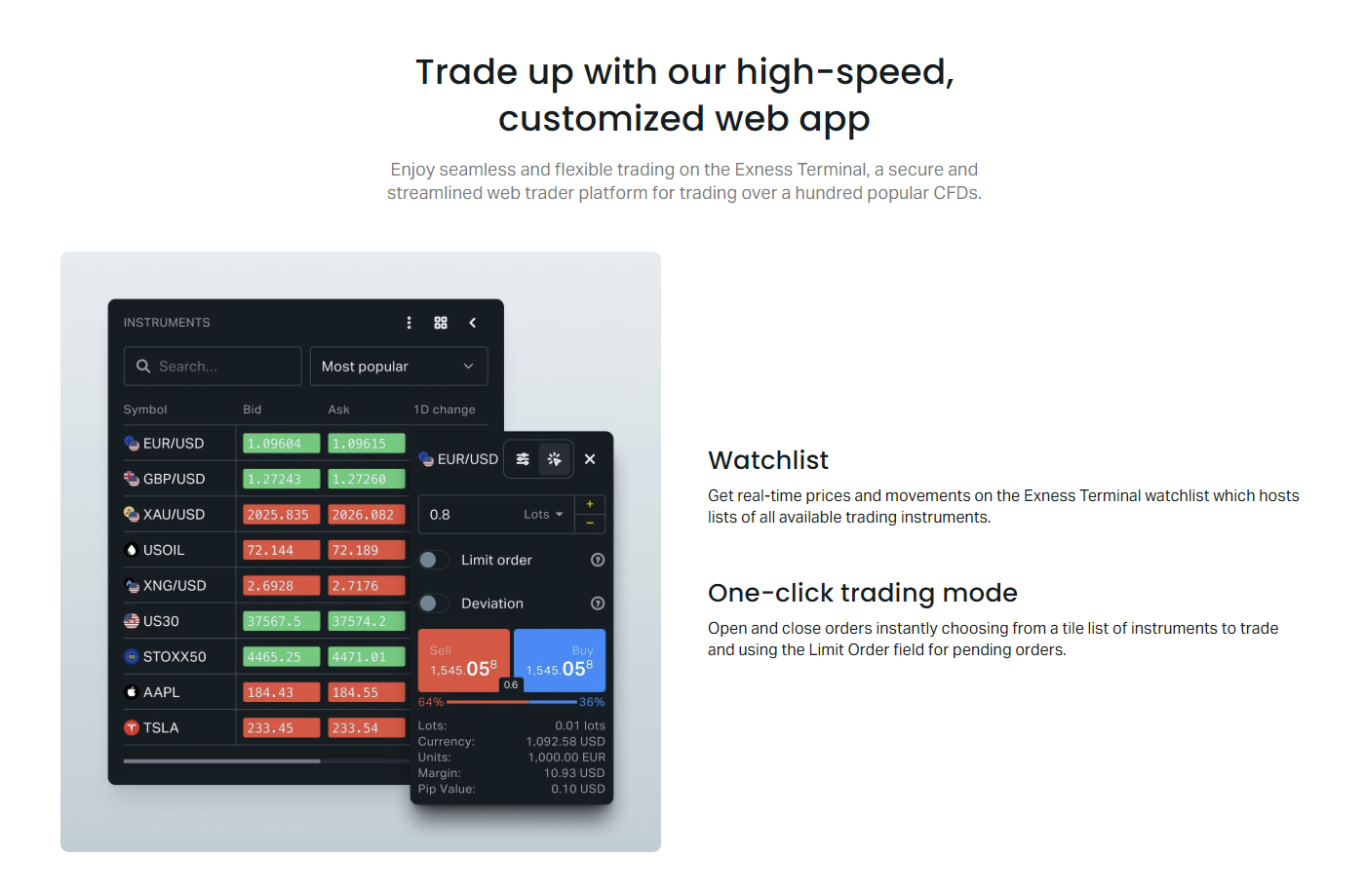
Market Watch presents all tradable instruments grouped by asset class: Forex, Metals, Energies, Indices, Stocks, and Cryptocurrencies. Each symbol shows real-time bid and ask prices, spread, and daily change percentage. Right-clicking a symbol reveals a context menu with quick actions including new order, chart window, specification, and tick chart.
- Create custom symbol sets for focused watchlists
- Drag symbols to reorder or group by strategy
- Enable spread column for cost monitoring
- Filter by asset class or search by symbol name
- Save multiple Market Watch profiles per account
Symbol specifications display contract size, margin currency, swap rates, trading hours, and margin requirements. This information updates automatically when Exness adjusts trading conditions. Traders should review specifications before opening positions, especially for instruments with variable leverage or extended swap charges during weekends.
Charting Capabilities and Technical Analysis
The charting engine supports three chart types: candlestick, bar, and line. Timeframes range from one minute to monthly, with nine standard intervals available. Charts render using hardware-accelerated Canvas, maintaining smooth scrolling and zooming even with multiple indicators applied. Traders can apply over 30 built-in technical indicators and 20 drawing tools.
Scroll horizontally to see all columns
| Timeframe | Use Case | Indicator Types |
|---|---|---|
| M1, M5, M15 | Scalping, intraday | Oscillators, volume |
| M30, H1, H4 | Swing trading | Trend, momentum |
| D1, W1, MN | Position trading | Moving averages, support/resistance |
Custom indicator support allows importing Pine Script or JavaScript-based indicators through the indicator builder. Chart templates save indicator combinations, color schemes, and scale settings for rapid deployment across symbols. Traders can synchronize crosshair and time scale across multiple charts for correlated market analysis.
The platform includes Trading Central signals integration, providing automated pattern recognition and trade ideas directly on charts. These signals highlight potential entry and exit levels based on technical formations. Traders should treat signals as analytical input rather than definitive recommendations, combining them with personal analysis and risk management rules.
Order Types and Execution Workflow
Exness Webtrader supports market, limit, stop, and stop-limit orders across all account types. Market orders execute at the best available price with no requotes under the market execution model. Pending orders queue on the server and trigger when price reaches the specified level. The platform also supports one-click trading from the chart and Market Watch for rapid position entry.
- Market Execution: instant fill at current liquidity
- Buy Limit, Sell Limit: entry at better price
- Buy Stop, Sell Stop: breakout entry
- Buy Stop Limit, Sell Stop Limit: conditional precision
- Trailing Stop: dynamic exit following favorable price
The order window displays required margin, free margin after trade, and estimated commission or spread cost. Position size adjusts in lots with real-time pip value calculation. Traders can set stop loss and take profit in price, points, or monetary value. The platform validates margin sufficiency before order submission, preventing insufficient margin rejections.
Risk Management Tools and Position Control
Risk management features include margin level monitoring with color-coded indicators: green above 100%, yellow 50-100%, red below 50%. The terminal calculates margin requirements dynamically based on current leverage, position size, and instrument specifications. Stop out occurs automatically when margin level reaches the account-type threshold, typically 0% for Standard and 20% for Professional accounts.
Scroll horizontally to see all columns
| Account Type | Stop Out Level | Max Leverage |
|---|---|---|
| Standard Cent | 0% | 1:2000 |
| Standard | 0% | 1:2000 |
| Pro | 20% | 1:2000 |
| Raw Spread | 20% | 1:2000 |
| Zero | 20% | 1:2000 |
The platform provides a built-in trading calculator accessible from the toolbar. This tool computes margin, pip value, swap charges, and profit potential for hypothetical trades before execution. Traders can simulate multiple scenarios with different leverage settings and position sizes to optimize risk parameters.
Trading Instruments Available on Webtrader
Exness Webtrader offers access to over 200 CFD instruments across seven asset classes. Forex includes major, minor, and exotic pairs with spreads from 0.0 pips on Raw Spread and Zero accounts. Metals cover gold, silver, platinum, and palladium against USD. Energies feature crude oil (WTI, Brent) and natural gas. Indices include major global benchmarks. Stocks CFDs cover US, EU, and UK equities. Cryptocurrencies include major coins and cross pairs.
- Forex: 100+ currency pairs
- Metals: 4 precious metal contracts
- Energies: 3 energy products
- Indices: 15+ global index CFDs
- Stocks: 100+ individual equity CFDs
- Cryptocurrencies: 20+ crypto pairs
Trading hours follow underlying exchange schedules with Exness-specific session extensions for certain instruments. Forex trades 24/5 from Monday 00:00 server time to Friday 23:59. Cryptocurrency markets operate 24/7 with brief maintenance windows. Stock CFDs follow exchange hours with pre-market and after-hours availability for select symbols. Always verify current schedule in symbol specifications.
The web terminal provides full access to Exness trading conditions including stable spreads during news events, zero commission on Standard accounts, and raw spreads with commission on Pro, Raw Spread, and Zero accounts. Swap-free options are available for all account types upon request for eligible clients. Leverage up to 1:2000 applies to forex and metals on Standard accounts, with dynamic leverage adjustments for larger positions.
Execution Quality and Speed Metrics
Exness publishes execution statistics quarterly, reporting average execution speed, slippage distribution, and fill rates. The web terminal connects to the same liquidity pool and matching engine as MT4, MT5, and the Exness Trade app. Market execution means orders fill at the best available price from liquidity providers without dealer intervention. Requotes do not occur under this model.
Browser-based execution matches desktop terminal performance because both route through identical infrastructure. The difference lies only in the presentation layer.
During high volatility, spreads may widen and slippage can occur in either direction. Exness does not guarantee specific slippage limits. Traders using pending orders should note that stop orders become market orders when triggered, subject to available liquidity. Limit orders fill at the specified price or better, providing price certainty but not execution certainty.
Security Features and Data Protection
Exness Webtrader employs TLS 1.3 encryption for all data transmission between browser and servers. Authentication uses session tokens with automatic expiry and refresh. The platform implements Content Security Policy headers, X-Frame-Options, and HTTP Strict Transport Security to mitigate common web vulnerabilities. No trading credentials are stored in browser storage; only workspace preferences persist locally.
- TLS 1.3 encryption for all connections
- Session tokens with 15-minute idle timeout
- Automatic logout on browser close option
- Device authorization for new login locations
- IP allowlist configuration in Personal Area
Two-factor authentication (2FA) integrates with the Personal Area login, protecting web terminal access indirectly. Exness supports authenticator apps, SMS codes, and email verification. Traders should enable 2FA and configure trusted devices. The platform also monitors for suspicious activity including concurrent sessions from different geographies and unusual order patterns.
Mobile Browser Experience and Responsiveness
Exness Webtrader adapts to mobile browsers through responsive design, reorganizing panels into a vertical stack optimized for portrait orientation. Touch gestures support chart navigation: pinch to zoom, swipe to scroll, long-press for crosshair. The mobile interface prioritizes essential functions: Market Watch, active positions, and new order entry. Advanced charting features remain accessible but require landscape orientation for comfortable use.
- Collapsible Market Watch with search
- Simplified order panel with large touch targets
- Swipeable chart tabs for multi-symbol monitoring
- Portrait-optimized position management
- Push notifications for price alerts and margin calls
For dedicated mobile trading, Exness offers native iOS and Android applications with additional features including biometric login, offline mode, and optimized battery usage. The web terminal serves as a capable alternative when app installation is not possible or when accessing from tablets with desktop-class browsers. Synchronization between web and mobile platforms occurs through the Personal Area.
Integration with Exness Ecosystem
The web terminal integrates seamlessly with Exness Personal Area for account management, deposits, withdrawals, and verification. Trading history exports in CSV and HTML formats for tax reporting and performance analysis. The platform connects to Exness VPS service for traders requiring uninterrupted connectivity for expert advisors, though EAs run on MT4/MT5 rather than the web terminal directly.

Scroll horizontally to see all columns
| Service | Webtrader Access | Data Sync |
|---|---|---|
| Personal Area | Direct link in header | Real-time |
| Trading Calculator | Toolbar button | On demand |
| Economic Calendar | News panel tab | Auto-refresh |
| Trading Central | Chart signals overlay | Real-time |
| VPS Management | Personal Area only | Account level |
Social trading and copy trading features are accessible through the Exness Social Trading app and web portal, separate from the Webtrader interface. Signal providers and followers manage subscriptions in the Social Trading platform while executing trades on their preferred terminal. The web terminal displays copied positions in the Trade tab with source attribution.
Performance Optimization and Troubleshooting
Optimal performance requires a stable broadband connection with latency under 100ms to Exness servers. The terminal consumes 100-300MB RAM depending on open charts and indicators. Close unused chart tabs to reduce memory footprint. Disable browser extensions that inject scripts into trading pages, as they may interfere with WebSocket connections or chart rendering.
- Use wired Ethernet for lowest latency
- Close bandwidth-intensive applications
- Update browser to latest stable version
- Clear cache if price feed stalls
- Disable hardware acceleration if charts flicker
Common issues include chart freezing during extreme volatility, delayed price updates on weak connections, and order rejection due to expired session tokens. Refreshing the page typically restores connectivity. For persistent problems, try a different browser or incognito mode to isolate extension conflicts. Exness support provides technical assistance through live chat accessible from the terminal header.
Comparing Webtrader with MT4, MT5, and Exness Trade App
Each Exness platform serves different workflows. MT4 and MT5 support expert advisors, custom indicators, and advanced backtesting unavailable in the web terminal. The Exness Trade app offers mobile-optimized UX with biometric login and push notifications. Webtrader excels in accessibility, requiring zero installation and providing consistent experience across devices. All platforms share the same pricing, execution, and account infrastructure.
Scroll horizontally to see all columns
| Feature | Webtrader | MT4/MT5 | Exness Trade App |
|---|---|---|---|
| Installation Required | No | Yes | Yes |
| Expert Advisors | No | Yes | No |
| Custom Indicators | Limited | Full | No |
| Multi-Monitor Support | Via Browser Windows | Native | No |
| Push Notifications | Browser-Based | Via App | Native |
| Backtesting | No | Yes | No |
Traders often combine platforms: using Webtrader for monitoring and quick execution while traveling, MT5 for algorithmic trading on VPS, and the mobile app for alerts. Positions opened on any platform appear across all others. This flexibility allows adapting to changing circumstances without compromising trading continuity.
The best platform is the one that matches your current context. Webtrader removes friction when you need market access immediately from an unfamiliar device.
Advanced Features for Experienced Traders
Experienced traders can leverage several advanced features in Exness Webtrader. Keyboard shortcuts accelerate common actions: F9 opens new order, Ctrl+T toggles terminal panel, Ctrl+W closes chart tab. The platform supports partial position closing by dragging the volume field in the Trade tab. Hedging mode allows simultaneous long and short positions on the same symbol, standard for all Exness account types.
- Keyboard shortcuts for 20+ common actions
- Partial close via volume adjustment
- Hedging and netting position modes
- Order modification by dragging on chart
- Price alerts with sound and browser notification
The economic calendar integrates into the News tab, filtering events by currency and impact level. Clicking an event opens detail view with forecast, previous, and actual values. Traders can set reminders for high-impact releases. Trading Central technical analysis appears as chart overlays and in a dedicated panel, covering major pairs, indices, and commodities with hourly updates.
Account Management from the Web Terminal
While primary account management occurs in the Personal Area, the web terminal provides quick access to essential functions. The account dropdown shows balance, equity, free margin, and margin level in real time. Traders can switch between multiple trading accounts under the same Exness profile without leaving the terminal. Deposit and withdrawal buttons link directly to the Personal Area payment section.
- Real-time equity and margin monitoring
- Instant account switching within profile
- Quick deposit/withdrawal navigation
- Leverage change request (redirects to PA)
- Account statement generation for periods
The History tab displays closed positions with entry/exit prices, profit, swap, and commission. Filters allow sorting by symbol, date range, and profit/loss. Export options include detailed CSV for spreadsheet analysis and summary HTML for records. Open positions show unrealized P&L updating tick-by-tick. The platform calculates swap charges daily at server midnight, visible in the swap column.
Final Assessment of Exness Webtrader
Exness Webtrader delivers a capable browser-based trading experience that matches desktop terminal execution quality while offering unmatched accessibility. Its strengths include zero-installation access, responsive design across devices, full instrument coverage, and seamless ecosystem integration. Limitations center on absent algorithmic trading support, reduced custom indicator flexibility, and dependence on browser performance. For discretionary traders valuing flexibility and rapid deployment, the web terminal serves as a primary or complementary platform. Those requiring expert advisors, extensive backtesting, or deep customization should maintain MT4 or MT5 as their core environment. The platform continues evolving with regular feature updates driven by trader feedback and web technology advances.
Frequently Asked Questions
Does Exness Webtrader support automated trading or expert advisors?
No, the web terminal does not support expert advisors or custom algorithmic execution. Automated strategies require MT4, MT5, or the Exness VPS service running desktop terminals.
Can I use Exness Webtrader on mobile browsers?
Yes, the platform adapts to mobile browsers with touch-optimized controls. For full mobile features including biometric login and push notifications, the native Exness Trade app is recommended.
Are spreads and commissions different on Webtrader versus MT4/MT5?
No, all Exness platforms share identical pricing, spreads, commissions, and execution conditions for the same account type.
How do I reset my Webtrader workspace to default layout?
Right-click any panel header and select Reset Layout, or clear browser cache for the trading domain. Workspace preferences store per browser profile.
Does Webtrader work offline or with poor connectivity?
The terminal requires active internet connection for price streaming and order execution. Workspace layout persists offline via Service Worker, but trading functions are unavailable without connectivity.
Can I trade all Exness instruments on Webtrader?
Yes, the web terminal provides access to all 200+ CFD instruments available on your account type, including forex, metals, energies, indices, stocks, and cryptocurrencies.
Is two-factor authentication required for Webtrader access?
2FA protects the Personal Area login. Once authenticated, the web terminal session uses secure tokens. Enabling 2FA on your Personal Area is strongly recommended for account security.