

Forex Trading Education
Exness Margin Call Explained: Levels, Prevention & Risk Management
Complete guide to margin calls, stop out levels, and risk management on Exness trading platforms.

Forex Analyst
Forex Analyst specializing in currency markets, market trends, technical and fundamental analysis, and providing clear insights to help traders make informed decisions.
Trading on margin amplifies both potential profits and potential losses. When account equity falls below a specific threshold relative to used margin, brokers issue a margin call to alert the trader that positions are at risk of forced closure. On Exness, this mechanism operates with clearly defined levels that differ by account type and instrument. Understanding these levels, how they are calculated, and how to monitor them in real time is essential for preserving capital and avoiding unexpected liquidation.
Contents
- Exness Margin Call Level vs Stop Out Level
- How Margin Requirements Work on Exness
- Calculating Margin for Different Instruments
- Account Types and Margin Differences
- Using the Exness Trading Calculator for Margin Planning
- Common Triggers for Margin Calls on Exness
- Risk Management Strategies to Avoid Margin Calls
- Monitoring Margin Level in Real Time
- What Happens During a Stop Out on Exness
- Recovering from a Margin Call or Stop Out
- Exness Margin Call and Regulatory Considerations
- Advanced Margin Concepts: Free Margin, Equity, and Balance
- Final Assessment of Exness Margin Call Management
The term "exness not enough money" often appears in trader searches when a margin call or stop out occurs. This phrase reflects the core issue: insufficient free margin to maintain open positions. Exness provides transparent margin requirements, real-time margin level displays in its trading terminals, and a built-in trading calculator to help traders plan position sizes before entering the market. This guide covers every aspect of the Exness margin call process, from the initial warning to the final stop out, and offers practical strategies to keep your account safely above critical thresholds.
Margin calls are not unique to Exness; they are a standard risk management feature across leveraged trading. What varies between brokers are the specific margin call and stop out percentages, the speed of execution during volatile conditions, and the tools provided to help traders avoid reaching those levels. Exness distinguishes itself with low margin call levels on certain account types, instant withdrawal capabilities that allow quick equity top-ups, and a suite of analytical tools integrated directly into its web terminal and mobile apps.
Whether you trade forex majors, gold, indices, or cryptocurrencies on Exness, the underlying margin logic remains consistent: used margin must be covered by account equity. When equity drops, the margin level percentage declines. Once it hits the margin call level, you receive a notification. If it continues to fall to the stop out level, the system begins closing positions automatically, starting with the most unprofitable. The following sections break down each stage, explain the numbers, and show how to use Exness tools to stay in control.
Exness Margin Call Level vs Stop Out Level
Exness defines two distinct thresholds: the margin call level and the stop out level. The margin call level is a warning threshold. When your margin level — calculated as equity divided by used margin, multiplied by 100 — falls to this percentage, Exness sends a notification but does not close any positions. The stop out level is the forced liquidation threshold. When margin level reaches this lower percentage, the system automatically closes positions to prevent the account from going into negative balance. Both levels vary by account type and, in some cases, by instrument group.
On Standard and Standard Cent accounts, the margin call level is typically 60% and the stop out level is 0%. This means you receive a warning at 60% margin level, but positions are only closed when margin level reaches zero, effectively giving you more room to manage the account or add funds. On Pro, Raw Spread, and Zero accounts, the margin call level is often 100% and the stop out level is 50%. These tighter thresholds reflect the higher leverage and tighter spreads offered on professional accounts, requiring more active monitoring.
- Standard / Standard Cent: Margin Call 60%, Stop Out 0%
- Pro / Raw Spread / Zero: Margin Call 100%, Stop Out 50%
- Margin Level = (Equity / Used Margin) × 100
- Equity = Balance + Floating Profit/Loss
- Used Margin = Sum of margin required for all open positions
The difference between 0% stop out and 50% stop out is significant. A 0% stop out means the broker allows positions to remain open until equity is completely consumed by losses, which can result in a negative balance if the market gaps against you. Exness offers negative balance protection on most retail accounts, so the account balance cannot go below zero. A 50% stop out closes positions earlier, preserving some equity but also potentially cutting off a recovery if the market reverses shortly after the stop out. Traders should choose account types aligned with their risk tolerance and monitoring habits.
How Margin Requirements Work on Exness
Margin requirement is the amount of funds locked as collateral to open and maintain a leveraged position. On Exness, margin is calculated per position based on the instrument's contract size, the current market price, the leverage applied, and the account currency. The formula is: Margin = (Contract Size × Lot Size × Market Price) / Leverage. For forex pairs, contract size is typically 100,000 units of the base currency. For gold (XAUUSD), it is 100 troy ounces per lot. For indices and cryptocurrencies, contract sizes vary and are listed in the contract specifications.
Exness offers dynamic leverage on forex and metals for most account types. This means leverage automatically decreases as total position volume increases. For example, the first 10 lots of EURUSD might enjoy 1:2000 leverage, the next 10 lots 1:1000, and so on. This tiered structure protects both the trader and the broker from excessive exposure. On indices, energies, and cryptocurrencies, leverage is fixed and generally lower, often ranging from 1:20 to 1:200 depending on the instrument and regulatory jurisdiction.
Scroll horizontally to see all columns
| Instrument Group | Leverage Range | Margin Call Level | Stop Out Level |
|---|---|---|---|
| Forex Majors | 1:2000 to 1:25 (dynamic) | 60% / 100% | 0% / 50% |
| Gold (XAUUSD) | 1:2000 to 1:25 (dynamic) | 60% / 100% | 0% / 50% |
| Indices | 1:200 to 1:20 (fixed) | 60% / 100% | 0% / 50% |
| Cryptocurrencies | 1:200 to 1:2 (fixed) | 60% / 100% | 0% / 50% |
| Energies (Oil, Gas) | 1:200 to 1:20 (fixed) | 60% / 100% | 0% / 50% |
Margin requirements also differ between account currencies. If your account is denominated in USD but you trade EURGBP, the margin calculated in EUR is converted to USD at the current EURUSD rate. This conversion adds a small layer of currency risk to the margin calculation itself. Exness displays the required margin in the order window before you confirm a trade, and the trading calculator provides a detailed breakdown for any hypothetical position.
Calculating Margin for Different Instruments
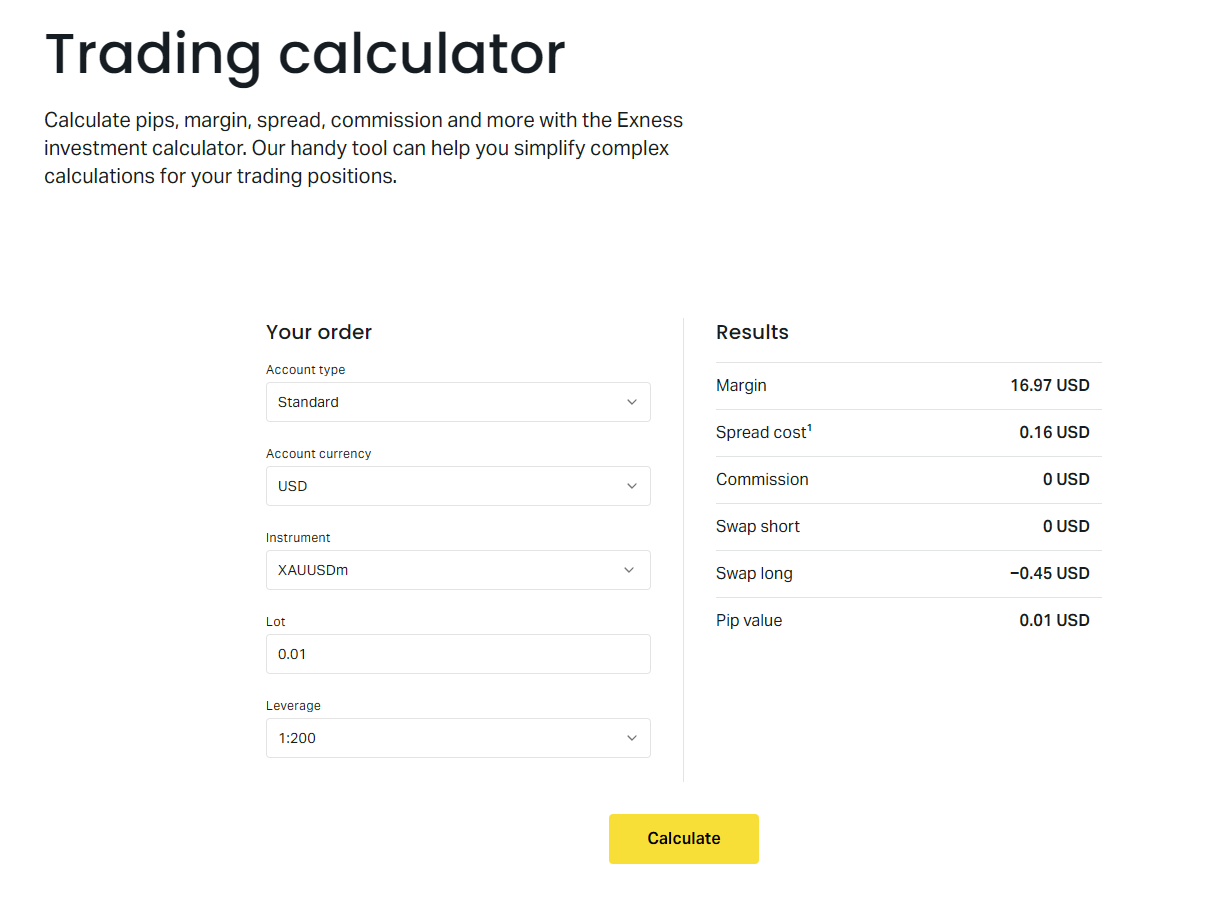
Accurate margin calculation prevents surprises. The Exness trading calculator, accessible from the personal area and the web terminal, lets you input account type, leverage, instrument, lot size, and account currency to see the exact margin required. It also shows the point value, swap rates, and spread cost. Using this tool before every trade — especially when increasing position size or adding correlated positions — is a habit that separates disciplined traders from those who repeatedly face margin calls.
For a practical example, consider buying 1 lot of EURUSD on a Standard account with 1:2000 leverage and USD account currency. Contract size is 100,000 EUR. At a market price of 1.0850, the position value is 108,500 USD. Divided by 2000 leverage, the required margin is 54.25 USD. If you instead trade 1 lot of XAUUSD (gold) at 2,350 USD per ounce with 1:2000 leverage, the position value is 235,000 USD and required margin is 117.50 USD. The calculator handles these conversions instantly and accounts for dynamic leverage tiers.
- Open the Exness Trading Calculator from Personal Area or Web Terminal.
- Select your account type to apply correct leverage tiers.
- Choose instrument, lot size, and account currency.
- Review required margin, point value, and swap rates.
- Adjust lot size until margin fits your risk parameters.
The calculator also reveals how margin changes with price movements. For positions held overnight, swap charges or credits affect equity and therefore margin level. Positive swap adds to equity; negative swap reduces it. Over weeks, accumulated swaps can meaningfully shift your margin level, especially on high-swap instruments like exotic forex pairs or certain cryptocurrencies. Factor swap costs into your margin planning for swing and position trades.
After reviewing the calculator output, compare the required margin to your free margin — the difference between equity and used margin. Free margin represents the buffer available to absorb adverse price moves. A common rule of thumb is to keep used margin below 10-20% of equity, maintaining a margin level well above 500%. This provides ample room for normal market fluctuations without triggering a margin call.
Account Types and Margin Differences
Exness offers several account types, each with distinct margin call and stop out levels, leverage limits, and commission structures. Standard and Standard Cent accounts are designed for beginners and traders who prefer wider buffers. They feature a 60% margin call and 0% stop out, dynamic leverage up to 1:2000 on forex and metals, and no commissions — costs are built into the spread. Pro, Raw Spread, and Zero accounts target experienced traders who prioritize tight spreads and commission-based pricing. These accounts have a 100% margin call and 50% stop out, with dynamic leverage capped at 1:2000 for forex but lower fixed leverage for other instruments.
The choice of account type directly impacts how quickly a margin call can escalate to a stop out. On a Standard account, a drop from 100% to 60% margin level triggers only a warning. You have time to deposit funds, reduce position size, or wait for a market reversal. On a Pro account, the same drop from 100% to 50% triggers forced closure. This tighter window demands either larger equity buffers or more active position management. Traders who cannot monitor positions continuously during volatile sessions may prefer the Standard account's more forgiving thresholds.
Scroll horizontally to see all columns
| Account Type | Margin Call | Stop Out | Max Leverage (Forex) | Commission |
|---|---|---|---|---|
| Standard | 60% | 0% | 1:2000 | None (spread only) |
| Standard Cent | 60% | 0% | 1:2000 | None (spread only) |
| Pro | 100% | 50% | 1:2000 | From $3.5 per lot side |
| Raw Spread | 100% | 50% | 1:2000 | From $3.5 per lot side |
| Zero | 100% | 50% | 1:2000 | From $3.5 per lot side |
Islamic (swap-free) accounts follow the same margin call and stop out levels as their standard counterparts. The only difference is the absence of overnight swap charges, which can slightly improve equity retention over long holding periods. However, Exness may apply an administration fee on certain instruments for swap-free accounts, which functions similarly to a swap charge. Always check the current fee schedule in the contract specifications before assuming zero carrying cost.
Using the Exness Trading Calculator for Margin Planning
The Exness trading calculator is one of the most underutilized yet powerful tools for margin management. Beyond simple margin calculation, it models the impact of price changes on your margin level. You can simulate a 1%, 2%, or 5% adverse move and instantly see the resulting margin level, helping you set appropriate stop-loss levels and position sizes. The calculator also breaks down swap costs for long and short positions, which is critical for trades held beyond the daily rollover.
To use the calculator effectively, start with your current account equity and the maximum percentage you are willing to allocate to margin. For example, with 10,000 USD equity and a 20% margin usage limit, your maximum used margin is 2,000 USD. Input your intended instrument and adjust lot size until required margin stays below 2,000 USD. Then simulate a 2% adverse price move. If the resulting margin level drops near your account's margin call threshold, reduce the lot size further. This pre-trade routine takes less than a minute and can prevent hours of stress.
- Set a personal maximum margin usage (e.g., 15-20% of equity).
- Calculate required margin for planned position size.
- Simulate adverse moves of 1-3% to test margin resilience.
- Check swap costs for intended holding period.
- Adjust lot size or add stop loss before executing.
The calculator also supports multi-position scenarios. If you plan to hold correlated positions — such as long EURUSD and long GBPUSD — calculate the combined margin requirement. Correlation means both positions may move against you simultaneously, doubling the equity drawdown. The calculator does not automatically aggregate positions, so you must sum the individual margin requirements manually or use the web terminal's portfolio view, which shows total used margin and margin level in real time.
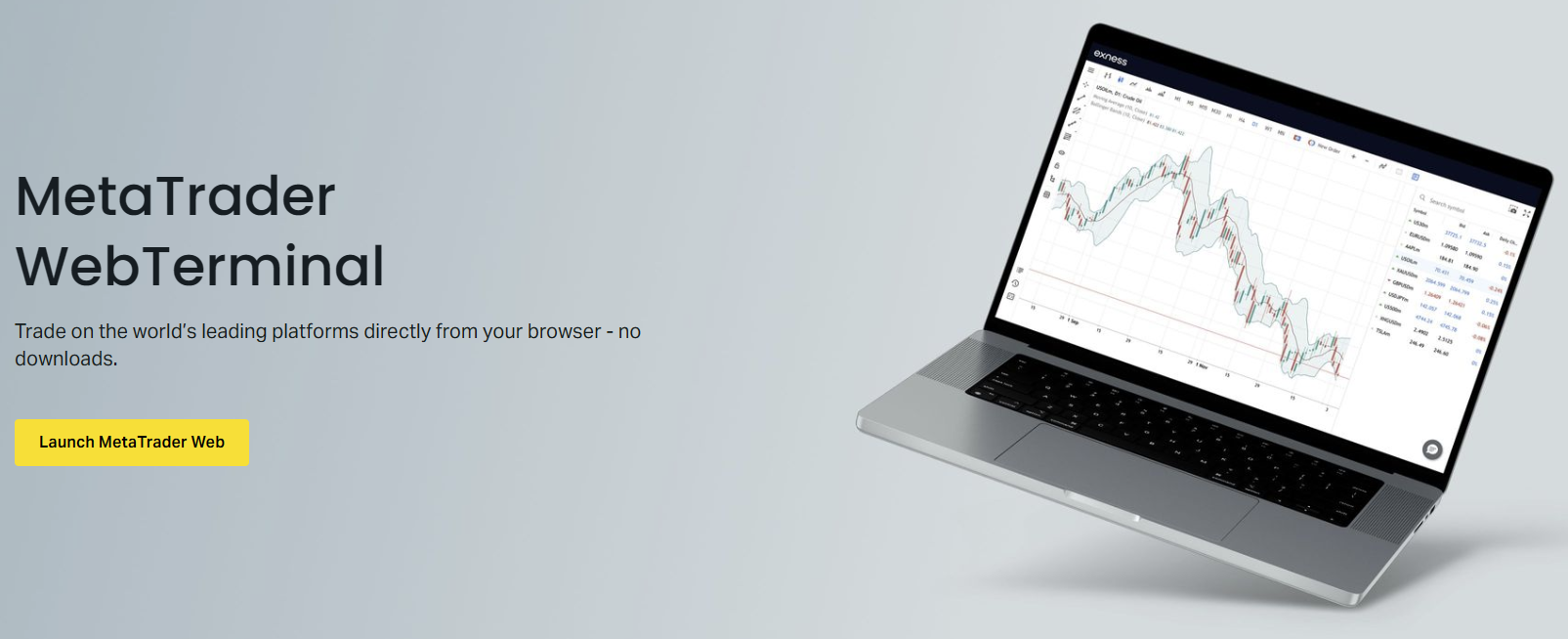
After placing trades, the web terminal and mobile app provide continuous margin monitoring. The margin level percentage is prominently displayed, color-coded for quick assessment: green for safe, yellow for caution, red for danger. You can also set custom alerts in the Exness mobile app to receive push notifications when margin level crosses a threshold you define, such as 200% or 150%. These alerts give you time to act before the official margin call at 60% or 100%.
Common Triggers for Margin Calls on Exness
Margin calls rarely happen without warning signs. The most common trigger is overleveraging — opening positions too large relative to account equity. A 1% move against a position leveraged 1:500 consumes 5% of equity. A 2% move consumes 10%. With multiple positions, the combined effect compounds quickly. Traders who use maximum available leverage on every trade leave zero room for normal market noise and almost guarantee a margin call during any period of elevated volatility.
Another frequent trigger is holding losing positions without stop losses, hoping for a reversal. This "hope trading" allows floating losses to accumulate until they erode equity to the margin call level. Exness does not guarantee stop loss execution at the exact price during gaps or extreme volatility, but having a stop loss in place dramatically reduces the probability of a catastrophic drawdown. A third trigger is ignoring swap accumulation on negative-carry positions held for weeks. The daily debit slowly reduces equity, and if the position also moves against you, the combined effect can breach the margin call level unexpectedly.
- Overleveraging: position size too large for account equity.
- No stop losses: floating losses accumulate unchecked.
- Negative swap accumulation on long-term positions.
- Correlated positions moving against you simultaneously.
- Market gaps over weekends or news events.
- Failure to top up equity after initial margin call warning.
Weekend gaps are a specific risk for positions held Friday to Monday. Forex markets close Friday 21:00 UTC and reopen Sunday 21:00 UTC. If a major geopolitical event occurs over the weekend, prices can gap significantly at the open. Positions with tight margins may be stopped out at the first available price, which could be far beyond your stop loss. Exness executes stop outs at the first market price after the gap, which protects the broker but can result in larger-than-expected losses for the trader. The only defense is reducing position size or closing positions before the weekend.
A margin call is not a broker error; it is a mathematical consequence of position size, leverage, and price movement. The trader controls all three.
Risk Management Strategies to Avoid Margin Calls
Preventing a margin call is far easier than recovering from one. The foundation is position sizing based on a fixed percentage of account equity per trade. A widely used guideline is risking no more than 1-2% of equity on any single trade. This refers to the distance from entry to stop loss, not the margin required. For example, with 10,000 USD equity and a 2% risk limit, your maximum loss per trade is 200 USD. If your stop loss is 50 pips on EURUSD (10 USD per pip per lot), the maximum lot size is 0.4 lots. This calculation ensures that even a string of losses cannot trigger a margin call.
Diversification across uncorrelated instruments also reduces margin call risk. Holding long EURUSD, long GBPUSD, and long AUDUSD simultaneously concentrates risk in the US dollar direction. A broad USD rally would hit all three positions at once. Spreading exposure across forex, gold, indices, and commodities — each driven by different fundamental factors — smooths the equity curve and keeps margin level more stable. Exness offers all these asset classes on a single platform, making diversification straightforward.
- Risk 1-2% of equity per trade (stop loss distance × lot size).
- Limit total used margin to 15-20% of equity.
- Diversify across uncorrelated asset classes.
- Always use stop losses; consider guaranteed stops if available.
- Reduce position size before high-impact news events.
- Close or hedge positions before weekends if margin is tight.
- Monitor swap costs on positions held longer than one week.
Hedging is permitted on Exness and can be used to lock in floating losses without closing the original position. For example, if you are long 1 lot EURUSD at 1.0800 and price drops to 1.0750, you could open a short 1 lot EURUSD at 1.0750. The combined position has zero net exposure, freezing the floating loss at 500 USD. This buys time to analyze the market without further margin erosion. However, hedging doubles the used margin (margin is required for both sides), so it only works if you have sufficient free margin. It also incurs double spread costs and potentially double negative swaps.
Monitoring Margin Level in Real Time
Real-time margin monitoring is available on every Exness platform: MT4, MT5, Web Terminal, and the Exness mobile app. The margin level percentage updates tick-by-tick as prices change. On the Web Terminal, the account summary panel shows Balance, Equity, Used Margin, Free Margin, and Margin Level in a single row. Color coding provides instant visual feedback: green above 200%, yellow between 100-200%, red below 100%. This allows you to glance at the terminal and know immediately whether action is needed.
The Exness mobile app adds push notifications for margin level thresholds you configure. You can set alerts at 300%, 200%, 150%, and 100% — well above the official margin call level. Receiving an alert at 200% gives you time to review positions, adjust stop losses, or deposit funds while the market is still moving in an orderly fashion. Waiting for the official 60% or 100% margin call often means acting in panic during a fast move, leading to poor decisions.
- Web Terminal: Margin level in account summary bar (top right).
- MT4/MT5: Margin level in Terminal window > Trade tab.
- Mobile App: Margin level on dashboard; customizable push alerts.
- Personal Area: Account overview shows current margin level.
- Color coding: Green >200%, Yellow 100-200%, Red <100%.
For algorithmic traders using Expert Advisors on MT4 or MT5, margin level can be programmed into the EA logic. The EA can automatically reduce position size, close the worst-performing trade, or stop opening new positions when margin level falls below a coded threshold. This removes emotional decision-making during drawdowns. Exness VPS hosting ensures the EA runs 24/7 without interruption, which is critical for margin management strategies that rely on continuous monitoring.

Beyond the platform, the Exness Personal Area web portal shows a historical margin level chart. This visualization helps you identify patterns — for example, margin level consistently dropping during Asian session due to swap charges, or spiking during news events. Reviewing this chart weekly can reveal structural issues in your trading approach, such as systematically overleveraging certain instruments or holding negative-swap positions too long.
What Happens During a Stop Out on Exness
When margin level reaches the stop out threshold (0% for Standard, 50% for Pro/Raw/Zero), the Exness trading server begins closing positions automatically. The algorithm selects the position with the largest floating loss first, closes it at the current market price, and recalculates margin level. If margin level remains below the stop out threshold, the next largest losing position is closed. This continues until margin level rises above the stop out level or all positions are closed. The process is fully automated and executes within milliseconds.
Stop out execution price is the current market bid (for long positions) or ask (for short positions). During high volatility, spreads widen, and the execution price may be significantly worse than the last quoted price before the stop out. This slippage is a normal feature of forced liquidation in fast markets. Exness does not guarantee stop out prices, just as it does not guarantee stop loss prices. The only way to control the exit price is to close positions voluntarily before the stop out level is reached.
- Stop out triggers at 0% (Standard) or 50% (Pro/Raw/Zero) margin level.
- Largest losing position closed first.
- Process repeats until margin level > stop out threshold.
- Execution at current market price with prevailing spread.
- No manual intervention possible once stop out begins.
- Negative balance protection resets balance to zero if needed.
After a stop out, the account retains any remaining equity. If negative balance protection applies (standard for retail clients under most regulations), the balance is reset to zero and no debt is owed. Professional clients who have opted out of retail protections may not have negative balance protection; they should verify their classification and the associated terms. Exness processes stop outs 24/7 whenever the relevant market is open, including during news events and weekend gaps for instruments that trade continuously (e.g., cryptocurrencies).
The stop out mechanism protects the broker's capital, not the trader's. The trader's protection is proper risk management applied before the stop out level is reached.
Recovering from a Margin Call or Stop Out
If you receive a margin call warning but have not yet been stopped out, you have options. The fastest is depositing additional funds via instant payment methods (cards, e-wallets, local bank transfers) to boost equity above the margin call level. Exness processes most deposits instantly, and the margin level updates in real time. Alternatively, you can close the most unprofitable positions manually to reduce used margin and raise the margin level. Partial closure — reducing lot size rather than fully closing — is often sufficient and preserves some market exposure.
If a stop out has already occurred, assess the remaining equity and the cause. Was it a single oversized position, a correlated portfolio drawdown, or a weekend gap? Review the trade history in the Personal Area or terminal to identify the sequence of closures. Then, before re-entering the market, adjust your position sizing rules. A common mistake is immediately reloading the account and repeating the same leverage and position size that caused the stop out. Treat the stop out as a signal that your risk parameters were violated, not as bad luck.
- Deposit funds instantly via card or e-wallet to raise equity.
- Manually close largest losing positions to reduce used margin.
- Partially close positions to preserve some exposure.
- Analyze stop out history to identify root cause.
- Revise position sizing rules before trading again.
- Consider switching to a Standard account for wider buffers.
Exness offers a demo account with identical margin rules, spreads, and execution as live accounts. After a stop out, spending time on demo to test revised risk parameters is a prudent step. You can simulate the same market conditions that led to the stop out and verify that your new position sizing would have survived. The demo account also lets you practice the mechanical steps of manual closure and partial closure under pressure, so you are not figuring them out for the first time during a live margin call.
Exness Margin Call and Regulatory Considerations
Margin call and stop out levels are influenced by the regulatory framework governing the Exness entity servicing your account. Exness operates through multiple legal entities regulated by authorities such as the FCA (UK), CySEC (Cyprus), FSCA (South Africa), FSA (Seychelles), and others. Retail clients under FCA and CySEC regulation benefit from ESMA-mandated leverage caps (1:30 for major forex, 1:20 for minors, 1:10 for commodities, 1:5 for equities, 1:2 for cryptocurrencies) and a standardized 50% margin call / stop out level. These rules override Exness's standard account settings for clients onboarded under those entities.
Clients registered under the Seychelles (FSA) or other offshore entities may access higher leverage (up to 1:2000) and the Standard account's 60% margin call / 0% stop out. However, they may not have the same negative balance protection guarantees or access to investor compensation schemes. It is essential to know which Exness entity holds your account, as this determines the exact margin call levels, leverage limits, and legal protections that apply. The entity is shown in the Personal Area and on your account statements.
Scroll horizontally to see all columns
| Regulator / Entity | Max Leverage (Majors) | Margin Call / Stop Out | Negative Balance Protection |
|---|---|---|---|
| FCA (UK) / CySEC (EU) | 1:30 | 50% / 50% | Yes (mandatory) |
| FSCA (South Africa) | 1:200 | 50% / 50% | Yes |
| FSA (Seychelles) | 1:2000 | 60% / 0% (Standard) | Yes (Exness policy) |
| CBCS (Curaçao) | 1:2000 | 60% / 0% (Standard) | Yes (Exness policy) |
Professional clients who qualify under MiFID II (EU) or FCA rules can opt out of retail protections and access higher leverage. However, they lose negative balance protection and the standardized 50% stop out. Professional clients on Exness typically use Pro, Raw Spread, or Zero accounts with 100% margin call and 50% stop out, but leverage can be higher. The classification requires meeting two of three criteria: large portfolio, professional experience, or high trading frequency. Most individual traders remain retail clients and benefit from the stricter regulatory safeguards.
Advanced Margin Concepts: Free Margin, Equity, and Balance
Three account metrics drive margin level: Balance, Equity, and Free Margin. Balance is the closed-trade result — deposits, withdrawals, and realized profits/losses. Equity is Balance plus floating profit/loss from open positions. Free Margin is Equity minus Used Margin. Margin Level is (Equity / Used Margin) × 100. Understanding the relationship between these four numbers allows you to diagnose margin health instantly. For example, if Balance is 10,000 USD, floating loss is -2,000 USD, Equity is 8,000 USD. If Used Margin is 1,600 USD, Free Margin is 6,400 USD and Margin Level is 500%. A margin call at 60% would require Equity to drop to 960 USD — a further 7,040 USD drawdown.
Floating profit increases Equity and Free Margin, raising Margin Level and providing more buffer. Floating loss does the opposite. This dynamic means margin level improves automatically when positions move in your favor, allowing you to add to winning positions (pyramiding) without depositing more funds. However, pyramiding increases Used Margin and concentration risk. If the trend reverses, the larger position size accelerates the margin level decline. Exness does not restrict pyramiding, but the margin calculator should be used to model the combined position before adding.

- Balance: Realized funds only (deposits, withdrawals, closed P/L).
- Equity: Balance + Floating P/L (real-time account value).
- Used Margin: Collateral locked for open positions.
- Free Margin: Equity - Used Margin (available for new trades).
- Margin Level: (Equity / Used Margin) × 100%.
Withdrawals reduce Balance and Equity equally. If you have open positions, withdrawing funds reduces Free Margin and Margin Level. Exness allows withdrawals even with open positions, provided the resulting Free Margin remains positive. However, withdrawing during a drawdown can push Margin Level toward the margin call threshold. Always check the projected Margin Level after withdrawal in the Personal Area before confirming. The system shows a warning if the withdrawal would bring Margin Level close to the call level.
Free margin is your shock absorber. Treat it as a reserve, not as available trading capital.
Final Assessment of Exness Margin Call Management
Exness provides a transparent, well-documented margin system with clear differentiation between account types. The Standard account's 60% margin call and 0% stop out offer a generous buffer for traders who prefer to manage positions manually or cannot monitor markets continuously. The Pro, Raw Spread, and Zero accounts impose stricter 100%/50% thresholds suited to active traders who accept tighter risk parameters in exchange for lower trading costs. Across all accounts, the trading calculator, real-time margin displays, customizable alerts, and instant deposit options give traders the tools to avoid margin calls entirely — provided they apply disciplined position sizing and respect the mathematics of leverage.
The most effective margin call prevention is not a platform feature but a trader habit: calculating position size based on a fixed risk percentage, setting stop losses before entry, diversifying across uncorrelated markets, and monitoring margin level with the same attention given to price charts. Exness makes the data accessible; the trader must act on it. By integrating the trading calculator into your pre-trade routine, setting early-warning alerts at 200-300% margin level, and treating free margin as a reserve rather than trading capital, you transform the margin call from a recurring crisis into a rare event that your risk plan already accounts for.
Frequently Asked Questions
What is the margin call level on Exness Standard accounts?
The margin call level on Exness Standard and Standard Cent accounts is 60%. You will receive a notification when your margin level falls to this percentage, but positions are not closed automatically.
What is the stop out level on Exness Pro accounts?
On Exness Pro, Raw Spread, and Zero accounts, the stop out level is 50%. When margin level reaches 50%, the system begins closing positions automatically, starting with the largest losing position.
How can I calculate the margin required for a trade on Exness?
Use the Exness Trading Calculator in your Personal Area or Web Terminal. Select your account type, instrument, lot size, and account currency to see the exact required margin, point value, and swap rates.
Does Exness offer negative balance protection?
Yes, Exness provides negative balance protection for retail clients on most regulated entities. If a stop out results in a negative balance, the account is reset to zero and no debt is owed.
Can I withdraw funds while I have open positions on Exness?
Yes, withdrawals are allowed with open positions as long as the resulting free margin remains positive. The Personal Area shows a warning if the withdrawal would bring your margin level close to the margin call threshold.
What happens to my positions during a weekend market gap?
Positions remain open over the weekend. If the market gaps against you at the Sunday open, your margin level may drop instantly. If it crosses the stop out level, positions are closed at the first available market price, which may be significantly worse than your stop loss.
How do I set up margin level alerts on the Exness mobile app?
In the Exness mobile app, go to the account dashboard, tap the margin level indicator, and configure push notifications for custom thresholds such as 300%, 200%, or 150%.
Does hedging increase or decrease used margin on Exness?
Hedging increases used margin because margin is required for both the original and the hedging position. It locks in floating loss but doubles the margin requirement for that instrument.