

Forex Broker Support
Exness Live Chat Support Guide for Traders
Learn how to use Exness live chat effectively for account, trading, and technical assistance.

Forex Analyst
Forex Analyst specializing in currency markets, market trends, technical and fundamental analysis, and providing clear insights to help traders make informed decisions.
Exness live chat provides real-time assistance for traders who need immediate answers about accounts, trading conditions, platform issues, or transaction queries. The service operates directly through the Exness website and personal area, connecting users with support agents without requiring phone calls or email exchanges. This guide covers everything you need to know about accessing and using the live chat feature effectively.
Contents
- How to Access Exness Live Chat
- Live Chat Operating Hours and Language Support
- Common Issues Resolved Through Live Chat
- Preparing for an Effective Chat Session
- Live Chat vs Other Support Channels
- Technical Troubleshooting via Live Chat
- Account and Verification Assistance
- Deposit and Withdrawal Support
- Escalation Procedures and Follow-Up
- Security Considerations During Live Chat
- Regional Support Variations
- Final Assessment of Exness Live Chat Support
The live chat system supports multiple languages and handles a wide range of topics from basic account verification questions to complex trading platform troubleshooting. Understanding when and how to use this channel can significantly reduce resolution time compared to other support methods. Most traders find live chat the fastest way to resolve urgent issues during active market hours.
How to Access Exness Live Chat
Accessing the live chat feature requires no special software or downloads. The chat widget appears on the Exness website and within the personal area dashboard. New visitors can start a conversation immediately without logging in, while existing clients benefit from authenticated sessions that give agents instant access to account details.
- Visit the Exness official website and locate the chat icon in the bottom corner
- Click the icon to expand the chat window
- Enter your name and email if not logged in, or proceed directly if authenticated
- Select your preferred language from the available options
- Type your question and wait for an agent to connect
Authenticated sessions provide significant advantages. When logged into your personal area, the support agent can see your account type, verification status, open positions, and recent transactions. This context eliminates the need to explain basic account details and allows the agent to provide specific guidance tailored to your situation.
The mobile app also includes live chat access through the help or support section. This allows traders to contact support while monitoring positions on the go. The mobile chat experience mirrors the desktop version with full language support and file attachment capabilities for screenshots or documents.
Live Chat Operating Hours and Language Support
Exness live chat operates 24 hours a day, 7 days a week, aligning with the global forex market schedule. This continuous availability ensures traders in any time zone can reach support during their active trading hours. Weekend coverage remains active even when markets are closed, addressing account and platform questions that arise during downtime.
Scroll horizontally to see all columns
| Language | Availability |
|---|---|
| English | 24/7 |
| Chinese (Simplified) | 24/7 |
| Thai | 24/7 |
| Vietnamese | 24/7 |
| Indonesian | 24/7 |
| Arabic | 24/7 |
| Spanish | Business hours |
| Portuguese | Business hours |
Language selection occurs at the start of each chat session. The system routes you to an agent fluent in your chosen language. If your preferred language is not available 24/7, the chat interface displays current availability. English support remains constant regardless of time or day.
Common Issues Resolved Through Live Chat
Live chat handles the majority of trader inquiries without requiring escalation to email or phone support. Agents can process account verifications, explain trading conditions, assist with platform configuration, and troubleshoot deposit or withdrawal issues in real time. The immediate back-and-forth nature of chat makes it ideal for multi-step procedures.
- Account verification and KYC document review
- Deposit and withdrawal status checks
- Trading platform installation and login problems
- Leverage and margin requirement explanations
- Spread and commission clarification for specific instruments
- Swap-free account activation for Islamic accounts
- Password resets and two-factor authentication setup
- Partner and affiliate program inquiries
Complex disputes or regulatory complaints may require formal email channels for documentation purposes. Live chat agents can initiate these processes and provide case reference numbers. They also escalate technical platform bugs to the development team while keeping you informed of progress.
Live chat resolves approximately 80% of trader inquiries in a single session without follow-up channels.
Preparing for an Effective Chat Session
Preparation reduces chat duration and improves outcome quality. Before initiating a conversation, gather relevant information and define your objective clearly. Agents appreciate specific questions over vague descriptions, especially when troubleshooting platform errors or transaction discrepancies.
- Have your account number or registered email ready
- Note exact error messages with timestamps
- Prepare screenshots of platform issues or transaction records
- Know your account type: Standard, Pro, Raw Spread, or Zero
- Identify the specific instrument or trading pair involved
- List steps already taken to resolve the issue
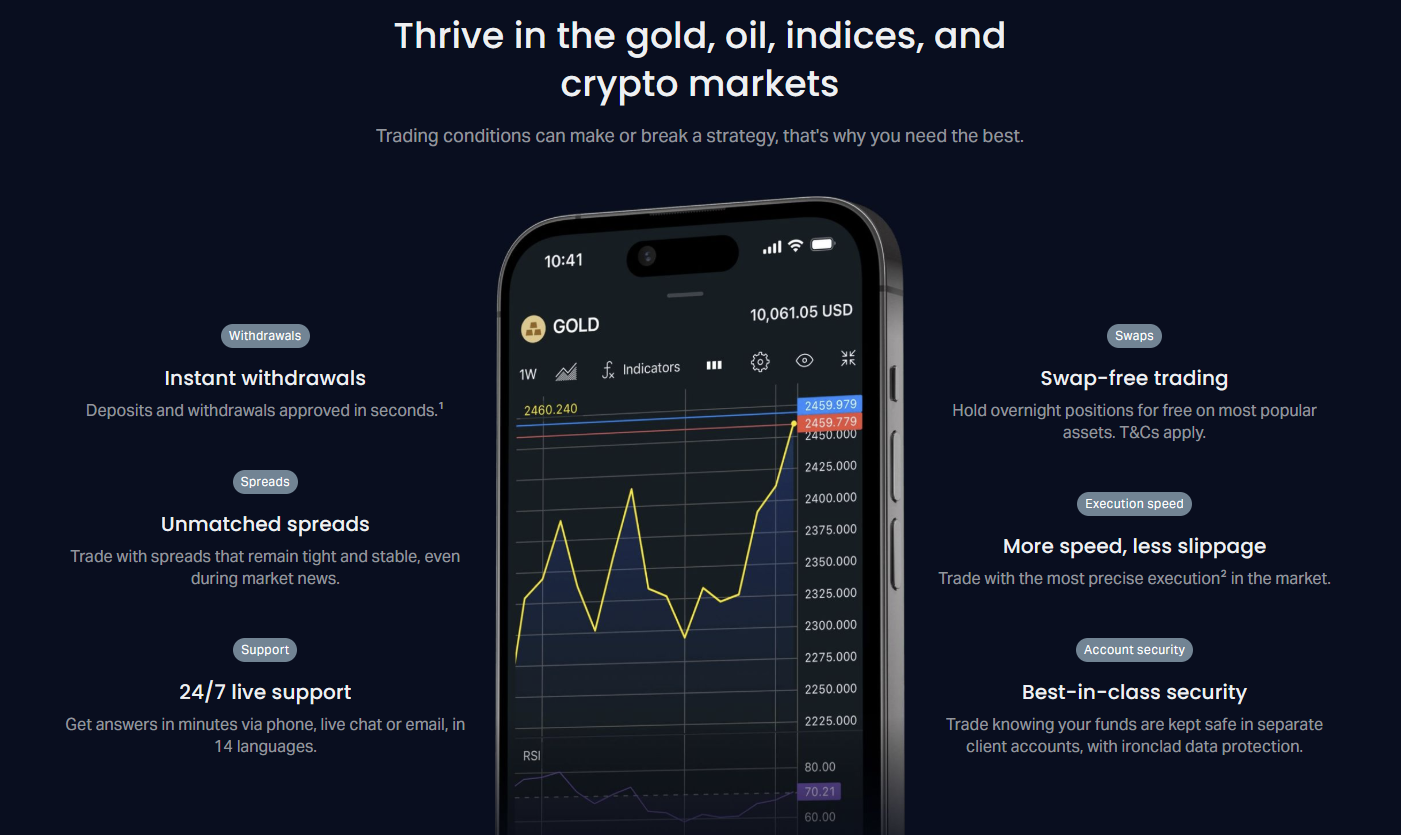
For deposit or withdrawal questions, include the payment method, amount, transaction ID, and date. For platform issues, specify whether you use MT4, MT5, Web Terminal, or the mobile app. Version numbers help agents identify known bugs or compatibility problems quickly.
If your issue involves multiple topics, address them sequentially rather than simultaneously. This keeps the conversation organized and ensures each point receives proper attention. Agents can create separate tickets for distinct issues if needed.
Live Chat vs Other Support Channels
Exness offers multiple support channels, each suited to different situations. Understanding the strengths of each helps you choose the most efficient path for your specific need. Live chat excels at real-time interactive troubleshooting, while email provides documentation trails and phone support handles sensitive account security matters.
Scroll horizontally to see all columns
| Channel | Best For | Response Time | Documentation |
|---|---|---|---|
| Live Chat | Urgent issues, platform help, quick questions | Seconds to minutes | Chat transcript available |
| Complex disputes, document submission, formal complaints | Hours to 24 hours | Full thread history | |
| Phone | Account security, verification calls, escalations | Immediate if available | Call reference number |
| Help Center | Self-service, common questions, tutorials | Instant | Permanent articles |
The help center contains extensive articles covering account setup, trading conditions, platform guides, and FAQs. Checking there first often provides instant answers without waiting for an agent. Live chat agents frequently reference help center articles and can send direct links during conversations.
Technical Troubleshooting via Live Chat
Platform connectivity issues, order execution delays, and chart display problems represent common technical inquiries. Live chat agents can guide you through diagnostic steps, check server status, and verify whether issues are isolated to your connection or widespread. They also coordinate with technical teams for platform-wide incidents.
- Verify internet stability and try alternative connections
- Restart the trading platform and clear cache
- Check Exness server status page for known outages
- Confirm correct server selection for your account type
- Update to the latest platform version
- Test on Web Terminal to isolate installation issues
Agents can remotely verify server latency and execution quality metrics for your account. If slippage or requotes exceed normal parameters, they document the occurrence for review. For persistent issues, they may recommend VPS hosting solutions available through Exness for automated trading stability.
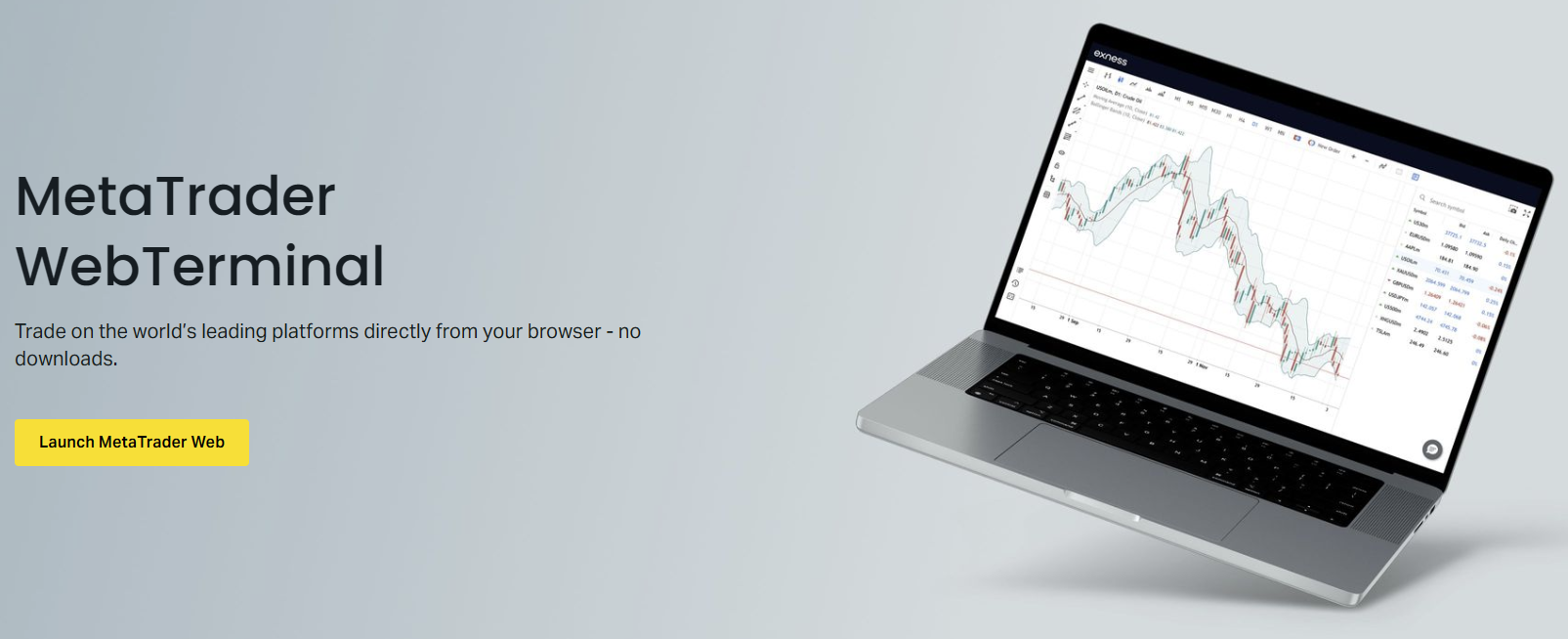
Mobile app issues often relate to OS version compatibility or background app restrictions. Agents provide device-specific guidance for iOS and Android, including battery optimization settings that may interrupt data feeds. They also assist with biometric login setup and push notification configuration for price alerts.
Account and Verification Assistance
Account verification remains one of the most frequent live chat topics. Agents guide traders through document requirements, review submission status, and explain rejection reasons. The real-time format allows immediate clarification when documents need resubmission, avoiding multi-day email cycles.
Scroll horizontally to see all columns
| Document Type | Accepted Formats | Validity Requirements |
|---|---|---|
| Proof of Identity | Passport, National ID, Driver License | Valid, not expired, all corners visible |
| Proof of Address | Utility Bill, Bank Statement, Government Letter | Issued within 3 months, shows name and address |
| Payment Method | Card Photo, E-wallet Screenshot, Bank Statement | Shows last 4 digits, name matches account |
Agents can pre-validate documents before formal submission, reducing rejection rates. They also explain regional variations in accepted documents. For example, some jurisdictions accept mobile operator bills as address proof while others require government-issued correspondence only.
Pre-validation through live chat cuts average verification time from 48 hours to under 4 hours for complete submissions.
Deposit and Withdrawal Support
Payment-related inquiries benefit significantly from live chat immediacy. Agents check transaction status in real time, identify processing delays, and provide estimated completion windows. They also clarify minimum amounts, fees, and processing times for each payment method available in your region.
- Instant payment methods: cards, e-wallets, local systems
- Bank transfer timelines and intermediary bank fees
- Cryptocurrency deposit confirmations and network fees
- Withdrawal priority rules: same method as deposit first
- Daily and monthly withdrawal limits by account tier
- Currency conversion rates applied to non-USD accounts
For delayed withdrawals, agents trace the transaction through each processing stage. They distinguish between Exness processing time, payment provider delays, and banking system hold periods. This transparency helps set realistic expectations and reduces unnecessary follow-up contacts.
Traders frequently use live chat to clarify trading conditions before or during market hours. Agents provide current spreads, swap rates, margin requirements, and session times for specific instruments. This real-time data supplements the published specifications which may vary during high volatility or news events.
Platform guidance covers order types, pending order placement, one-click trading setup, and risk management tools. Agents walk through configuration steps for stop-loss, take-profit, and trailing stop functions. They also explain platform-specific features like MT5 depth of market or MT4 custom indicator installation.
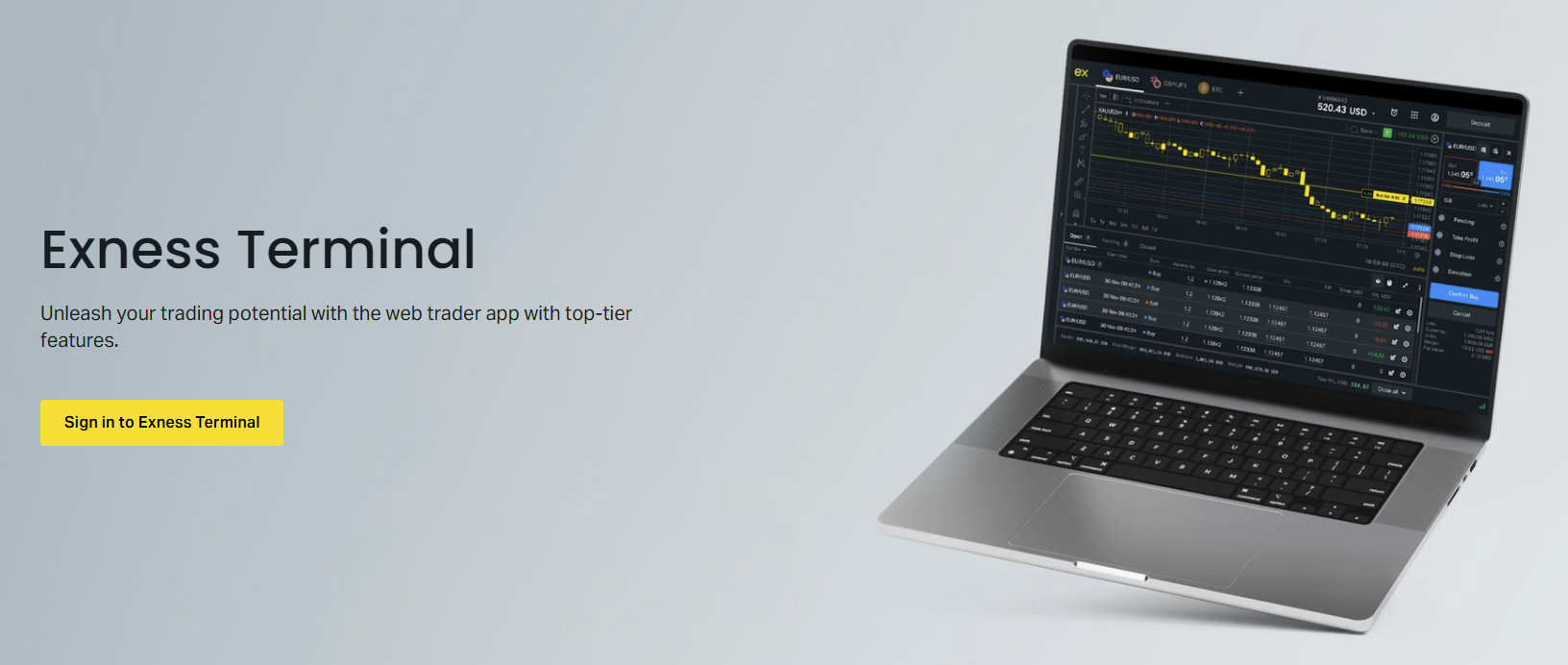
For algorithmic traders, agents confirm VPS connectivity, EA compatibility, and API access procedures. They also clarify hedging and netting mode differences between account types. This technical guidance prevents configuration errors that could affect strategy performance.
Escalation Procedures and Follow-Up
When live chat cannot resolve an issue immediately, agents initiate formal escalation procedures. They create support tickets with priority levels, assign reference numbers, and provide estimated response timelines. You receive email confirmation with the ticket details for tracking.
- Request a ticket reference number before ending chat
- Ask for the expected response timeframe
- Confirm which department will handle the escalation
- Save the chat transcript for your records
- Follow up via email if no update within stated timeframe
Chat transcripts remain accessible in your personal area message history. This record proves valuable for recurring issues or when referencing previous agent commitments. Agents can also view past chat history during new sessions, providing continuity across multiple contacts.

Always request a ticket number for unresolved issues. It creates accountability and a clear audit trail for follow-up.
Security Considerations During Live Chat
Exness agents never request passwords, 2FA codes, or full card numbers during chat sessions. They may ask for the last four digits of a card or the email associated with your account for verification. Understanding these boundaries protects you from social engineering attempts impersonating support staff.
- Agents never ask for your password or PIN
- Two-factor authentication codes are never requested
- Full card numbers are never required
- Remote desktop access is never requested
- Fund transfers to 'verification accounts' are never legitimate
Always initiate chat from the official Exness website or app. Phishing sites may replicate the chat interface to harvest credentials. Verify the URL shows exness.com and the security certificate is valid. The official chat widget displays the Exness logo and connects to verified agent accounts only.
Regional Support Variations
While core live chat functionality remains consistent globally, regional teams handle jurisdiction-specific regulations, payment methods, and promotional offers. Traders in Asia, Africa, Latin America, and the Middle East connect with agents familiar with local banking systems, regulatory requirements, and language nuances.
Scroll horizontally to see all columns
| Region | Local Payment Methods | Regulatory Notes |
|---|---|---|
| Southeast Asia | Local bank transfers, e-wallets, QR payments | Regional entity licensing applies |
| Middle East | Islamic accounts, local bank transfers | Swap-free conditions standard |
| Africa | Mobile money, local cards, bank transfers | Currency conversion considerations |
| Latin America | Local payment processors, PIX, SPEI | Regional partnership programs |
Regional agents also coordinate local events, educational webinars, and partner program activities. They provide market-specific insights such as holiday trading schedules for local exchanges or currency pairs with enhanced liquidity during regional sessions.
Final Assessment of Exness Live Chat Support
Exness live chat delivers comprehensive real-time support that addresses the majority of trader needs without channel switching. The 24/7 multilingual operation, authenticated session context, and agent authority to resolve common issues directly make it the primary support channel for active traders. Preparation, clear communication, and understanding escalation paths maximize the value of each interaction. For urgent trading matters, platform emergencies, or time-sensitive account issues, live chat remains the most efficient first contact point in the Exness support ecosystem.
Frequently Asked Questions
How do I start a live chat with Exness support?
Click the chat icon on the Exness website or in your personal area. Enter your name and email if not logged in, select your language, and type your question to connect with an agent.
Is Exness live chat available 24 hours a day?
Yes, Exness live chat operates 24/7 in English, Chinese, Thai, Vietnamese, Indonesian, and Arabic. Other languages have specific business hour availability.
Can live chat agents help with withdrawal delays?
Yes, agents can check real-time transaction status, identify processing stages, and provide estimated completion times for deposits and withdrawals.
What information should I have ready before starting a chat?
Have your account number or registered email, exact error messages with timestamps, screenshots if applicable, and details about your account type and the specific instrument involved.
Will Exness agents ask for my password during live chat?
No, legitimate Exness agents never request passwords, 2FA codes, or full card numbers. They may ask for the last four digits of a card or your registered email for verification.
What happens if my issue cannot be resolved in live chat?
The agent creates a support ticket with a reference number, assigns it to the appropriate department, and provides an estimated response timeframe. You receive email confirmation for tracking.
Can I access live chat through the Exness mobile app?
Yes, the Exness mobile app includes live chat access through the help or support section with full functionality matching the desktop version.