

Forex Trading Guides
Exness Personal Area Complete Guide for Traders
Master your Exness dashboard with step-by-step instructions for account management and trading tools.

Forex Analyst
Forex Analyst specializing in currency markets, market trends, technical and fundamental analysis, and providing clear insights to help traders make informed decisions.
The Exness Personal Area serves as the central command center for every trader using this globally recognized broker. Whether you are a beginner opening your first demo account or an experienced professional managing multiple live accounts across different asset classes, the personal area provides unified access to all essential functions. From account registration and verification to deposit processing, withdrawal requests, leverage adjustments, and detailed trading history analysis, every critical operation flows through this dashboard. Understanding its layout, capabilities, and shortcuts can significantly reduce administrative friction and allow you to focus on market analysis and strategy execution.
Contents
- Accessing Your Exness Personal Area Dashboard
- Navigating the My Exness Interface
- Account Overview and Balance Monitoring
- Managing Multiple Trading Accounts
- Deposit and Withdrawal Management
- Supported Payment Methods and Processing Times
- Instant Withdrawal Features and Limits
- Account Settings and Profile Configuration
- Changing Base Currency and Leverage Settings
- Security Features and Two-Factor Authentication
- Exness Personal Area App for Mobile Management
- App Features and Functionality Overview
- Syncing Desktop and Mobile Experience
- Partner and Affiliate Personal Area Access
- Exness Partner Personal Area Dashboard
- Tracking Referrals and Commission Reports
- Troubleshooting Common Personal Area Issues
- Terminating Your Exness Personal Area Account
- Advanced Tools Available in Personal Area
- Trading Calculator and Risk Management
- Economic Calendar and Market Analysis
- Key Takeaways About Exness Personal Area
Exness has invested heavily in making the personal area intuitive across devices. The web-based portal works seamlessly on desktop browsers, while the dedicated mobile application extends full functionality to smartphones and tablets. Both environments share the same underlying architecture, meaning changes made on one platform reflect instantly on the other. This synchronization proves invaluable for traders who monitor positions throughout the day and need to adjust risk parameters or process transactions without being tethered to a workstation. The interface supports multiple languages and adapts to regional regulatory requirements automatically based on your registered jurisdiction.
Beyond basic account administration, the personal area integrates advanced analytical tools that many traders overlook. Built-in calculators for margin, pip value, profit projection, and swap costs eliminate the need for external spreadsheets. The economic calendar filters high-impact events by currency pair and time zone, while Trading Central signals and FXStreet news feed directly into the dashboard. For partners and introducing brokers, a dedicated partner personal area tracks referral performance, commission structures, and payout schedules in real time. This guide walks through every major section, highlights time-saving features, and addresses common questions about security, currency conversion, and account closure procedures.
Security remains a foundational design principle throughout the Exness Personal Area. Two-factor authentication, device management, withdrawal whitelists, and encrypted communication channels protect both personal data and trading capital. The platform undergoes regular third-party audits and complies with multiple regulatory frameworks across Europe, Africa, Asia, and Latin America. Traders can review login history, revoke active sessions, and set up alerts for suspicious activity directly from the security settings panel. These layers of protection work silently in the background, activating only when anomalies are detected or when you explicitly configure additional safeguards.
Accessing Your Exness Personal Area Dashboard
Logging into the Exness Personal Area begins at the official website or through the mobile application. Enter your registered email address and password, then complete the two-factor authentication challenge if enabled. The system supports authenticator apps like Google Authenticator and Authy, as well as SMS-based codes for regions where app-based 2FA is less accessible. After successful authentication, you land on the main dashboard displaying an aggregated view of all trading accounts under your profile. Each account card shows the account type, base currency, current balance, equity, free margin, and margin level percentage. Color-coded indicators highlight accounts approaching margin call or stop-out thresholds, allowing immediate attention where needed.
- Visit the official Exness website and click the login button in the top-right corner
- Enter your registered email address and account password
- Complete two-factor authentication using your preferred method
- Select the desired trading account from the dashboard overview
- Navigate to specific sections using the left-hand menu or top navigation bar
Navigating the My Exness Interface
The My Exness interface organizes functionality into logical groups accessible from a persistent sidebar. The Dashboard tab presents a consolidated portfolio snapshot with real-time equity curves, open positions summary, and recent transaction history. The Accounts section lists every live and demo account with quick actions for creating new accounts, archiving inactive ones, and switching between MT4 and MT5 platforms. Deposit and Withdrawal pages support dozens of payment methods tailored to your country of residence, each with transparent fee structures and processing time estimates. The Settings area houses profile information, security preferences, notification controls, and API credential management for algorithmic traders.
Account Overview and Balance Monitoring
Each trading account within the personal area maintains its own detailed view accessible by clicking the account number or nickname. This view breaks down balance, credit, equity, used margin, free margin, and margin level with live updates during market hours. The margin level indicator uses a traffic-light system: green above 200%, amber between 100% and 200%, and red below 100%, providing instant visual risk assessment. Historical performance charts plot equity growth over customizable periods ranging from one day to the account's entire lifetime. Traders can overlay deposit and withdrawal markers on the equity curve to correlate cash flow events with performance inflection points.
Scroll horizontally to see all columns
| Account Type | Min Deposit | Spreads From | Commission | Max Leverage |
|---|---|---|---|---|
| Standard | $1 | 0.3 pips | None | 1:Unlimited |
| Standard Cent | $1 | 0.3 pips | None | 1:Unlimited |
| Pro | $200 | 0.1 pips | None | 1:Unlimited |
| Raw Spread | $200 | 0.0 pips | $3.5 per lot/side | 1:Unlimited |
| Zero | $200 | 0.0 pips | $3.5 per lot/side | 1:Unlimited |
Managing Multiple Trading Accounts
The personal area supports unlimited trading accounts under a single profile, enabling sophisticated portfolio segmentation. Traders commonly separate accounts by strategy (scalping vs. swing trading), asset class (forex vs. crypto vs. indices), or risk profile (conservative vs. aggressive). Each account can operate on different platforms (MT4, MT5, or WebTerminal) with independent leverage settings and base currencies. The dashboard aggregates exposure across all accounts, calculating total used margin and combined margin level to prevent accidental over-leveraging. Account nicknames and color tags help distinguish purpose at a glance, especially when managing ten or more simultaneous accounts.
- Create separate accounts for distinct trading strategies to isolate risk
- Use different base currencies to hedge against currency fluctuation
- Assign descriptive nicknames like "Scalping EURUSD" or "Long-term Gold"
- Monitor aggregate margin level to avoid correlated drawdowns
- Archive inactive accounts to declutter the dashboard without losing history
Deposit and Withdrawal Management
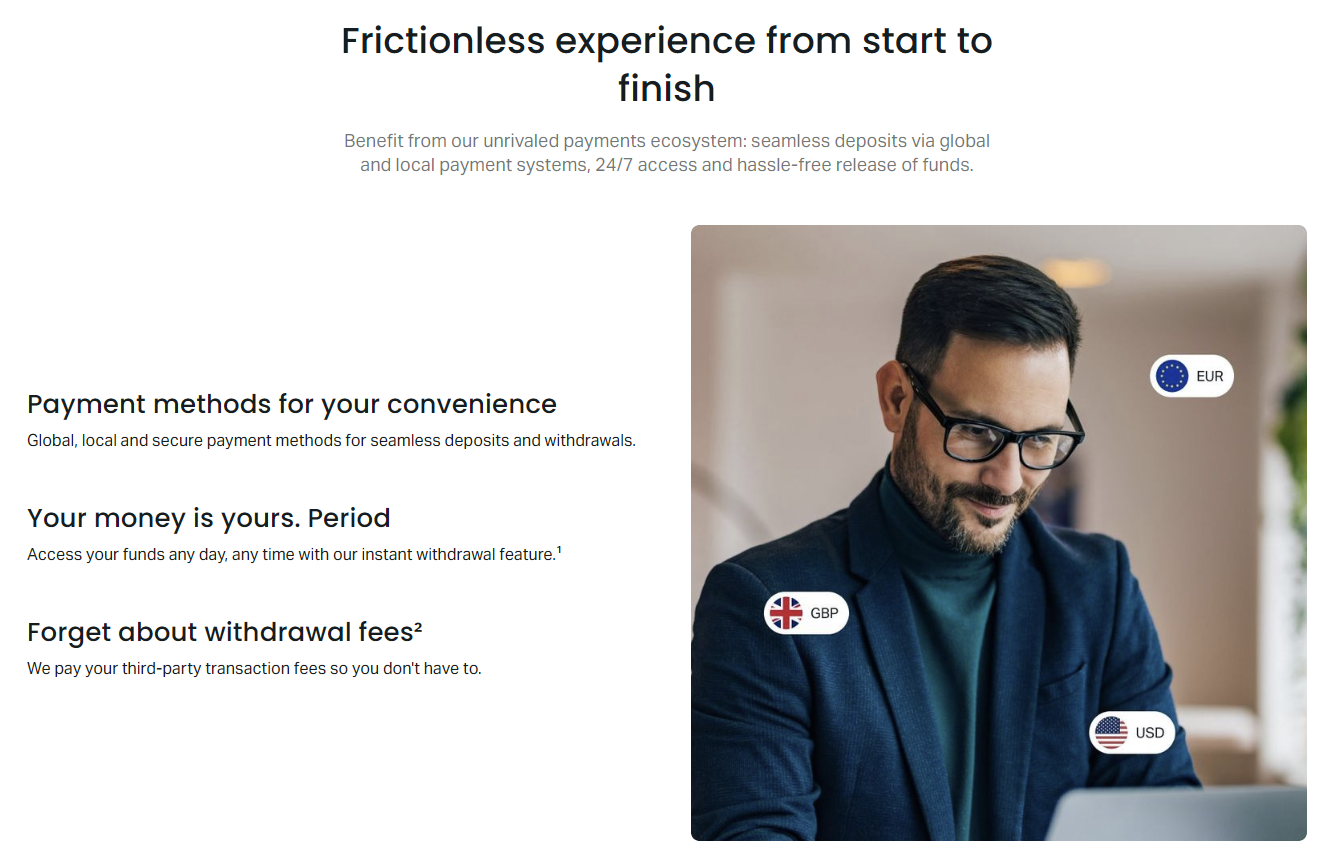
Funding and withdrawing from Exness accounts operates through a streamlined workflow designed for speed and transparency. The Deposit page automatically filters available payment methods based on your verified country of residence, displaying only options that support your account's base currency. Most electronic methods process instantly, while bank transfers may require one to three business days depending on the intermediary banks involved. Minimum deposit amounts vary by method but generally start at $1 for electronic wallets and $10 for card payments. The system enforces anti-money laundering rules by requiring withdrawals to return to the original deposit source whenever possible, with proportional allocation when multiple sources funded the account.
The withdrawal process mirrors deposits in simplicity but includes additional verification checkpoints for security. First-time withdrawals to a new destination trigger email confirmation and may require support team approval. Exness promotes instant withdrawals for most electronic methods, meaning funds leave the broker's custody within minutes of request approval. However, the actual arrival time depends on the payment processor's internal clearing cycles. Cryptocurrency withdrawals typically confirm on-chain within 30 minutes, while e-wallets like Neteller and Skrill often reflect instantly. Bank wire withdrawals follow standard SWIFT timelines of two to five business days. The personal area tracks every transaction with unique reference IDs for easy reconciliation.
Supported Payment Methods and Processing Times
Payment method availability varies significantly by region due to local banking partnerships and regulatory constraints. European clients typically access SEPA transfers, Visa/Mastercard, and major e-wallets. African traders benefit from mobile money integrations like M-Pesa and Airtel Money alongside regional bank transfers. Asian markets see support for local bank transfers, UnionPay, and popular e-wallets such as GrabPay and GoPay. Latin American users can utilize PIX, SPEI, and local bank networks. The personal area displays real-time status indicators for each method, flagging temporary maintenance windows or regional outages. Traders should verify their preferred method's availability before funding to avoid delays.
Scroll horizontally to see all columns
| Region | Instant Methods | Bank Transfer Time | Local Options |
|---|---|---|---|
| Europe | Visa, Mastercard, Skrill, Neteller | 1-2 business days (SEPA) | Trustly, Sofort, Giropay |
| Africa | M-Pesa, Airtel Money, Visa | 1-3 business days | Flutterwave, Paystack, OPay |
| Asia | Skrill, Neteller, Crypto | 2-5 business days | UnionPay, GrabPay, GoPay, Paytm |
| Latin America | Crypto, AstroPay, Visa | 2-5 business days | PIX, SPEI, OXXO, Boleto |
Instant Withdrawal Features and Limits
Exness distinguishes itself with an instant withdrawal promise for eligible payment methods. The system processes approved requests 24/7, including weekends and holidays, without manual intervention for amounts within automated limits. These limits scale with account verification level and transaction history. Fully verified accounts with established withdrawal patterns often enjoy higher automated thresholds. Requests exceeding automated limits route to the finance team for review, typically completing within a few hours during business days. The personal area displays your current automated withdrawal limit and tracks pending requests with real-time status updates. Traders can cancel pending withdrawals before processing begins, returning funds to the trading balance immediately.
Account Settings and Profile Configuration
The Settings section of the Exness Personal Area consolidates profile management, security controls, trading preferences, and notification rules. Profile information includes legal name, date of birth, residential address, and contact details — all of which must match your verification documents. Changes to core identity fields trigger re-verification to maintain regulatory compliance. The trading preferences panel lets you set default leverage for new accounts, choose between hedging and netting modes on MT5, and configure stop-out levels. Notification settings granularly control email, SMS, and push alerts for margin calls, executed orders, deposit confirmations, and promotional communications.
Changing Base Currency and Leverage Settings
Base currency selection occurs during account creation and cannot be changed for existing accounts. However, you can open additional accounts in different base currencies (USD, EUR, GBP, CHF, JPY, AUD, CAD, NZD, SGD, HKD, ZAR, and others) to match your primary banking currency and avoid conversion fees. Leverage settings apply per account and can be adjusted anytime when no open positions exist. The personal area offers a leverage slider with preset tiers (1:50, 1:100, 1:200, 1:500, 1:1000, 1:2000, and Unlimited) subject to regulatory caps and equity thresholds. Unlimited leverage activates automatically when account equity falls below $1,000, providing maximum flexibility for small accounts while protecting larger balances from excessive risk.
- Select base currency during new account creation only
- Open multiple accounts in different currencies to avoid conversion costs
- Adjust leverage when no open positions exist on the account
- Unlimited leverage activates automatically below $1,000 equity
- Regulatory caps may restrict maximum leverage in certain jurisdictions
Security Features and Two-Factor Authentication
Security settings provide comprehensive control over account access and transaction authorization. Two-factor authentication supports TOTP authenticator apps and SMS delivery, with the option to require 2FA for login, withdrawals, or both. The device management panel lists all active sessions with geolocation, device type, and last activity timestamp. You can revoke individual sessions or terminate all except the current one. Withdrawal address whitelisting restricts fund destinations to pre-approved wallets and bank accounts, adding a critical layer against unauthorized transfers even if credentials are compromised. Login history logs every access attempt with IP address and outcome, enabling quick detection of suspicious activity.
API credential management caters to algorithmic traders connecting custom software or third-party platforms. Each API key pair receives scoped permissions — read-only for portfolio monitoring, trading-enabled for order execution, or full access for comprehensive integration. Keys can be rotated, revoked, or IP-restricted without affecting other integrations. The personal area also supports webhook configuration for real-time event notifications, allowing automated systems to react to margin calls, order fills, or balance changes within milliseconds. All API activity is logged and auditable, meeting institutional compliance requirements for managed accounts and copy trading services.
The depth of security controls in the Exness Personal Area rivals institutional prime brokerage portals, yet remains accessible to retail traders without technical expertise.
Exness Personal Area App for Mobile Management
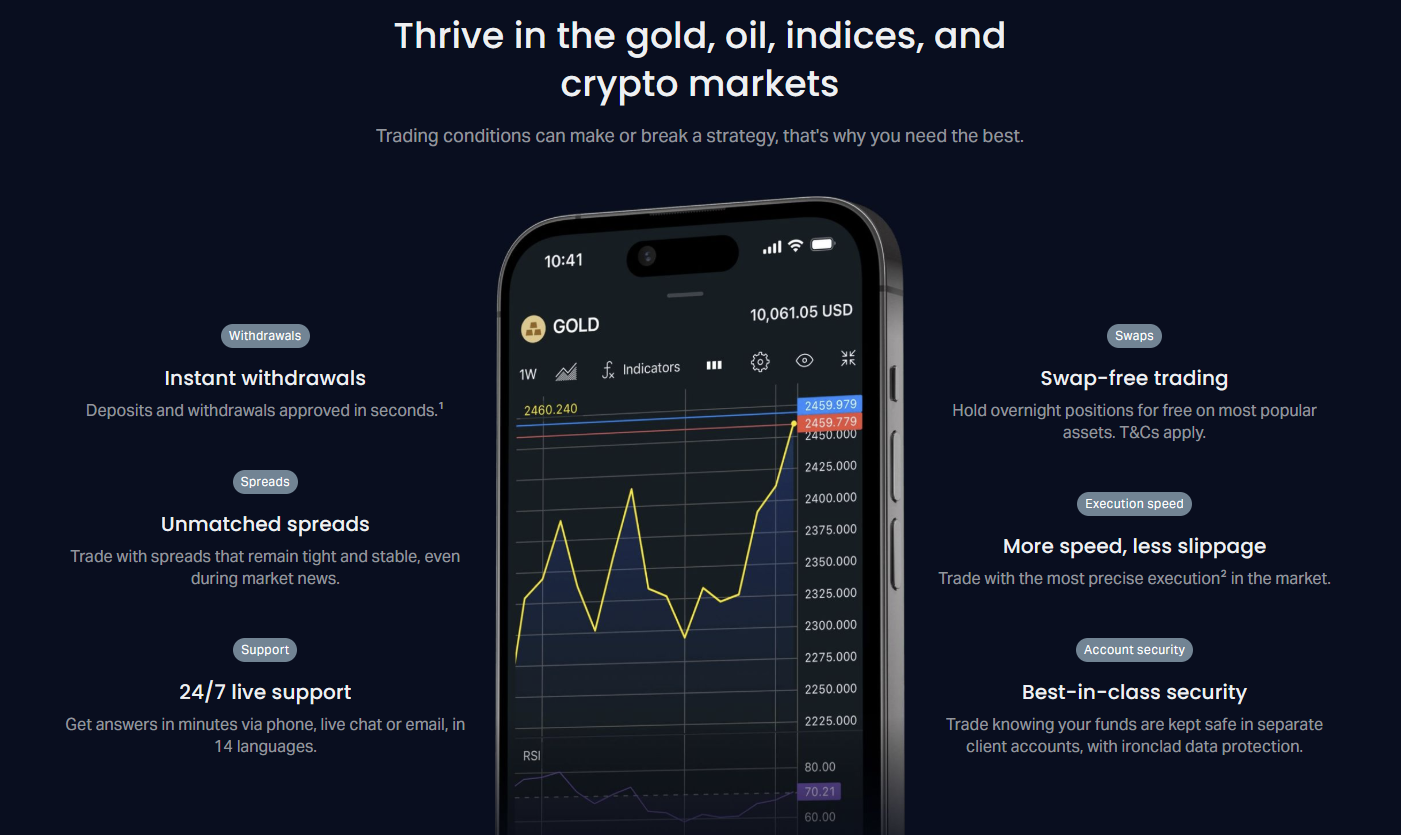
The Exness Personal Area app extends full dashboard functionality to iOS and Android devices with a native interface optimized for touch interaction. Available on the App Store and Google Play, the app mirrors the web portal's feature set while adding mobile-specific conveniences like biometric login (Face ID, Touch ID, fingerprint), push notifications for price alerts and margin calls, and offline mode for viewing cached account data. The app supports multiple account switching with a single tap, making it practical for traders managing several strategies across different accounts. Dark mode reduces eye strain during extended monitoring sessions, and the responsive layout adapts to both phone and tablet form factors without feature loss.
App Features and Functionality Overview
Core app capabilities include real-time balance and equity monitoring, deposit and withdrawal initiation with saved payment methods, leverage and account setting adjustments, and complete transaction history with exportable statements. The integrated economic calendar and Trading Central signals appear in dedicated tabs, while the trading calculator suite covers margin, pip value, swap, and profit projections. Chart viewing is read-only but includes multiple timeframes, technical indicators, and drawing tools for quick analysis away from the desktop. The app also provides direct access to customer support via live chat, with conversation history synchronized across devices. Biometric authentication eliminates password entry for routine access while maintaining security for sensitive operations like withdrawals.
- Biometric login with Face ID, Touch ID, or fingerprint scanner
- Push notifications for margin calls, deposits, and price alerts
- Full deposit and withdrawal workflow with saved payment methods
- Real-time equity monitoring across all linked accounts
- Integrated economic calendar and Trading Central signals
- Trading calculators for margin, pip, swap, and profit
- Read-only charts with indicators and drawing tools
- Live chat support with synchronized conversation history
Syncing Desktop and Mobile Experience
Synchronization between the web personal area and mobile app occurs in real time through a shared backend. Changes to account settings, notification preferences, saved payment methods, and API credentials propagate instantly across all logged-in devices. The app caches recent data for offline viewing, automatically refreshing when connectivity restores. Notification preferences configured on desktop apply to mobile push alerts without separate setup. Traders can start a deposit on the web portal and complete authentication on the mobile app, or vice versa. This seamless handoff proves especially valuable during volatile market conditions when quick margin top-ups or position adjustments are time-critical.
The app's settings menu includes data usage controls for traders on metered connections, allowing selective sync of charts, news, and calendar data. Background refresh intervals can be customized to balance battery life with data freshness. For security-conscious users, the app supports automatic logout after configurable inactivity periods and remote session revocation from the web portal's device management panel. Regular updates through official app stores deliver new features, security patches, and compatibility improvements for the latest OS versions. The development team maintains feature parity between platforms, ensuring iOS and Android users receive equivalent functionality simultaneously.
Partner and Affiliate Personal Area Access
Introducing brokers and affiliates access a dedicated Exness Partner Personal Area with specialized tools for business development and commission tracking. This portal operates alongside the standard trader dashboard but adds partner-specific modules: referral link management, multi-tier sub-partner hierarchies, customizable landing pages, and marketing asset libraries. The partner dashboard displays real-time metrics including active referred clients, trading volume generated, commission earned, and pending payouts. Commission structures follow a transparent tiered model based on monthly referred volume, with rates published in the partner agreement. Partners can generate detailed reports filtered by client, instrument, time period, and account type for performance analysis and tax documentation.
Exness Partner Personal Area Dashboard
The partner dashboard opens with a high-level summary showing total referred clients, currently active traders, cumulative trading volume, and lifetime commissions paid. A graphical timeline visualizes growth trends with annotations for marketing campaigns or promotional periods. The referral management section lets partners create tracked links with custom parameters for different traffic sources (website, social media, email campaigns, offline events). Sub-partner recruitment builds multi-level networks where the primary partner earns override commissions on sub-partner referred volume. Each tier's commission rate is configurable within program limits, enabling partners to incentivize their downline effectively. The marketing center provides compliant banners, landing page templates, and educational content in multiple languages.

Scroll horizontally to see all columns
| Monthly Referred Volume | Commission per Lot | Sub-Partner Override | Payout Frequency |
|---|---|---|---|
| 0 - 500 lots | $8 - $10 | 10% - 15% | Daily |
| 501 - 2,000 lots | $10 - $12 | 15% - 20% | Daily |
| 2,001 - 5,000 lots | $12 - $14 | 20% - 25% | Daily |
| 5,000+ lots | $14 - $16 | 25% - 30% | Daily |
Tracking Referrals and Commission Reports
The referral tracking system attributes clients using first-click cookie logic with a 30-day attribution window. Once attributed, the client remains linked to the partner for the account's lifetime, even if cookies clear or the client switches devices. The partner area provides granular client-level reporting showing each referred trader's volume, commission contribution, account status, and last activity date. Partners can filter reports by instrument group (forex, metals, crypto, indices, energies, stocks) to identify which asset classes drive revenue. Commission statements generate in PDF and CSV formats with all details required for accounting and tax compliance. Payouts process daily to the partner's Exness wallet, from which funds can be withdrawn via any verified method or transferred to a trading account for further investment.
The partner personal area transforms affiliate marketing from guesswork into a data-driven business with real-time attribution, transparent economics, and daily liquidity on earned commissions.
Troubleshooting Common Personal Area Issues
Even well-designed platforms encounter occasional friction points. The most frequent issues involve login failures, deposit delays, verification bottlenecks, and synchronization glitches between devices. Login problems typically stem from incorrect credentials, expired 2FA codes, or IP restrictions triggered by VPN use. The personal area's "Forgot Password" flow sends a time-limited reset link to the registered email, while 2FA recovery requires support assistance with identity verification. Deposit delays usually originate from the payment processor side — card issuer declines, e-wallet balance insufficient, or bank transfer routing errors. The transaction history page shows detailed status codes and timestamps to help identify where the process stalled.
- Clear browser cache and cookies if dashboard loads incorrectly
- Disable VPN or proxy when accessing the personal area
- Ensure 2FA device time is synchronized for valid codes
- Check payment method maintenance status before depositing
- Submit verification documents in high-resolution color scans
- Contact live chat with transaction ID for deposit investigations
- Reinstall mobile app if synchronization fails persistently
- Review login history for unauthorized access attempts
Terminating Your Exness Personal Area Account
Account termination is a deliberate, multi-step process designed to prevent accidental closure. From the Settings menu, navigate to Account Management and select "Close Account." The system presents a confirmation screen listing all consequences: permanent loss of trading history, inability to recover closed accounts, forfeiture of any pending bonuses or promotions, and removal from partner programs if applicable. You must confirm each consequence individually, enter your account password, and complete 2FA. A final email confirmation goes to your registered address with a 24-hour cooling-off period during which you can cancel the request. After confirmation, the finance team processes remaining balance withdrawals to your verified methods within standard timelines.
- Navigate to Settings > Account Management > Close Account
- Review and acknowledge each consequence of termination
- Enter password and complete two-factor authentication
- Confirm via email link within 24-hour cooling-off period
- Allow standard withdrawal processing for remaining funds
Advanced Tools Available in Personal Area
Beyond administration, the Exness Personal Area embeds professional-grade analytical tools that support informed decision-making. The trading calculator suite includes margin, pip value, profit/loss projection, swap cost, and currency conversion calculators — all using live market data from Exness pricing engines. These tools accept position parameters (instrument, volume, direction, leverage, account currency) and instantly compute required margin, point value, and estimated swap charges for holding positions overnight. The economic calendar filters events by importance (high, medium, low), currency impact, and time horizon, with actual vs. forecast vs. previous values displayed for each release. Traders can set event reminders that push to both web and mobile interfaces.
Trading Calculator and Risk Management
The margin calculator proves essential for position sizing before order entry. Input your account currency, leverage, instrument, and desired volume to see exact margin requirement and maximum position size given current free margin. The pip calculator translates price movements into monetary value per pip for any instrument and account currency combination, critical for setting precise stop-loss and take-profit levels. Swap calculator projects overnight financing costs for long and short positions across all instruments, including triple-swap Wednesdays for forex pairs. Profit calculator models P&L scenarios across entry, exit, and partial close levels. All calculators update in real time as spreads and swap rates change, ensuring accuracy during volatile sessions.
Economic Calendar and Market Analysis
The integrated economic calendar sources data from multiple providers to ensure comprehensive coverage of global macroeconomic events. Each event entry includes the releasing authority, publication time in your local time zone, affected currencies, previous reading, market consensus forecast, and actual result once released. High-impact events (central bank rate decisions, NFP, CPI, GDP) receive prominent highlighting and optional push notifications. The calendar supports custom filters: show only events for currencies in your open positions, hide low-impact events, or focus on specific regions. Trading Central technical analysis signals appear alongside the calendar, providing actionable trade ideas with entry, stop, and target levels for major instruments. FXStreet news feed delivers real-time headlines with sentiment tagging.
Having calculators, calendar, and signals inside the personal area eliminates context switching between broker platform and third-party analysis sites, keeping focus on execution.
Key Takeaways About Exness Personal Area
The Exness Personal Area stands out as a comprehensive, secure, and trader-centric dashboard that scales from novice to institutional needs. Its unified design across web and mobile ensures consistent experience regardless of access point. Core strengths include instant withdrawal processing for verified accounts, unlimited account creation under one profile with aggregated risk monitoring, granular security controls with device management and withdrawal whitelisting, and embedded analytical tools that reduce dependency on external services. The partner personal area adds a professional-grade affiliate management suite with daily payouts and multi-tier tracking. Areas for improvement include the inability to change base currency on existing accounts and occasional regional payment method limitations. Overall, the platform delivers exceptional administrative efficiency, allowing traders to allocate more time to market analysis and strategy refinement.
Frequently Asked Questions
How do I access my Exness Personal Area for the first time?
Register on the Exness website with your email and password, complete email verification, then log in at the main portal. You will be prompted to set up two-factor authentication and complete identity verification before full access is granted.
Can I change the base currency of an existing trading account?
No, base currency is fixed at account creation. To trade in a different currency, open a new account within your personal area and select the desired base currency during setup.
What is the Exness Personal Area app and where can I download it?
The Exness Personal Area app is a mobile application for iOS and Android that provides full account management, funding, analytics, and trading calculator tools. Download it from the Apple App Store or Google Play Store by searching for Exness.
How long do Exness withdrawals take to process?
Most electronic withdrawals process instantly 24/7 once approved. Bank transfers take 2-5 business days. Cryptocurrency withdrawals typically confirm on-chain within 30 minutes. First-time withdrawals to new destinations may require additional verification.
Can I have multiple Exness Personal Area accounts?
You can have only one personal area profile per identity, but that profile supports unlimited trading accounts (MT4, MT5, demo, live) with different base currencies, leverage settings, and platforms.
How do I enable two-factor authentication in my Exness Personal Area?
Go to Settings > Security > Two-Factor Authentication. Choose between authenticator app (TOTP) or SMS delivery. Scan the QR code with your authenticator app or enter your phone number for SMS codes. Save backup codes provided during setup.
What happens if I terminate my Exness Personal Area?
Termination permanently closes all trading accounts, deletes transaction history, forfeits bonuses, and removes you from partner programs. Funds are withdrawn to verified methods. The action is irreversible after a 24-hour cooling-off period.
Where can I find the Exness Partner Personal Area?
After joining the Exness Partner Program, access the partner dashboard through the main personal area menu or directly via the partner portal link. It provides referral tracking, commission reports, marketing materials, and sub-partner management.