

Forex Broker Guides
Exness Sign Up Process and Account Registration Guide
Learn how to create your Exness trading account with step-by-step instructions and key requirements.

Forex Analyst
Forex Analyst specializing in currency markets, market trends, technical and fundamental analysis, and providing clear insights to help traders make informed decisions.
Creating a trading account with Exness involves a straightforward registration process designed to get traders started quickly while maintaining regulatory compliance. The broker has streamlined its onboarding flow to accommodate both beginners and experienced market participants, offering multiple account types that cater to different trading styles and capital levels. Understanding the complete sign up journey helps avoid common delays and ensures your account is ready for live trading as efficiently as possible.
Contents
- Why Choose Exness for Your Trading Account
- Exness Account Types Available During Registration
- Step-by-Step Exness Sign Up Process
- Required Documents for Exness Verification
- Demo Account vs Real Account Registration
- Exness Registration Requirements by Region
- Common Registration Issues and Solutions
- Security Features Protecting Your Exness Account
- After Registration: First Steps in Your Personal Area
- Exness Mobile App Registration Options
- Key Takeaways About Exness Sign Up
The Exness registration process typically takes only a few minutes to complete the initial form, though full account verification requires submitting identity documents. This two-stage approach allows traders to explore the platform with a demo account immediately while completing verification for live trading. The broker supports registration from most countries worldwide, with localized payment methods and customer support available in numerous languages.
Before beginning the Exness sign up process, it helps to understand the different account categories available. Each account type offers distinct trading conditions, minimum deposit requirements, and feature sets. Choosing the right account during registration saves time later, though Exness does allow opening additional accounts under the same Personal Area after the initial setup.
Why Choose Exness for Your Trading Account
Exness has established itself as a prominent multi-asset broker serving hundreds of thousands of clients globally. The company operates under multiple regulatory licenses, including oversight from the Financial Conduct Authority in the UK, the Cyprus Securities and Exchange Commission, and other jurisdictional regulators. This regulatory framework provides client fund protection through segregation requirements and compensation scheme eligibility where applicable.
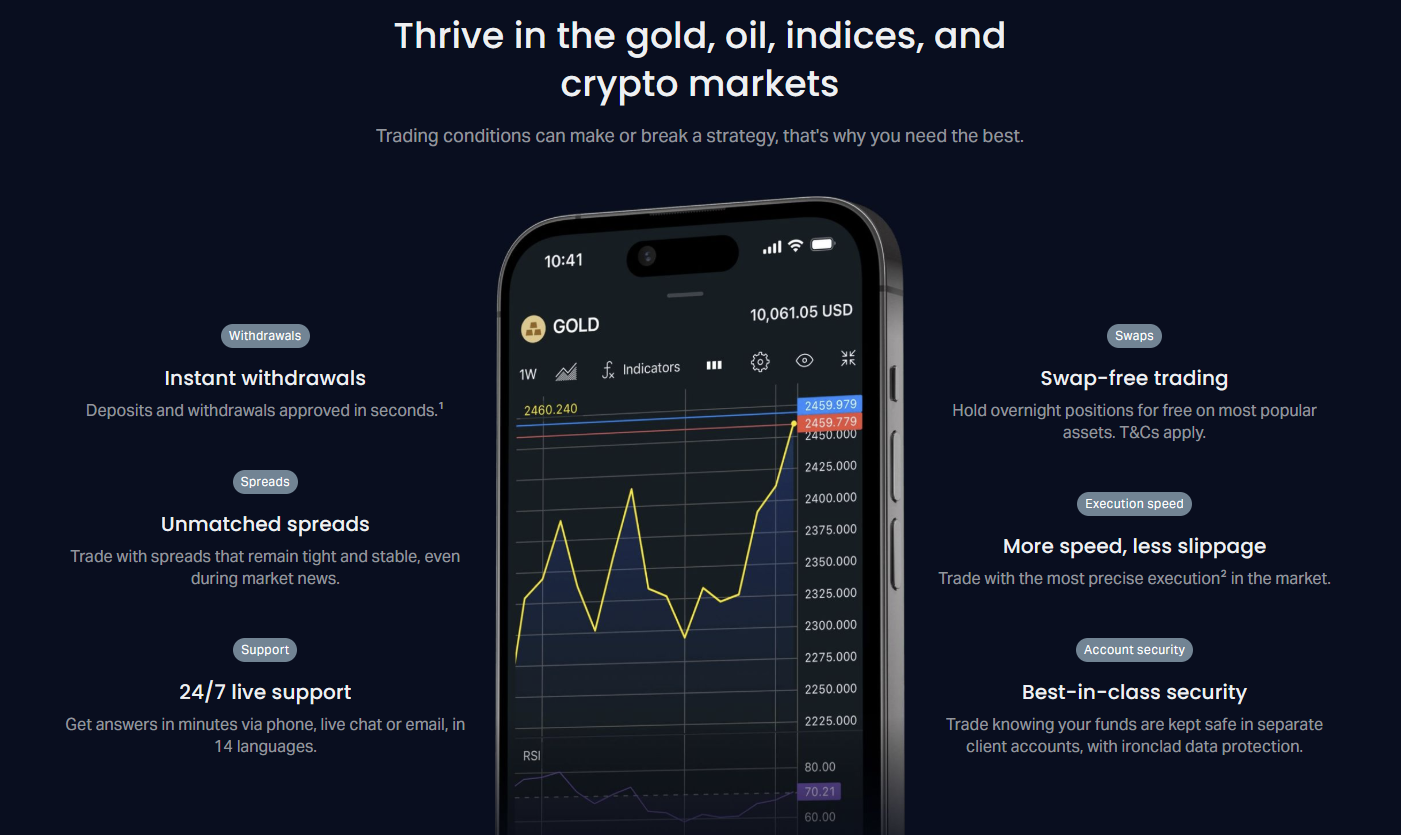
The broker distinguishes itself through several operational advantages that matter during and after registration. Instant withdrawal processing on most payment methods means profits can be accessed without the multi-day delays common at many firms. Stable spreads during high volatility periods protect trading costs when markets move rapidly. The proprietary Exness Terminal web platform requires no download and works directly in browsers, while full MetaTrader 4 and MetaTrader 5 support caters to traders preferring industry-standard software.
- Multiple regulatory licenses across major jurisdictions
- Instant withdrawal processing on most payment methods
- Stable spreads maintained during high volatility
- Proprietary web terminal plus MT4 and MT5 support
- No minimum deposit on Standard accounts
- Unlimited leverage available for eligible accounts
- 24/7 multilingual customer support
The account opening process reflects this client-centric approach. Registration forms ask only for essential information initially, with additional details collected during verification. The Personal Area dashboard provides clear visibility into account status, verification progress, and available actions. This transparency reduces the frustration often associated with broker onboarding where requirements remain unclear until rejection occurs.
Exness Account Types Available During Registration
During the Exness sign up process, you will encounter several account categories designed for different trading approaches. The main division separates Standard accounts from Professional accounts, each containing specific variants. Understanding these differences before registering helps select the most suitable option for your strategy and capital.
Standard accounts include the Standard and Standard Cent variants. The Standard account requires no minimum deposit and offers floating spreads from 0.3 pips with no commission. Standard Cent accounts denominate balances in cents rather than dollars, allowing micro-lot trading with very small capital. Both support unlimited leverage for eligible clients and provide access to the full instrument range including forex, metals, energies, indices, stocks, and cryptocurrencies.
Professional accounts comprise Raw Spread, Zero, and Pro variants. Raw Spread accounts feature spreads from 0.0 pips with a commission per lot traded. Zero accounts offer fixed zero spreads on major pairs during specific hours with commission. Pro accounts provide spreads from 0.1 pips with no commission but require higher minimum deposits. These accounts target higher-volume traders who benefit from reduced spread costs offsetting commission expenses.
Scroll horizontally to see all columns
| Account Type | Min Deposit | Spreads From | Commission | Best For |
|---|---|---|---|---|
| Standard | $0 | 0.3 pips | None | Beginners, flexible capital |
| Standard Cent | $0 | 0.3 pips | None | Micro-lot testing, very small capital |
| Raw Spread | $200 | 0.0 pips | Per lot | Scalpers, high frequency |
| Zero | $200 | 0.0 pips fixed | Per lot | Major pair specialists |
| Pro | $200 | 0.1 pips | None | Swing traders, no commission preference |
Islamic swap-free accounts are available across all account types for clients who cannot earn or pay interest due to religious beliefs. These accounts replace overnight swap charges with fixed administration fees on certain instruments. The Islamic account option can be selected during registration or requested afterward through the Personal Area. Exness also offers a demo version of every account type, allowing risk-free testing of each trading environment.
Choosing the right account type at registration aligns trading costs with your strategy from day one, avoiding the need to migrate accounts later.
Step-by-Step Exness Sign Up Process
The Exness registration flow begins at the broker's official website or through the mobile application. Click the registration button prominently displayed on the homepage to access the sign up form. The initial form requests basic information: country of residence, email address, and a secure password. Your country selection determines available payment methods, regulatory protections, and any region-specific requirements.
After submitting the initial form, Exness sends a verification email to the provided address. Clicking the link in this email confirms your email ownership and activates the Personal Area. At this stage, you can immediately access a demo account with virtual funds. The demo account replicates live market conditions across all platforms, making it valuable for platform familiarization and strategy testing before depositing real money.
- Visit the official Exness website or download the mobile app
- Click the registration or sign up button
- Select your country of residence from the dropdown
- Enter a valid email address for account communications
- Create a strong password meeting security requirements
- Agree to terms and conditions and privacy policy
- Submit the form and check email for verification link
- Click the verification link to activate Personal Area
- Access demo account immediately from dashboard
The Personal Area serves as your account management hub. From here you can open additional real or demo accounts, deposit and withdraw funds, manage verification documents, adjust leverage settings, and access trading platforms. The interface displays account status clearly, showing which verification steps remain incomplete. This centralized design eliminates the need to navigate multiple portals for different account functions.
To open a live trading account, navigate to the 'Open New Account' section within the Personal Area. Select your preferred account type from the available options. The system will prompt for additional information including full name, date of birth, phone number, and residential address. This data must match your identity documents exactly to avoid verification delays. After submitting these details, the account is created but remains restricted until verification completes.
Required Documents for Exness Verification
Full account verification at Exness follows Know Your Customer (KYC) and Anti-Money Laundering (AML) regulatory requirements. The process requires two categories of documents: proof of identity and proof of residence. Both must be current, legible, and match the information provided during registration. Verification typically completes within a few hours during business days, though complex cases may take longer.
Acceptable proof of identity documents include a valid passport, national identity card, or driver's license. The document must show your full name, date of birth, photograph, and expiration date. All four corners of the document should be visible in the uploaded image or scan. Expired documents are rejected. For residents of certain countries, specific document types may be preferred or required based on local regulations.
Proof of residence documents must be dated within the last three months and show your full name and residential address matching the registration details. Accepted documents include utility bills (electricity, water, gas, internet), bank statements, government-issued correspondence, or tax documents. Mobile phone bills are generally not accepted. The address must be a physical residential address, not a PO box or commercial address.
Scroll horizontally to see all columns
| Document Type | Accepted Examples | Validity Requirements |
|---|---|---|
| Proof of Identity | Passport, National ID, Driver's License | Valid, not expired, all corners visible |
| Proof of Residence | Utility Bill, Bank Statement, Tax Document | Within 3 months, shows name and address |
| Payment Method Verification | Card Photo, Bank Statement, E-wallet Screenshot | Shows ownership matching account holder |

Payment method verification may be required when depositing or withdrawing, particularly for card transactions. This involves uploading an image of the card showing the first six and last four digits, with the CVV covered. For bank transfers, a bank statement showing the account holder name matching the Exness registration suffices. E-wallet verification requires a screenshot of the account profile showing the registered email or phone number.
Verification delays most often stem from mismatched names, expired documents, or unclear images. Double-check every detail before submitting.
Demo Account vs Real Account Registration
Exness provides unlimited demo accounts at no cost, accessible immediately after email verification. Demo accounts replicate live trading conditions including spreads, execution speeds, and available instruments. The primary differences involve psychological factors: demo trading carries no financial risk, which can lead to different decision-making compared to real capital exposure. However, for platform learning and strategy development, demo accounts serve an essential purpose.
Real account registration requires the full KYC verification process described earlier. Once verified, real accounts accept deposits and enable live trading with actual profit and loss. The transition from demo to real trading represents a significant psychological step. Exness facilitates this by allowing both account types to coexist in the same Personal Area, letting traders switch between them seamlessly.
- Demo accounts: instant access, virtual funds, no verification needed
- Real accounts: require full KYC, accept deposits, real P&L
- Both account types use identical trading conditions
- Multiple demo and real accounts can exist simultaneously
- Demo accounts never expire at Exness
- Real accounts can be funded after verification completes
The Exness demo account opening process mirrors real account creation but stops after email verification. From the Personal Area, select 'Open Demo Account' and choose your preferred account type, platform (MT4, MT5, or Exness Terminal), leverage, and base currency. The demo account appears instantly with the selected virtual balance. You can reset demo balances or create new demo accounts at any time to test different configurations.
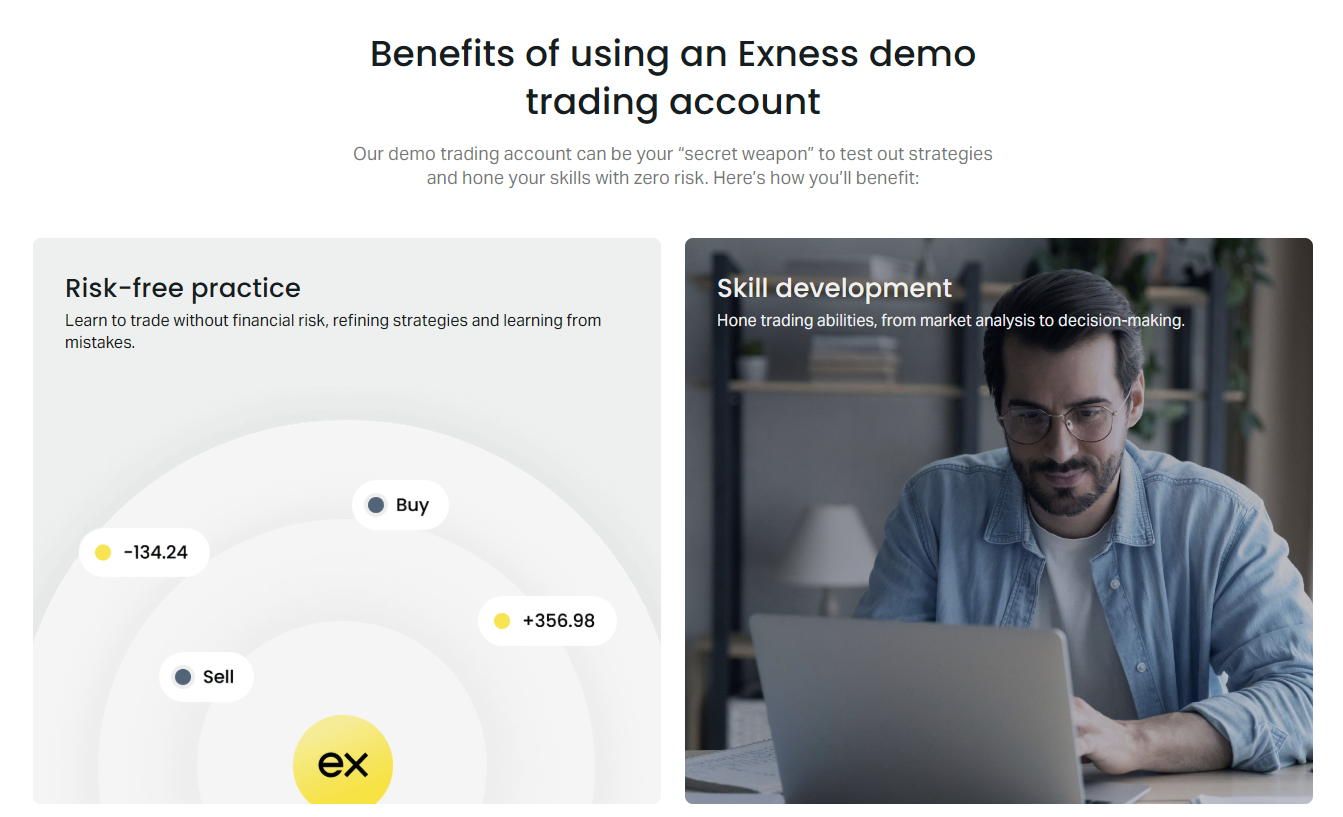
Many traders maintain a permanent demo account alongside live accounts for testing new strategies, expert advisors, or unfamiliar instruments without risking capital. This practice is encouraged and fully supported. The demo environment also serves as a safe space to learn platform features like one-click trading, chart templates, and automated trading tools before applying them in live markets.
Exness Registration Requirements by Region
While the core Exness sign up process remains consistent globally, certain regions impose additional requirements or restrictions based on local financial regulations. The broker operates through different legal entities for different jurisdictions, each complying with its respective regulator. Your country of residence during registration determines which entity services your account and what specific rules apply.
Clients registering from European Economic Area countries fall under the CySEC-regulated entity, which imposes leverage limits for retail clients (30:1 for major forex pairs, 20:1 for minors, 10:1 for commodities, 5:1 for stocks, 2:1 for cryptocurrencies). Professional client classification can restore higher leverage but requires meeting specific criteria including trading volume, portfolio size, and professional experience. The classification request is submitted through the Personal Area after registration.
Clients from many African, Asian, and Latin American countries register under the Seychelles FSA or other offshore entities, which typically offer higher leverage up to unlimited levels. However, these entities may not provide access to investor compensation schemes. Some countries face complete restrictions due to sanctions or regulatory prohibitions. The registration form automatically displays available options based on the selected country.
Scroll horizontally to see all columns
| Region | Regulatory Entity | Retail Leverage Limits | Compensation Scheme |
|---|---|---|---|
| EEA Countries | CySEC (Cyprus) | ESMA limits apply | ICF up to €20,000 |
| UK | FCA (UK) | FCA limits apply | FSCS up to £85,000 |
| Most Other Countries | FSA (Seychelles) / Others | Up to unlimited | Generally not available |
| Restricted Jurisdictions | Not Available | N/A | N/A |
Payment method availability also varies by region. Exness supports a wide range of deposit and withdrawal options including bank cards, bank transfers, electronic payment systems, and cryptocurrencies. The specific methods displayed in your Personal Area correspond to your registered country. Some regions enjoy instant withdrawals on all methods, while others may have processing delays for certain channels. Local currency accounts may be available in select markets, reducing conversion costs.
Your registration country locks in your regulatory framework and available services. Choose accurately — changing residence later requires re-verification.
Common Registration Issues and Solutions
Despite the streamlined design, some traders encounter obstacles during Exness registration. The most frequent issue involves email verification links expiring or not arriving. Verification emails typically arrive within minutes but can be delayed by email provider filtering. Check spam and promotions folders before requesting a resend. The verification link expires after 24 hours for security reasons, requiring a new registration attempt if missed.
Password-related problems occur when the chosen password does not meet security requirements. Exness requires at least eight characters including uppercase, lowercase, numbers, and special characters. Password managers help generate and store compliant passwords. If you forget your password after registration, the 'Forgot Password' link on the login page initiates a reset email to your registered address.
- Email verification link expired: restart registration with same email
- Verification email not received: check spam, request resend after 5 minutes
- Password rejected: ensure 8+ chars with upper, lower, number, symbol
- Country not in dropdown: Exness may not service that jurisdiction
- Phone verification fails: ensure correct country code and format
- Document upload rejected: check file format, size, and clarity requirements
Document verification rejections usually stem from quality issues: blurry images, glare obscuring text, cropped corners, or expired documents. Exness accepts JPG, PNG, and PDF formats up to 64 MB per file. Use natural lighting, place documents on a dark background, and ensure all text is readable. For proof of residence, the document date must be within three months and the address must exactly match your registered address including apartment numbers.
Security Features Protecting Your Exness Account
Account security begins at registration with password strength enforcement and continues through multiple protective layers. Two-factor authentication (2FA) adds a critical security layer beyond passwords. Exness supports authenticator apps like Google Authenticator and Authy, which generate time-based codes. SMS-based 2FA is also available in supported regions. Enabling 2FA immediately after first login significantly reduces unauthorized access risk.
The Personal Area includes a device management section showing all active sessions with timestamps, locations, and device types. You can revoke access from any suspicious session instantly. Login notifications alert you via email when new devices access your account. Withdrawal confirmations require email or 2FA approval, preventing unauthorized fund transfers even if login credentials are compromised.
Exness maintains client funds in segregated accounts at top-tier banks, separate from operational funds. This segregation protects client money if the broker faces financial difficulties. The broker also participates in compensation schemes where regulatory requirements mandate them. Regular external audits verify financial health and client fund handling. These protections apply equally to all account types once verification completes.
The broker employs SSL encryption for all data transmission and stores sensitive information using industry-standard encryption at rest. Regular penetration testing and security audits identify vulnerabilities before exploitation. The bug bounty program encourages responsible disclosure of security issues. These measures collectively create a robust security posture that protects accounts from registration through active trading and withdrawals.
Security is a shared responsibility. Exness provides the tools; traders must enable 2FA, use unique passwords, and monitor account activity regularly.
After Registration: First Steps in Your Personal Area
Once your Exness account is verified and active, the Personal Area becomes your operational center. The dashboard displays all accounts with real-time balances, equity, and margin levels. From here you can deposit funds using your preferred payment method. First deposits often qualify for promotional offers, though terms vary by region and entity. Review the deposit page for current conditions before funding.
Platform access is configured through the Personal Area. For MetaTrader 4 or 5, download links provide the installer customized with Exness server settings. The Exness Terminal web platform launches directly from the dashboard with no installation. Mobile apps for iOS and Android offer full trading functionality including charting, order management, and account monitoring. Login credentials for all platforms derive from your Personal Area account details.
- Complete profile information in Personal Area settings
- Enable two-factor authentication in security section
- Review and adjust leverage settings per account
- Download preferred trading platform (MT4, MT5, Web, Mobile)
- Make first deposit using preferred payment method
- Explore analytical tools: economic calendar, Trading Central signals
- Set up price alerts and notifications for watched instruments
- Review trading conditions: spreads, swaps, commissions for your account type
The analytical section provides access to market news from FXStreet, Trading Central technical analysis signals, and an economic calendar with impact ratings. These tools support informed trading decisions. The trading calculator helps compute margin requirements, pip values, and position sizing before entering trades. Familiarizing yourself with these resources early enhances trading efficiency.
Exness Mobile App Registration Options
The Exness mobile application provides complete registration functionality, allowing account creation entirely from a smartphone. The app is available on iOS App Store and Google Play Store. The mobile registration flow mirrors the web process: enter country, email, and password, then verify via email. The app interface optimizes document uploads using the phone camera, simplifying verification photo capture.
After registration, the app delivers full trading capabilities including real-time quotes, interactive charts with technical indicators, one-tap trading, and position management. Push notifications alert you to price movements, margin calls, and executed orders. The app also provides Personal Area access for deposits, withdrawals, and account settings. Biometric login (fingerprint or face recognition) secures app access conveniently.
MetaTrader 4 and MetaTrader 5 mobile apps offer alternative mobile trading experiences. These apps connect to Exness servers using the same login credentials created during registration. The MT4 and MT5 apps provide deeper technical analysis tools and expert advisor support, though with a steeper learning curve than the native Exness app. Many traders install both the Exness app for account management and an MT app for advanced charting.
The Exness Trade app, distinct from the main Exness app, focuses specifically on social and copy trading features. It allows browsing strategy providers, copying trades automatically, and managing copied positions. Registration for social trading uses the same Exness credentials. This separation keeps the main app streamlined for direct trading while offering specialized functionality for copy trading enthusiasts.
Key Takeaways About Exness Sign Up
The Exness sign up process balances speed with regulatory compliance, enabling traders to move from registration to demo trading in minutes and to live trading once verification completes. The multi-entity regulatory structure ensures appropriate protections based on your jurisdiction, while the unified Personal Area simplifies account management across all services. Multiple account types accommodate diverse strategies from micro-lot beginners to high-volume professionals.
Successful registration depends on providing accurate information matching your identity documents, using a permanent email address, and enabling security features like two-factor authentication immediately. The unlimited demo accounts provide risk-free environment for platform mastery and strategy validation. Regional differences in leverage, compensation schemes, and payment methods make accurate country selection essential during the initial form.
- Registration takes minutes; verification takes hours typically
- Demo accounts available instantly without KYC
- Multiple account types serve different trading styles
- Regulatory entity determined by country of residence
- Two-factor authentication strongly recommended post-registration
- Personal Area centralizes all account management functions
- Mobile apps offer full registration and trading capability
- Security features protect funds through segregation and encryption
Understanding the complete Exness registration journey prepares you for efficient onboarding and sets realistic expectations for verification timelines and trading readiness. The broker's focus on instant withdrawals, stable spreads, and platform choice makes it a competitive option for traders globally, provided the regulatory framework aligns with your requirements and risk tolerance.
Frequently Asked Questions
How long does Exness verification take after registration?
Exness verification typically completes within a few hours during business days. Complex cases or high volume periods may extend this to 24 hours. You can check verification status in your Personal Area at any time.
Can I register for Exness without a phone number?
A phone number is required during the registration process for account security and recovery purposes. The number must be valid and accessible to receive SMS verification codes.
What is the minimum deposit to open a real Exness account?
Standard and Standard Cent accounts have no minimum deposit requirement. Professional accounts (Raw Spread, Zero, Pro) require a minimum deposit of $200 to open.
Can I change my registered country after Exness sign up?
Changing your country of residence requires contacting support and re-submitting verification documents for the new jurisdiction. This may change your regulatory entity, leverage limits, and available payment methods.
Is Exness registration available in my country?
Exness accepts clients from most countries worldwide. The registration form dropdown shows all supported countries. If your country is not listed, Exness does not currently offer services there due to regulatory restrictions.
Can I have multiple Exness accounts?
Yes, you can open multiple real and demo accounts under the same Personal Area after initial registration. Each account can have different types, base currencies, and leverage settings.
What documents are needed for Exness KYC verification?
You need a valid government-issued photo ID (passport, national ID, or driver's license) and a proof of residence document dated within the last three months (utility bill, bank statement, or tax document).
Does Exness charge fees for account registration?
No, Exness does not charge any fees for account registration or maintenance. Costs only arise from trading spreads, commissions on certain account types, and potential swap charges for overnight positions.