

Forex Trading Education
Exness Social Trading: Copy Trading Features and Investment Wallet
Complete guide to Exness copy trading, investment wallet setup, and finding top-performing strategy providers.

Forex Analyst
Forex Analyst specializing in currency markets, market trends, technical and fundamental analysis, and providing clear insights to help traders make informed decisions.
Exness social trading offers a structured way for market participants to replicate the positions of experienced strategy providers without manually executing every trade. The service integrates directly with the broker's existing infrastructure, allowing users to browse verified trader profiles, review historical performance data, and allocate capital to selected strategies through a dedicated investment wallet. This approach lowers the barrier for those who lack the time or expertise to analyze markets independently while still providing transparency into how each strategy behaves under different conditions.
Contents
- How Exness Social Trading Works
- Exness Copy Trading Mechanics
- Understanding the Exness Investment Wallet
- Finding and Evaluating Top Traders on Exness
- Performance Metrics That Matter
- Minimum Deposit and Account Requirements
- Risk Management in Social Trading
- Setting Stop-Loss and Allocation Limits
- Exness Social Trading App Experience
- Fees and Cost Structure for Copy Trading
- Getting Started Step by Step
- Common Questions About Exness Social Trading
- Final Assessment of Exness Social Trading
The platform separates the concept of a strategy provider from that of a standard trading account. Providers operate real accounts with their own capital, and their trading activity becomes visible to potential followers after meeting minimum track-record requirements. Followers connect their investment wallet to one or more providers, and the system automatically mirrors position openings, modifications, and closures proportionally based on the allocated amount. This proportional copying mechanism preserves the risk profile of the original strategy while scaling it to the follower's capital base.
Unlike some competing services that restrict copy trading to specific account types or platforms, Exness enables the functionality across its standard and professional account offerings, including Raw Spread and Zero accounts. The integration works with both MetaTrader 4 and MetaTrader 5, as well as the proprietary Exness Trade app and web terminal. This flexibility means users can choose their preferred execution environment without losing access to social trading features. The following sections examine each component in detail, from provider selection to risk controls and cost structures.
How Exness Social Trading Works
The social trading ecosystem centers on three main participants: strategy providers who publish their trading activity, followers who allocate funds to copy those strategies, and the investment wallet that manages the capital flow between them. Providers must complete identity verification and maintain a live trading account with a minimum operational history before their profile becomes publicly discoverable. This vetting process helps filter out accounts with insufficient data or those created solely for promotional purposes.
- Strategy providers trade on live accounts with their own funds, ensuring aligned incentives.
- Followers browse a ranked directory with filters for return, drawdown, risk score, and trading frequency.
- The investment wallet holds allocated capital separately from the follower's main trading balance.
- Copied trades execute with the same entry price, stop-loss, and take-profit as the provider's original order.
- Followers can pause, adjust, or stop copying at any time without closing the provider's positions.
Exness Copy Trading Mechanics
When a follower activates copying for a specific provider, the system establishes a subscription link between the provider's master account and the follower's investment wallet. Each time the provider opens a position, the platform calculates the proportional volume based on the follower's allocated equity relative to the provider's equity. For example, if a provider with $10,000 equity opens a 1.0 lot position and a follower has allocated $1,000, the copied position will be 0.1 lots. This ratio adjusts dynamically as both accounts experience profit or loss.
Scroll horizontally to see all columns
| Aspect | Copy Trading | Manual Trading |
|---|---|---|
| Time Commitment | Low — monitoring only | High — analysis and execution |
| Skill Requirement | Provider evaluation skills | Full technical and fundamental analysis |
| Control Level | Allocation and risk limits only | Complete control over every decision |
| Learning Opportunity | Observe professional decision-making | Direct experience from own decisions |
| Emotional Discipline | Reduced — automated execution | High — requires consistent self-control |
Understanding the Exness Investment Wallet
The investment wallet functions as a dedicated sub-account within the Exness Personal Area. It isolates social trading capital from the user's primary trading balance, which simplifies accounting and risk management. Funds can be transferred into the wallet from any verified payment method linked to the main account, and withdrawals from the wallet follow the same instant processing standards as standard Exness withdrawals. The wallet dashboard displays real-time equity, open copied positions, provider performance attribution, and fee accruals.
- Separate balance tracking prevents accidental over-exposure to copied strategies.
- Multiple provider allocations can run simultaneously from a single wallet.
- Profit-sharing fees are deducted automatically at the end of each billing period.
- Historical allocation statements are available for tax and performance review.
- Wallet equity updates in real time as copied positions fluctuate.
The wallet also enforces a minimum allocation per provider, which varies by region and account type but generally starts at a modest threshold. This minimum ensures that copied position sizes remain viable given the broker's minimum lot requirements. Followers should note that the wallet does not earn interest or swap on idle cash; only allocated portions participate in market exposure. Unallocated funds sit in the wallet as free margin until assigned to a provider.
Finding and Evaluating Top Traders on Exness
The provider directory presents a sortable table with key performance indicators for each strategy. Default sorting emphasizes risk-adjusted returns rather than raw profit, which helps surface consistent performers over those with lucky short-term runs. Each profile includes a detailed equity curve, monthly return breakdown, maximum drawdown, Sharpe ratio, and the provider's own commentary on strategy logic. Followers can also see the number of active copiers and total assets under management, which serves as a proxy for community confidence.
Scroll horizontally to see all columns
| Metric | What It Measures | Preferred Range |
|---|---|---|
| Total Return | Cumulative profit since inception | Positive and consistent |
| Max Drawdown | Largest peak-to-trough decline | Below 20% for conservative profiles |
| Sharpe Ratio | Risk-adjusted return efficiency | Above 1.0 indicates good efficiency |
| Profit Factor | Gross profit divided by gross loss | Above 1.5 suggests robust edge |
| Copier Count | Number of active followers | Higher implies community trust |
Performance Metrics That Matter
Beyond the headline figures, experienced followers examine the shape of the equity curve for smoothness, the frequency of deep drawdowns, and the strategy's behavior during major market events such as central bank announcements or geopolitical shocks. A provider who consistently recovers from drawdowns within a reasonable timeframe demonstrates resilience. Conversely, strategies that show long flat periods followed by sharp spikes may rely on high-risk tactics like martingale or grid systems, which can produce attractive backtests but carry hidden tail risk.
- Check monthly return distribution — avoid strategies with many negative months.
- Verify that the provider trades during normal market hours, not only during low-liquidity windows.
- Review the provider's own commentary for transparency about strategy changes.
- Monitor the ratio of winning to losing trades; extremely high win rates often hide large losses.
- Assess whether the strategy uses stop-losses on every position.
Minimum Deposit and Account Requirements
Exness social trading does not impose a separate minimum deposit beyond the standard account opening requirements. For Standard and Standard Cent accounts, the minimum deposit can be as low as $1 in supported regions, while Professional accounts such as Raw Spread and Zero typically require higher initial funding. The investment wallet itself has no maintenance fee, but each provider sets a minimum allocation amount that followers must meet to start copying. This provider-level minimum ensures that position sizing remains practical given the broker's contract specifications.

Risk Management in Social Trading
Copy trading transfers execution decisions to the provider, but the follower retains responsibility for capital allocation and risk boundaries. The investment wallet includes several built-in controls that help limit downside exposure. Followers can set a maximum drawdown threshold for each provider allocation; if the copied equity declines by that percentage, the system automatically pauses copying for that provider. Additionally, a global stop-out level protects the entire wallet from catastrophic loss across all active subscriptions.
Social trading shifts the analytical burden but not the capital risk. Every follower must define personal loss limits before allocating funds.
Setting Stop-Loss and Allocation Limits
The platform allows followers to configure a copy stop-loss as a percentage of allocated equity. When triggered, the system closes all copied positions from that provider and halts further copying until manually reactivated. This feature acts as a circuit breaker during unexpected strategy breakdowns. Followers can also cap the maximum number of simultaneous copied positions or restrict copying to specific instrument classes, such as forex only, which adds another layer of control over portfolio composition.
- Set per-provider drawdown limits between 10% and 30% based on risk tolerance.
- Use the global wallet stop-out to prevent total capital erosion.
- Limit the number of concurrent providers to avoid over-diversification dilution.
- Restrict copying to instruments you understand, even if the provider trades others.
- Review and adjust limits monthly as account equity changes.
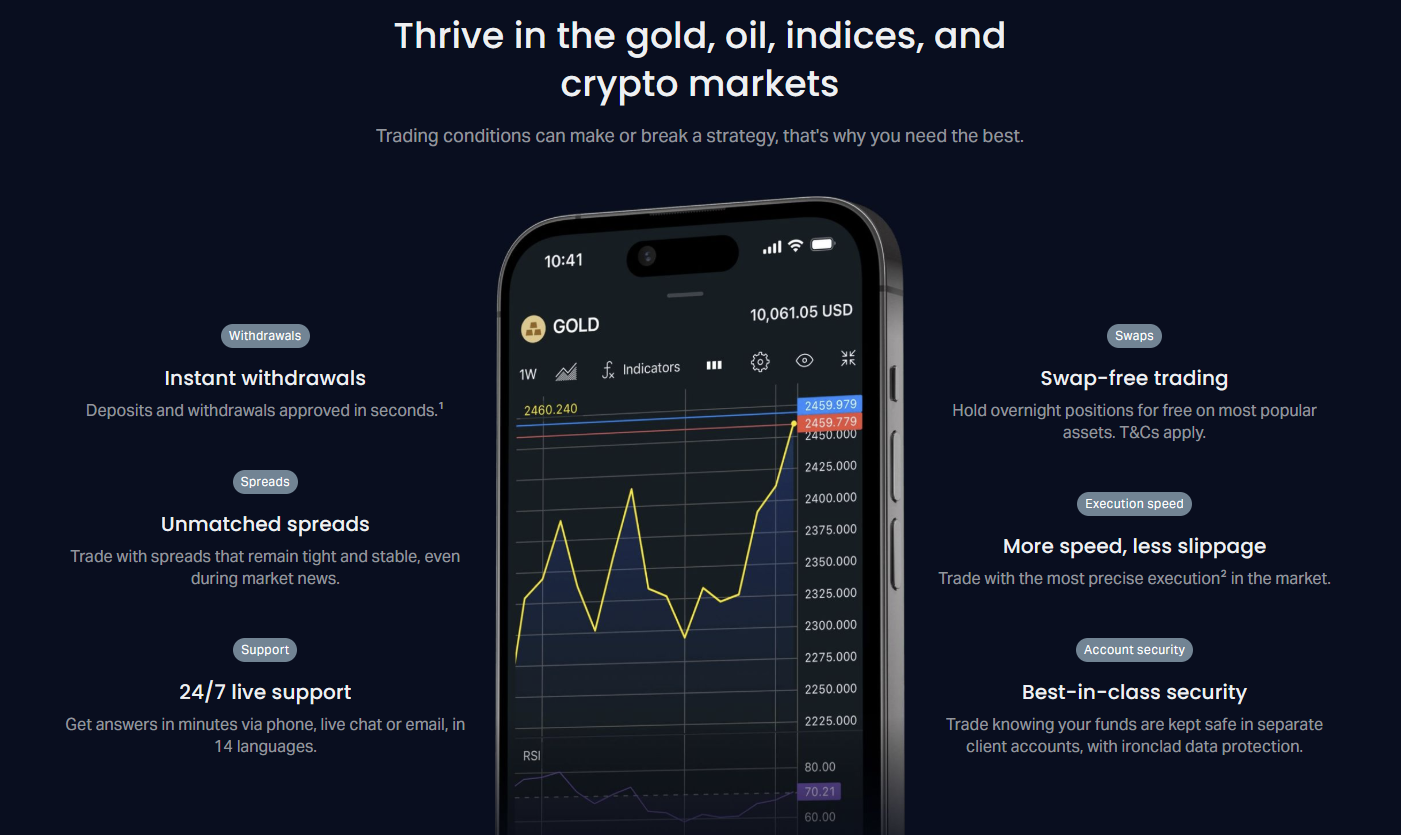
Mobile access to these risk controls is fully featured in the Exness Trade app, allowing followers to modify allocations or activate emergency stops from anywhere. The app pushes notifications when a provider's drawdown approaches the configured threshold, giving users time to decide before automatic actions trigger. This real-time oversight is critical for strategies that trade around the clock, particularly those active during Asian or European sessions when the follower may be offline.
Exness Social Trading App Experience
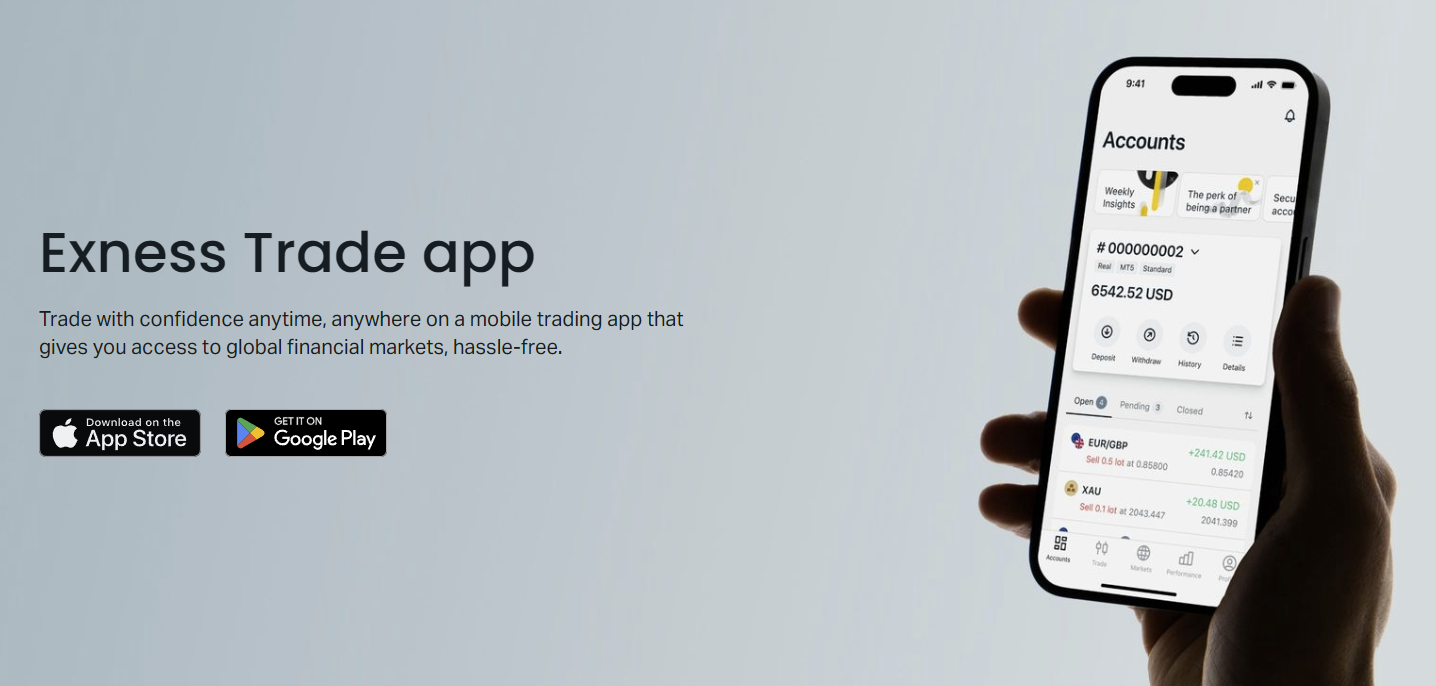
The Exness Trade app, available on iOS and Android, embeds the complete social trading workflow within a native mobile interface. Users can browse the provider directory, review performance charts, adjust allocations, and monitor copied positions in real time. The app synchronizes with the web-based Personal Area, so changes made on one platform reflect instantly on the other. Push notifications cover provider trade executions, drawdown alerts, profit-sharing fee deductions, and wallet funding confirmations.
Scroll horizontally to see all columns
| Feature | Exness Trade App | Web Terminal |
|---|---|---|
| Provider Discovery | Full directory with filters | Full directory with filters |
| Real-Time Equity Updates | Yes, with push alerts | Yes, browser-dependent |
| Allocation Adjustments | One-tap controls | Click-based controls |
| Chart Analysis Tools | Basic technical indicators | Full TradingView integration |
| Offline Access | Cached data available | Requires connection |
Fees and Cost Structure for Copy Trading
The cost of using Exness social trading consists of two layers: the standard trading costs incurred on copied positions (spreads, commissions, and swaps) and the profit-sharing fee paid to the strategy provider. Trading costs mirror the follower's account type — a follower on a Raw Spread account pays Raw Spread commissions and spreads on copied trades, while a Standard account follower pays Standard spreads with no commission. The profit-sharing fee is a percentage of net profits generated by the copied strategy, calculated and deducted at the end of each billing period, typically weekly or monthly depending on the provider's settings.
- Spreads and commissions apply per copied lot, same as manual trading on the account type.
- Swap charges accumulate on overnight copied positions according to the instrument and account type.
- Profit-sharing fees range from 10% to 50% of net profits, set by each provider.
- Fees are only charged on profitable periods; no fee applies if the allocation loses money.
- High-water-mark principle ensures fees are not charged twice on the same profit recovery.
Getting Started Step by Step
Opening an Exness account and activating social trading follows a straightforward sequence. New users register through the website or app, complete identity verification, and select an account type that matches their trading cost preferences. Once the account is funded, the investment wallet appears in the Personal Area. From there, the user navigates to the social trading section, reviews providers, and initiates the first allocation. The entire process can be completed in under an hour for verified users in supported jurisdictions.
- Register an Exness account and complete KYC verification.
- Choose an account type (Standard, Raw Spread, Zero, or Pro) based on cost preference.
- Deposit funds using any supported payment method.
- Open the Social Trading tab in the Personal Area or Exness Trade app.
- Filter providers by risk score, return, drawdown, and instrument focus.
- Review the provider's equity curve, monthly returns, and strategy description.
- Click 'Start Copying' and enter the allocation amount meeting the provider minimum.
- Confirm the subscription and monitor the wallet dashboard for copied activity.
After the first allocation, the wallet begins mirroring the provider's trades immediately. Followers should monitor the initial days closely to confirm that position sizing, execution speed, and cost structure align with expectations. The platform provides a detailed transaction history showing each copied trade with entry price, exit price, volume, and associated fees. This transparency allows followers to audit the copying fidelity and verify that slippage remains within acceptable bounds.
Common Questions About Exness Social Trading
Prospective users often ask about specific operational details before committing capital. The following points address the most frequent inquiries based on platform documentation and user community discussions. Understanding these practical aspects helps set realistic expectations and avoids common onboarding friction.
The best social trading outcomes come from treating provider selection like fund manager due diligence, not chasing last month's top performer.
Final Assessment of Exness Social Trading
Exness social trading delivers a well-integrated copy trading experience that leverages the broker's existing strengths: tight spreads, reliable execution, instant withdrawals, and multi-platform accessibility. The investment wallet architecture cleanly separates social trading capital from discretionary trading funds, and the provider vetting process adds a layer of quality control absent in some peer-to-peer copy networks. Profit-sharing fees align provider incentives with follower outcomes, while the high-water-mark mechanism prevents double-charging on recovered losses. Risk controls at both the per-provider and wallet level give followers meaningful guardrails without restricting strategy diversity.
Frequently Asked Questions
Does Exness have copy trading available for all account types?
Yes, Exness social trading works with Standard, Standard Cent, Raw Spread, Zero, and Pro accounts. The copied trades inherit the spread and commission structure of the follower's chosen account type.
What is the Exness investment wallet and how does it work?
The investment wallet is a dedicated sub-account in the Personal Area that holds funds allocated to copy trading. It separates social trading capital from the main balance, tracks each provider's performance attribution, and processes profit-sharing fees automatically.
How do I find top traders on Exness social trading?
Use the provider directory in the Social Trading section. Filter by risk score, total return, maximum drawdown, Sharpe ratio, and copier count. Review each provider's equity curve, monthly breakdown, and strategy description before allocating.
What is the minimum deposit for Exness social trading?
There is no separate social trading minimum deposit. The requirement matches the standard account opening minimum for your region and account type, often starting at $1 for Standard accounts. Each provider sets a minimum allocation amount, typically $10 or more.
Can I stop copying a provider at any time?
Yes, followers can pause or stop copying a provider instantly from the wallet dashboard. Copied positions can be closed manually or left to run until the provider closes them, depending on the chosen stop method.
Are there fees for using the Exness social trading app?
The app itself is free. Costs come from standard trading spreads and commissions on copied positions, plus the provider's profit-sharing fee on net profits. No subscription or platform fees apply.
How are profit-sharing fees calculated and charged?
Fees are a percentage of net profits generated by the copied strategy over a billing period (weekly or monthly). They are deducted automatically from the investment wallet. The high-water-mark principle ensures fees are only charged on new profits above the previous peak.
Is Exness social trading available in my country?
Availability depends on local regulations. Exness operates in many jurisdictions but restricts services in certain regions. Check the Exness website or contact support to confirm eligibility for your country of residence.