

Trading Technology
Exness VPS Hosting for Automated Trading
Complete guide to virtual private server features, eligibility, and setup for MetaTrader.

Forex Analyst
Forex Analyst specializing in currency markets, market trends, technical and fundamental analysis, and providing clear insights to help traders make informed decisions.
Virtual private server hosting has become essential for traders who rely on automated strategies, expert advisors, and algorithmic systems that require uninterrupted connectivity. The Exness VPS service provides a dedicated hosting environment optimized for MetaTrader 4 and MetaTrader 5 platforms, allowing trading robots to operate continuously without depending on a local computer or home internet connection. This infrastructure reduces latency, minimizes slippage, and ensures that orders reach the broker's servers with minimal delay, which can be decisive during high-volatility market conditions.
Contents
- What Is Exness VPS and How It Works
- Eligibility Requirements for Free VPS Access
- VPS Specifications and Technical Details
- Setting Up Your Exness VPS Connection
- Benefits for Expert Advisors and Automated Systems
- Latency Reduction and Execution Speed Improvements
- Comparing Exness VPS with Third-Party Providers
- Troubleshooting Common VPS Connection Issues
- Security Features and Data Protection
- Cost Analysis: Free vs Paid VPS Alternatives
- Integrating VPS with Multi-Account Management
- Monitoring and Maintaining VPS Health
- Limitations and Considerations
- Final Assessment of Exness VPS for Traders
Unlike generic cloud hosting solutions, the Exness VPS is purpose-built for the broker's own execution infrastructure. The servers are located in proximity to Exness trading servers, creating a low-latency path for order transmission. Traders who qualify for the free tier gain access to this proximity advantage without additional monthly fees, while those who do not meet volume thresholds can still subscribe at competitive rates. Understanding the eligibility criteria, technical specifications, and practical setup process helps traders decide whether this service aligns with their trading approach.
The following sections examine how the Exness VPS works, who qualifies for complimentary access, what hardware resources are allocated, and how to configure the service for optimal performance. Comparative analysis with third-party providers and troubleshooting guidance round out the practical knowledge needed to integrate virtual hosting into a professional trading workflow.
What Is Exness VPS and How It Works
A virtual private server is a partitioned segment of a physical server that operates with its own operating system, dedicated resources, and isolated environment. The Exness VPS runs Windows Server, providing a familiar desktop interface where traders can install MetaTrader 4, MetaTrader 5, or both, along with any custom indicators, scripts, or expert advisors. Once configured, the trading platform runs continuously on the remote server, executing trades according to programmed logic regardless of whether the trader's personal device is powered on or connected to the internet.
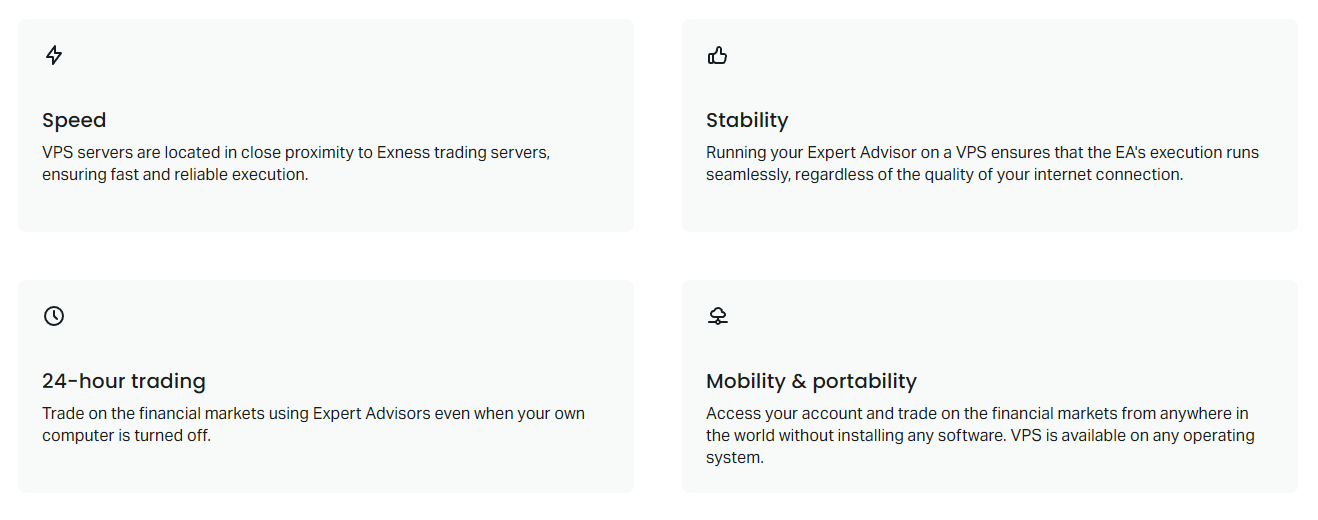
The connection between the VPS and Exness trade servers is optimized through geographic proximity. Exness hosts its VPS infrastructure in data centers that are either co-located with or network-adjacent to the broker's primary execution engines. This physical closeness reduces the round-trip time for order packets, often bringing latency down to single-digit milliseconds. For high-frequency strategies, scalping approaches, and news-driven algorithms, this latency reduction can translate into measurably better fill prices and reduced slippage compared to running the same expert advisor from a residential internet connection.
Access to the VPS is established through Microsoft Remote Desktop Protocol (RDP), which works natively on Windows, macOS, Linux, and mobile devices. After receiving connection credentials, traders log in to a full Windows desktop session where they can manage platforms exactly as they would on a local machine. The session persists after disconnecting, meaning expert advisors continue running, charts update, and pending orders remain active. This persistence is the core value proposition: the trading logic becomes independent of the trader's physical location, power supply, or internet stability.
Eligibility Requirements for Free VPS Access
Exness offers complimentary VPS access to clients who meet specific trading volume thresholds, making the service accessible to active algorithmic traders without adding fixed costs. The primary requirement centers on monthly trading volume measured in lots across all account types. Traders who execute a minimum of 15 lots per calendar month typically qualify for the free tier, though exact thresholds may vary by region and account classification. Volume is aggregated across Standard, Pro, Raw Spread, and Zero accounts, allowing traders with multiple account types to combine their activity toward the requirement.
The volume calculation resets each calendar month, so eligibility is assessed on a rolling basis. If a trader meets the threshold in January but falls short in February, VPS access continues through February but may be suspended if March volume again fails to meet the minimum. Exness provides a monitoring dashboard within the Personal Area where clients can track their current month's lot count and projected eligibility status. This transparency helps traders plan their algorithmic deployment schedules around the volume requirement.
It is important to note that only completed round-turn lots count toward the threshold. Pending orders that are not filled, cancelled orders, and positions closed by stop-out do not contribute. Additionally, trades executed on demo accounts or through social trading and copy trading services are excluded from the calculation. Traders should verify their specific eligibility criteria in the Personal Area, as regional entities of Exness may apply slightly different volume thresholds or promotional conditions.
- Minimum 15 lots monthly trading volume (standard threshold)
- Volume aggregated across all live account types
- Only completed round-turn lots counted
- Monthly reset with rolling eligibility assessment
- Regional variations may apply to exact requirements
VPS Specifications and Technical Details
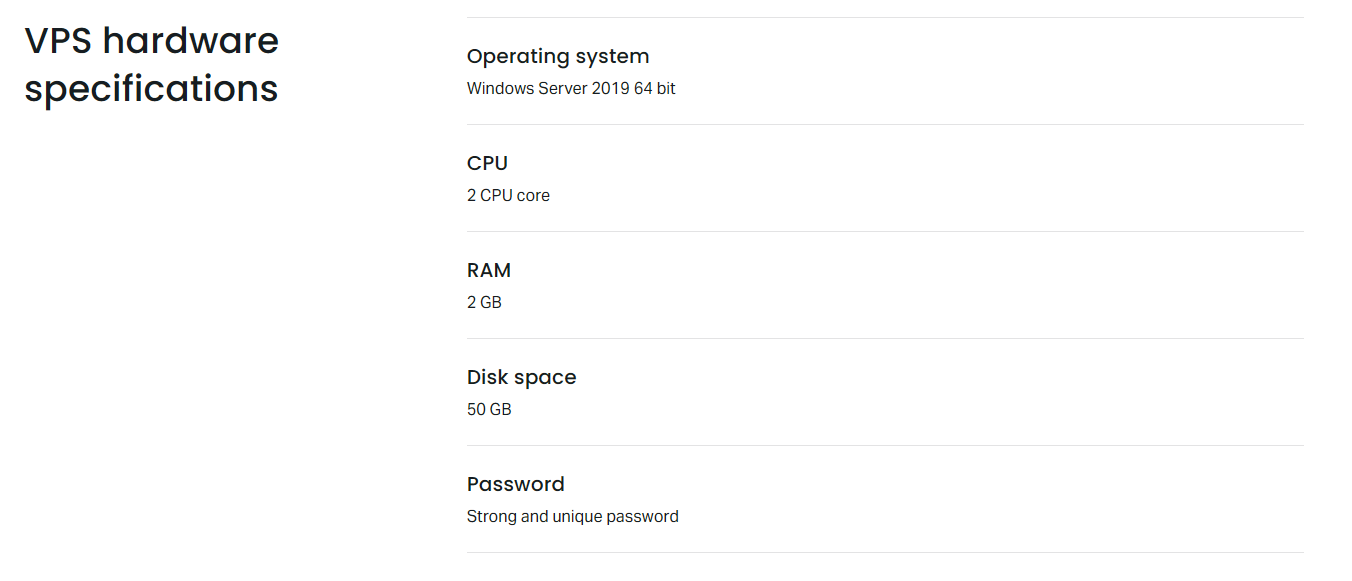
The hardware allocation for Exness VPS is designed to run multiple MetaTrader instances simultaneously without resource contention. The standard free tier provides 1 CPU core, 1 GB of RAM, and 30 GB of SSD storage. This configuration comfortably supports two to three MetaTrader terminals with several expert advisors each, along with standard Windows background processes. Traders requiring additional resources for complex multi-currency portfolios, machine learning models, or high-frequency tick data processing can upgrade to paid tiers with 2 CPU cores, 2 GB RAM, and 60 GB storage, or 4 CPU cores, 4 GB RAM, and 120 GB storage.
Network connectivity is provisioned with a 1 Gbps port, though actual throughput to Exness trade servers is typically much lower due to the short physical distance. The operating system is Windows Server 2019 or 2022, pre-configured with essential trading software dependencies including .NET Framework, Visual C++ redistributables, and optimized power settings that prevent the CPU from throttling during low-activity periods. Automatic Windows updates are managed to avoid unexpected reboots during trading hours, with maintenance windows scheduled for weekends when market impact is minimal.
Storage uses enterprise-grade SSD arrays with RAID redundancy, protecting against drive failure without trader intervention. Backups are not included by default; traders are responsible for exporting their expert advisor settings, template files, and trade history periodically. The VPS does not include a dedicated IP address by default, but the shared IP reputation is maintained by Exness to prevent blacklisting issues that could affect platform connectivity or email notifications from the terminal.
Setting Up Your Exness VPS Connection
Activating the VPS begins in the Exness Personal Area under the Services or VPS section. Eligible traders see an activation button that provisions the server within minutes. Once provisioned, the interface displays the server IP address, administrator username, and a generated password. These credentials are used in the Remote Desktop Connection client on Windows, Microsoft Remote Desktop on macOS, or Remmina and FreeRDP on Linux. Mobile users can connect via the Microsoft Remote Desktop app for iOS or Android, though managing expert advisors on a phone screen is impractical for anything beyond monitoring.
After the first login, several configuration steps improve reliability. Traders should immediately change the default password to a strong unique credential. Windows Firewall should be configured to allow MetaTrader outbound connections while blocking unnecessary inbound traffic. The power options must be set to High Performance to prevent CPU parking. Automatic login can be enabled so that if the VPS reboots during maintenance, the MetaTrader platforms restart automatically via shortcuts placed in the Windows Startup folder. This auto-restart capability is critical for unattended algorithmic operation.
MetaTrader installation on the VPS follows the same process as on a local machine. Traders download the platform installer from the Exness website or Personal Area, run it on the remote desktop, and log in with their trading account credentials. For multiple accounts, separate terminal installations in different folders (e.g., MT5_Account1, MT5_Account2) prevent configuration conflicts. Each terminal should be configured with the appropriate expert advisors, custom indicators, and chart templates. The Strategy Tester can be used on the VPS to validate expert advisor behavior in the exact execution environment before deploying live.
Benefits for Expert Advisors and Automated Systems
Expert advisors derive the greatest benefit from VPS hosting because their logic depends on continuous market monitoring and instantaneous order execution. A locally hosted expert advisor stops functioning during power outages, internet disruptions, operating system updates, or when the trader closes their laptop. Even brief interruptions can cause missed entry signals, unmanaged open positions, or failure to execute stop-loss and take-profit modifications. The Exness VPS eliminates these single points of failure by providing enterprise-grade uptime, redundant power, and network connectivity backed by data center SLAs.
For strategies that trade during Asian session hours while the trader sleeps in Europe or the Americas, the VPS ensures uninterrupted operation across all time zones. News-driven algorithms that react to economic calendar events within milliseconds benefit from the low-latency path to Exness servers, reducing the risk of slippage during high-impact releases like Non-Farm Payrolls or central bank rate decisions. Grid and martingale systems that require precise position management at specific price levels also gain reliability, as the VPS eliminates the risk of local terminal freezes during rapid market movements.
Latency Reduction and Execution Speed Improvements
Latency in forex trading refers to the time elapsed between an expert advisor sending an order and the broker's server receiving it. Residential internet connections typically introduce 50 to 200 milliseconds of latency depending on geographic distance, network congestion, and ISP routing. The Exness VPS reduces this to 1 to 5 milliseconds for most traders because the virtual server resides in the same data center campus or metropolitan area network as the broker's matching engine. This reduction is not merely theoretical; it directly affects fill quality for market orders and the probability of limit orders being filled at the requested price.
Slippage occurs when the execution price differs from the expected price due to market movement during order transit. With 100 ms latency, a fast-moving market can move several pips before the order arrives. At 2 ms latency, that window shrinks dramatically. For scalpers targeting 3 to 5 pip profits, eliminating 98 ms of latency can be the difference between a profitable fill and a losing one. The effect compounds across hundreds of trades per month, making latency reduction one of the few structural advantages a retail trader can reliably secure.
Scroll horizontally to see all columns
| Connection Type | Avg Latency to Exness | Slippage Risk |
|---|---|---|
| Residential Broadband | 50-200 ms | High |
| Mobile 4G/5G | 80-300 ms | Very High |
| Third-Party VPS (Generic) | 10-50 ms | Moderate |
| Exness VPS (Co-located) | 1-5 ms | Low |
Comparing Exness VPS with Third-Party Providers
Numerous independent VPS providers market services specifically to forex traders, with monthly fees ranging from $10 to $50 for specifications comparable to the Exness free tier. These third-party options often offer more flexible configurations, choice of data center locations, and root-level administrative access. However, they lack the network integration that comes from being hosted within Exness's own infrastructure. A third-party VPS in the same city as Exness servers may still traverse multiple network hops across public internet exchanges, adding unpredictable latency variance.

The Exness VPS free tier eliminates the recurring cost entirely for qualifying traders, which represents a savings of $120 to $600 annually compared to commercial alternatives. For traders who do not meet the volume threshold, the paid Exness VPS tiers are priced competitively with third-party providers while retaining the proximity advantage. The trade-off is less administrative control: traders cannot install arbitrary software, modify kernel parameters, or access the hypervisor layer. For pure MetaTrader hosting, this limitation is rarely consequential.
- Exness VPS: Free for qualified traders, co-located latency, managed environment
- Third-party VPS: Monthly cost, flexible config, potential network variability
- Self-hosted: No recurring cost, high latency, hardware failure risk
- Cloud VM (AWS/Azure): Scalable, complex setup, variable pricing
Troubleshooting Common VPS Connection Issues
Connection failures are the most frequent support topic for new VPS users. If Remote Desktop cannot connect, verify that the IP address has not changed (Exness VPS uses static IPs), that the username is 'Administrator', and that the password is entered correctly including case sensitivity. Firewall software on the trader's local machine or network may block outbound RDP traffic on port 3389; corporate networks and public Wi-Fi often restrict this port. Using a VPN or changing the RDP listening port on the VPS (via Windows Registry) can bypass such restrictions.
Performance degradation inside the VPS usually stems from resource exhaustion. Running too many expert advisors on the 1 GB RAM tier can trigger Windows paging, causing the terminal to freeze or respond slowly. The Task Manager on the VPS should be monitored during peak trading hours to confirm CPU and memory headroom. If usage consistently exceeds 80 percent, upgrading to a higher tier or reducing the number of active charts and expert advisors is necessary. MetaTrader's own resource monitor (Ctrl+Alt+Del inside the terminal) shows per-chart CPU consumption, helping identify inefficient expert advisors.
Platform disconnections from the trade server while the RDP session remains active indicate a network issue between the VPS and Exness, not the trader's connection to the VPS. This is rare but can occur during data center maintenance or DDoS mitigation events. The MetaTrader journal logs (Experts and Journal tabs) record connection loss timestamps and error codes. Error 10053 (software caused connection abort) and 10060 (connection timed out) are the most common. Exness support can investigate server-side logs if provided with the exact timestamps and account numbers.
Security Features and Data Protection
Security of the VPS environment is a shared responsibility. Exness manages the hypervisor, physical security, network perimeter, and host-level patching. The trader is responsible for the guest operating system: maintaining strong passwords, applying Windows updates (though Exness manages the schedule), configuring the firewall, and avoiding malicious software downloads. The VPS should be treated as a production trading server, not a general-purpose browsing machine. Downloading unverified expert advisors from forums, opening email attachments, or visiting untrusted websites inside the RDP session introduces malware risk that could compromise trading credentials.
Two-factor authentication is not natively enforced on the RDP connection, but traders can implement it by installing a third-party authentication gateway or using Windows Hello for Business if the VPS tier supports it. A practical alternative is restricting RDP access to specific IP addresses via Windows Firewall with Advanced Security, allowing connections only from the trader's known static IPs or VPN endpoints. This prevents credential theft from resulting in unauthorized access even if the password is compromised.
Cost Analysis: Free vs Paid VPS Alternatives
For a trader executing 20 lots per month on a Raw Spread account with $3.50 commission per lot per side, the monthly commission cost is $140. The free VPS saves approximately $20 to $40 per month compared to commercial forex VPS providers, representing a 14 to 28 percent reduction in fixed infrastructure costs. Over a year, this amounts to $240 to $480 in direct savings. For higher-volume traders, the savings scale proportionally because the VPS remains free regardless of whether the trader executes 15 lots or 500 lots.
Traders who do not meet the volume threshold face a decision: pay for the Exness VPS paid tiers, subscribe to a third-party provider, or continue trading from local infrastructure. The Exness paid tiers start at approximately $15 per month for the 2 CPU / 2 GB configuration, which is at the lower end of the commercial VPS market. The deciding factor should be measured latency: if a third-party VPS in the trader's region achieves comparable latency to Exness servers (verifiable via ping and traceroute), the feature set and administrative flexibility may justify the choice. However, the Exness VPS guarantees the proximity advantage by design.
Scroll horizontally to see all columns
| Option | Annual Cost | Latency Advantage |
|---|---|---|
| Exness VPS (Free Tier) | $0 | Co-located |
| Exness VPS (Paid Tier 2) | ~$180 | Co-located |
| Commercial Forex VPS | $240-600 | Variable |
| Cloud VM (Self-Managed) | $120-300 | Configurable |
Integrating VPS with Multi-Account Management
Traders managing multiple accounts — whether personal accounts with different risk profiles, client accounts under a money manager arrangement, or copy trading provider accounts — benefit from centralizing all terminals on a single VPS. The 1 GB RAM free tier can run four to five MetaTrader 4 terminals or three MetaTrader 5 terminals simultaneously if each runs a modest number of charts. For larger deployments, the paid tiers provide sufficient resources for ten or more terminals. Each terminal should use a distinct installation directory and separate data folder to prevent configuration conflicts and ensure clean log separation.
Account switching within a single terminal is possible but not recommended for automated trading because expert advisors attached to charts stop running when the account is changed. Dedicated terminals per account ensure continuous operation. The Windows Task Scheduler can be used to stagger terminal startup times after a reboot, preventing simultaneous connection storms that could trigger temporary IP rate limits. A simple batch script launching each terminal with a 30-second delay provides orderly initialization.
Centralizing multiple trading accounts on one VPS simplifies monitoring, reduces infrastructure costs, and ensures consistent execution environment across all strategies.
Monitoring and Maintaining VPS Health
Proactive monitoring prevents silent failures where the VPS remains accessible but the trading platform has frozen or disconnected. Traders should implement at least two monitoring layers: an external uptime checker that pings the VPS IP and attempts an RDP handshake every five minutes, and an internal watchdog script running inside the VPS that verifies MetaTrader process health and writes heartbeat logs to a cloud-synced folder (OneDrive, Dropbox, or Google Drive). If the heartbeat stops, an alert via email, Telegram, or SMS notifies the trader to investigate.
Monthly maintenance tasks include reviewing Windows Event Viewer for system errors, checking disk space (log files and tick data accumulate over time), verifying that expert advisor licenses remain valid, and confirming that the trading volume tracker in the Personal Area shows continued eligibility. Exness sends email notifications when VPS suspension is imminent due to volume shortfall, but relying solely on these notifications risks unexpected downtime. A personal calendar reminder to check eligibility mid-month provides a buffer for corrective action.
Limitations and Considerations
The Exness VPS is not a universal solution. Traders using platforms other than MetaTrader 4 or 5 — such as cTrader, TradingView, or proprietary web terminals — cannot install those platforms on the Windows VPS because Exness does not provide licenses or installers for them. The VPS also does not support Linux-based trading stacks, Docker containers, or custom programming environments like Python for machine learning inference unless the trader installs and maintains those runtimes within the resource constraints. For such use cases, a general-purpose cloud VM offers more flexibility.
The free tier's 1 GB RAM limit is the most common constraint. Modern MetaTrader 5 with multiple charts, indicators, and expert advisors can consume 400 to 600 MB per terminal. Running three terminals leaves minimal headroom for Windows updates, antivirus scans, or temporary memory spikes during news events. Traders pushing this limit should monitor the 'Commit Charge' in Task Manager, which reflects total virtual memory demand. If commit charge approaches the physical RAM plus page file size, the system will become unresponsive. Upgrading to the 2 GB tier resolves this for most multi-terminal setups.
Another consideration is the lack of automated backup. A VPS failure, while rare, could result in loss of expert advisor configurations, custom indicators, and template files. Traders should establish a routine of exporting EA settings (via the Expert Advisor properties dialog), copying the MQL5/Experts and MQL5/Indicators folders, and saving chart templates to a cloud storage location. This discipline takes minutes per month and transforms a potential catastrophe into a minor inconvenience.
Finally, the VPS does not alter the fundamental trading conditions: spreads, commissions, swap rates, and execution model remain identical to trading from a local terminal. The VPS only changes the network path and uptime characteristics. Traders should not expect improved spreads or priority execution solely from using the VPS; the advantage is purely technical, reducing the variance introduced by the trader's local infrastructure.
Final Assessment of Exness VPS for Traders
The Exness VPS delivers a focused, cost-effective solution for algorithmic traders who use MetaTrader and meet the monthly volume threshold. Its primary strength lies in the co-located network architecture that consistently achieves single-digit millisecond latency to Exness execution servers, a benefit that is difficult to replicate with third-party providers at any price point. The free tier removes the infrastructure cost barrier entirely for active traders, while the paid tiers remain competitively priced for those who have not yet reached the volume requirement.
The managed Windows environment reduces operational burden but limits customization, making it ideal for traders who want reliability without system administration overhead. Resource allocations are adequate for typical expert advisor workloads, though multi-account managers should plan for the 2 GB or 4 GB tiers. Security responsibilities are clearly delineated, and traders who follow basic hardening practices — strong passwords, IP-restricted RDP, no web browsing — will find the environment robust.
For discretionary traders who manually execute a few positions per day, the VPS offers marginal benefit and the volume requirement may not justify the trading activity needed to qualify. For systematic traders, expert advisor developers, and copy trading providers, the Exness VPS represents infrastructure that pays for itself through reduced slippage, eliminated downtime, and the ability to trade 24/5 without personal device dependency. Evaluating the service against these use cases clarifies whether integration into the trading workflow is warranted.
Frequently Asked Questions
How do I check if I qualify for free Exness VPS?
Log into your Exness Personal Area and navigate to the VPS section. The dashboard displays your current month's trading volume in lots and indicates whether you meet the eligibility threshold for complimentary access.
Can I run both MT4 and MT5 on the same VPS?
Yes, the standard 1 GB RAM tier supports running both MetaTrader 4 and MetaTrader 5 simultaneously, though performance is optimal with two to three total terminal instances. Install each platform in a separate directory to avoid conflicts.
What happens if my trading volume drops below the threshold?
VPS access continues through the current month. If volume remains below the threshold in the following calendar month, the free VPS may be suspended. You can reactivate it by meeting the volume requirement again or subscribing to a paid tier.
Does Exness VPS work with expert advisors from third-party developers?
Yes, any expert advisor compatible with MetaTrader 4 or 5 can be installed and run on the Exness VPS. The environment includes standard Windows libraries and .NET Framework required by most commercial and custom EAs.
Can I access the VPS from my phone or tablet?
Yes, Microsoft Remote Desktop apps for iOS and Android allow full VPS access from mobile devices. This is suitable for monitoring and emergency intervention, though managing expert advisors on a small touchscreen is impractical.
Is my VPS data backed up automatically by Exness?
No, Exness does not provide automated backups of the VPS disk. Traders are responsible for exporting expert advisor settings, custom indicators, templates, and trade history to external storage on a regular schedule.
What latency can I expect from Exness VPS to the trade server?
Typical latency ranges from 1 to 5 milliseconds because the VPS infrastructure is co-located with or network-adjacent to Exness execution servers. Actual latency varies slightly by region and network conditions.
Can I upgrade or downgrade my VPS tier at any time?
Yes, tier changes can be requested through the Personal Area. Upgrades take effect immediately with a pro-rated charge. Downgrades apply at the next billing cycle. Free tier eligibility is reassessed monthly based on trading volume.