

Trading Platforms
Exness Web Terminal: Browser-Based Trading Platform Guide
Learn how to trade forex, stocks, and crypto directly in your browser with Exness Web Terminal's full MT5 functionality.

Forex Analyst
Forex Analyst specializing in currency markets, market trends, technical and fundamental analysis, and providing clear insights to help traders make informed decisions.
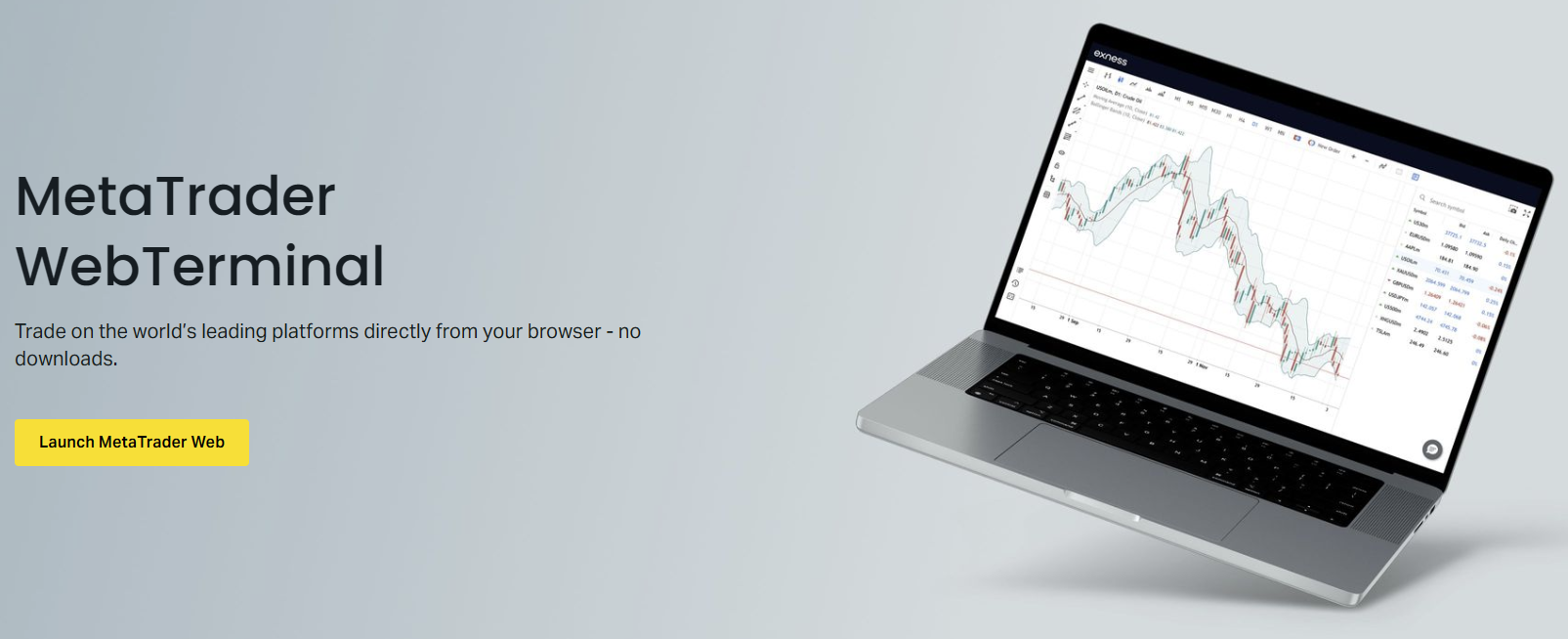
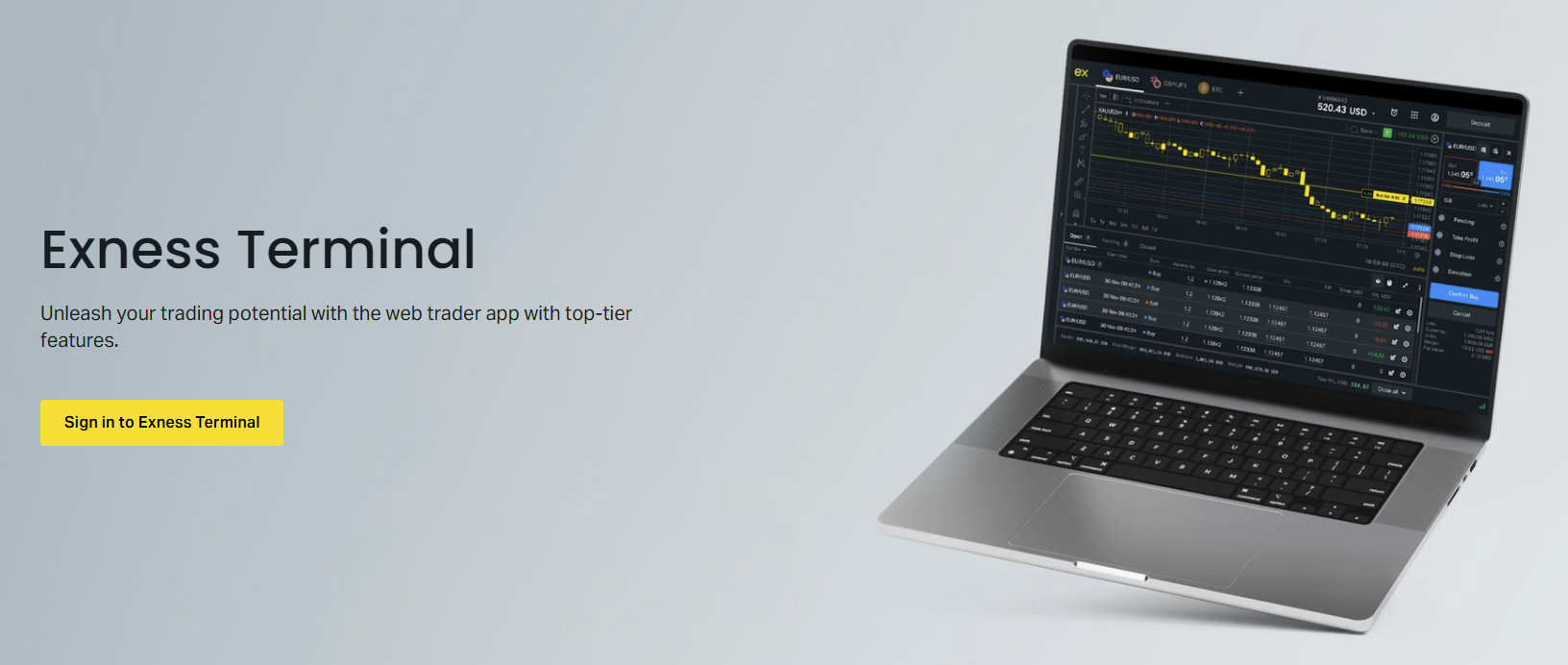
The Exness Web Terminal provides traders with direct access to MetaTrader 5 functionality through any modern browser without requiring software installation. This browser-based solution delivers professional-grade charting, technical analysis tools, and order execution capabilities that mirror the desktop platform experience. Traders can access their accounts from any device with an internet connection, making it ideal for those who need flexibility across multiple workstations or prefer not to install trading software on shared or restricted computers.
Contents
- Core Architecture and Technology Stack
- Key Features of the Exness Web Terminal
- Accessing MetaTrader 5 Through Your Browser
- TradingView Integration and Chart Synchronization
- Charting Tools and Technical Analysis Capabilities
- Order Execution and Trade Management Features
- Account Types and Trading Conditions
- Security Architecture and Data Protection
- Mobile Browser Trading Experience
- Web Terminal vs Desktop MT5 Comparison
- Getting Started with Exness Web Terminal
- Advanced Analytical Resources and Market Insights
- Risk Management Tools and Position Sizing
- Performance Optimization and Troubleshooting
- Final Assessment of Exness Web Terminal
Built on the MetaTrader 5 web architecture, the terminal supports the full range of Exness trading instruments including forex pairs, metals, energies, indices, stocks, and cryptocurrencies. The platform maintains synchronization with the desktop and mobile versions, ensuring that positions, pending orders, and account settings remain consistent across all access points. This seamless integration allows traders to start analysis on a desktop, continue monitoring on a tablet, and execute trades from a laptop without missing market movements.

The web terminal eliminates common barriers associated with traditional platform deployment such as operating system compatibility issues, administrator permission requirements, and storage constraints. It runs entirely within the browser sandbox using WebAssembly technology for near-native performance, delivering real-time price updates, instant order execution, and responsive chart interactions. For traders who value accessibility without compromising analytical depth, the Exness Web Terminal represents a significant advancement in browser-based trading technology.
Core Architecture and Technology Stack
The Exness Web Terminal leverages MetaQuotes' official MetaTrader 5 Web Platform, which compiles the native C++ trading engine to WebAssembly for browser execution. This approach preserves the exact matching engine, order processing logic, and calculation algorithms used in the desktop version. The terminal communicates with Exness trade servers through secure WebSocket connections that maintain persistent, low-latency channels for price streaming and order routing. All data transmission employs TLS 1.3 encryption with certificate pinning to prevent man-in-the-middle attacks.
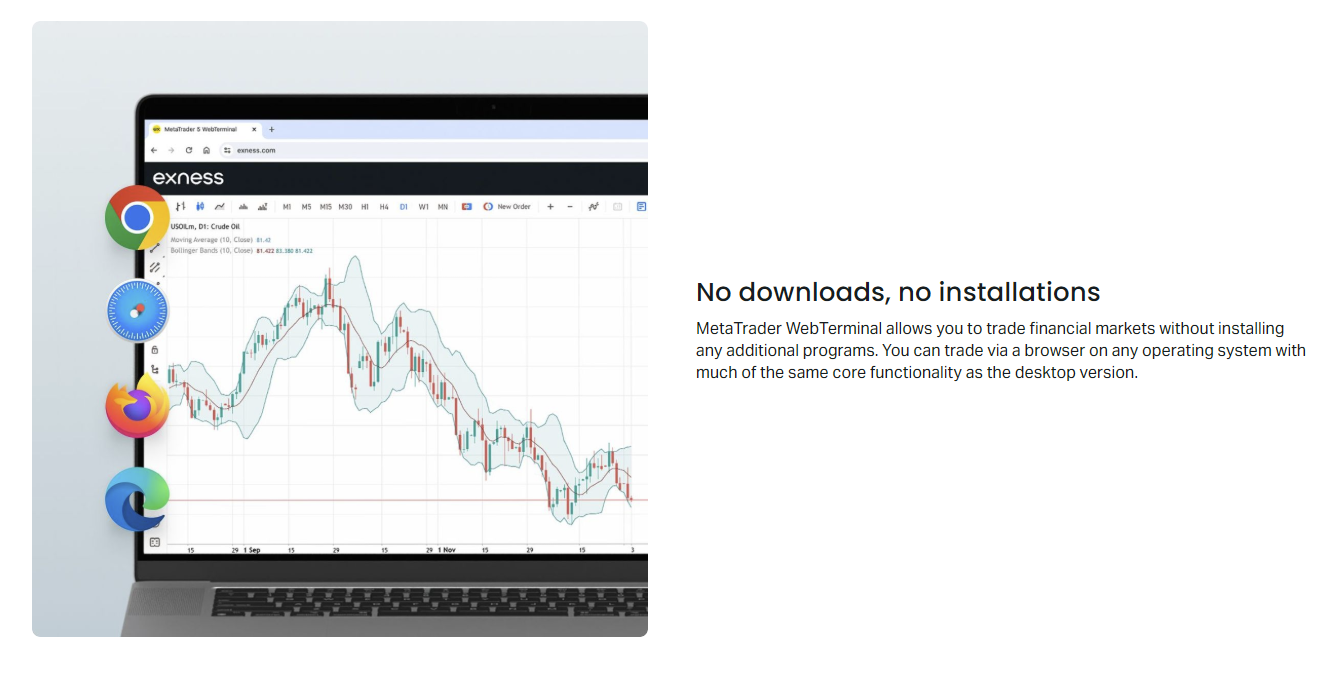
Browser compatibility extends across Chrome, Firefox, Safari, and Edge on Windows, macOS, Linux, and Chrome OS. The platform automatically detects browser capabilities and adjusts rendering complexity accordingly, falling back to Canvas-based charting when WebGL acceleration is unavailable. Memory management follows browser sandbox constraints, with the terminal efficiently handling multiple chart windows, indicator calculations, and historical data caching within allocated limits. Session persistence uses encrypted localStorage for layout preferences and secure session cookies for authentication tokens.
The terminal architecture separates the presentation layer from the trading core, allowing independent updates to the user interface without affecting order execution reliability. This modular design enables Exness to deploy interface improvements, new chart types, and additional drawing tools through browser cache updates while maintaining uninterrupted connection to trade servers. The platform also implements progressive loading, initializing essential trading components first while deferring advanced analytical modules until requested by the user.
Key Features of the Exness Web Terminal
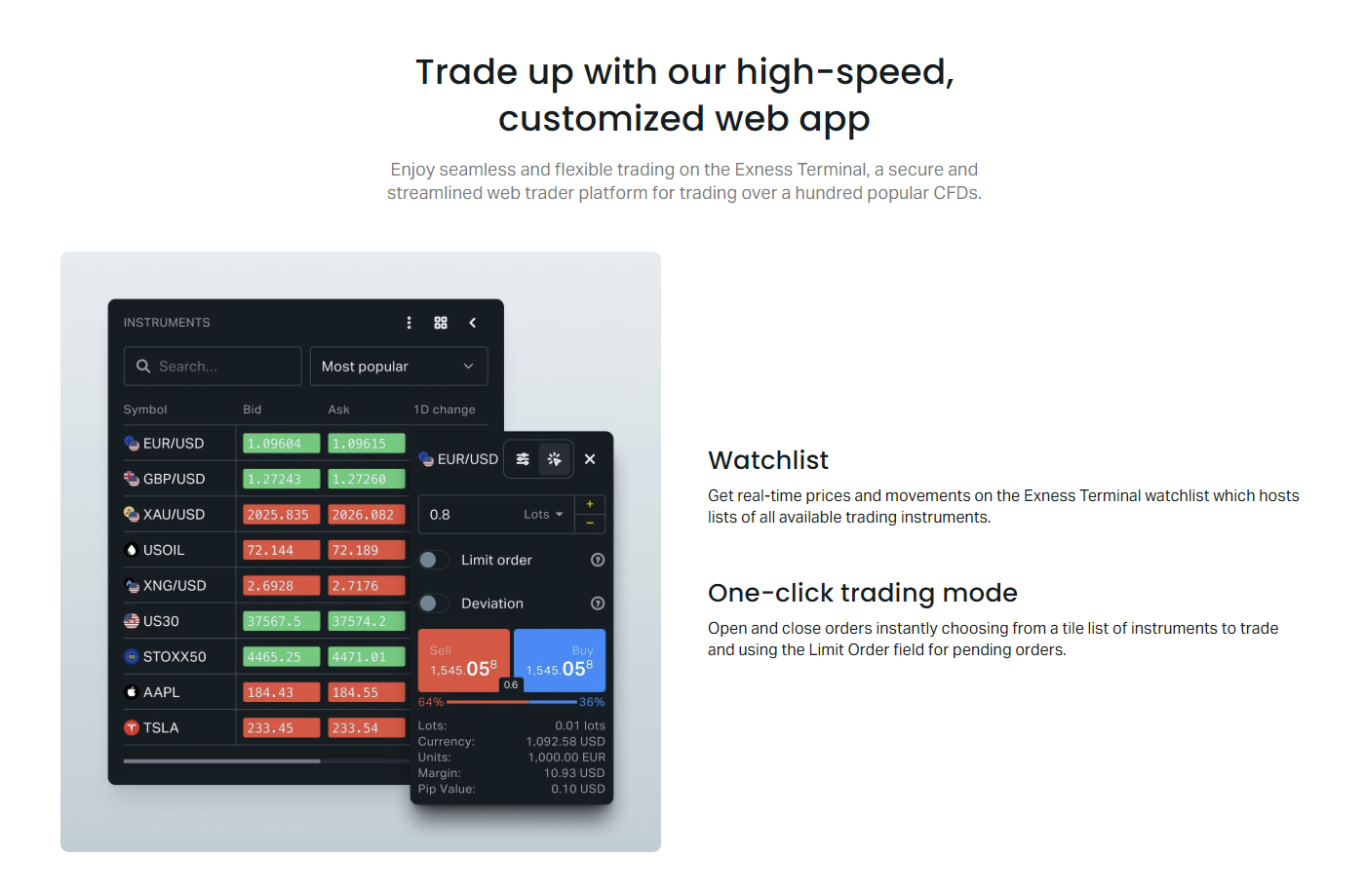
The web terminal delivers a comprehensive feature set that covers the essential requirements of active traders. Real-time market watch displays bidirectional quotes with customizable symbol groups, allowing traders to monitor preferred instruments across forex majors, minors, exotics, and CFD categories. The depth of market (DOM) panel shows Level 2 pricing with volume aggregation, providing visibility into liquidity distribution for supported instruments. One-click trading functionality enables rapid position opening and modification directly from the chart or market watch.
Advanced charting capabilities include 21 timeframes ranging from one minute to monthly, three chart types (candlestick, bar, line), and over 38 built-in technical indicators covering trend, oscillator, volume, and volatility categories. Traders can apply multiple indicators simultaneously, customize parameters, and save template configurations for consistent analysis across sessions. The platform supports nine drawing tool categories including trendlines, Fibonacci retracements, Gann tools, and Elliott Wave annotations, all with magnetic snapping to price points for precision.
- 21 timeframes from M1 to MN1 for multi-horizon analysis
- 38 built-in technical indicators with customizable parameters
- Nine drawing tool categories with magnetic price snapping
- Customizable chart templates saved to cloud profile
- Depth of Market (DOM) with Level 2 liquidity visualization
- One-click trading from chart, market watch, or trade panel
- Economic calendar integration with event impact filtering
- Trading Central signals overlay on charts
- VPS status monitoring for automated strategy hosting
- Multi-account switcher for managing sub-accounts
The terminal includes integrated analytical resources from Trading Central and FXStreet, delivering actionable trade ideas, pivot point calculations, and market sentiment indicators directly on charts. Economic calendar events appear as vertical markers on relevant timeframes with color-coded impact ratings. Traders can filter events by currency, importance, and time horizon to focus on catalysts affecting their open positions or watchlist instruments. The news feed aggregates headlines from major financial wire services with relevance scoring for each symbol.
Accessing MetaTrader 5 Through Your Browser
Accessing the Exness MT5 web terminal requires no software download or installation process. Traders navigate to the Exness website, log into their Personal Area, and select the Web Terminal option from the trading platforms menu. The platform launches in a new browser tab or window, automatically authenticating using the existing session credentials. For security, the terminal implements automatic session timeout after 30 minutes of inactivity, requiring re-authentication for continued access. This design prevents unauthorized access on shared devices while maintaining convenience for active sessions.
The web terminal supports both live and demo accounts across all Exness account types including Standard, Standard Cent, Pro, Raw Spread, and Zero accounts. Account switching occurs instantly within the platform without requiring re-login, allowing traders to manage multiple strategies or risk profiles simultaneously. Each account maintains independent chart layouts, indicator configurations, and workspace arrangements that persist across sessions. The platform also supports Exness Social Trading accounts, enabling investors to monitor and copy strategy providers directly from the web interface.
For traders using the Exness MT5 terminal for PC as their primary platform, the web version serves as a reliable backup during travel, system maintenance, or when accessing from restricted environments. All expert advisors, custom indicators, and scripts developed for desktop MT5 remain compatible with the web terminal's MQL5 cloud execution environment. However, locally installed custom tools require migration to the MQL5 Cloud Network or VPS hosting for web terminal access. Exness provides free VPS hosting for qualifying accounts, ensuring uninterrupted automated trading regardless of access method.
TradingView Integration and Chart Synchronization
Exness offers native TradingView integration that allows traders to analyze markets on TradingView's advanced charting platform while executing trades through Exness pricing and liquidity. The connection establishes through the Exness Personal Area where traders authorize TradingView access to their trading account. Once linked, Exness symbols appear in TradingView's symbol search with real-time bid/ask pricing, and the trading panel enables direct order placement, modification, and closure without leaving the TradingView interface. This integration combines TradingView's superior social features, Pine Script ecosystem, and multi-chart layouts with Exness trading conditions.
The integration supports all Exness instrument categories including forex, metals, energies, indices, stocks, and cryptocurrencies. Chart synchronization ensures that drawings, indicators, and template layouts created on TradingView remain accessible when switching to the Exness Web Terminal, and vice versa for standard MT5 objects. However, Pine Script custom indicators and strategies remain exclusive to the TradingView environment. Traders who rely heavily on community scripts or proprietary Pine Script algorithms benefit from maintaining primary analysis on TradingView while using the web terminal for execution and account management.
- Native TradingView broker integration via Exness Personal Area
- Real-time Exness pricing on TradingView charts
- Direct order execution from TradingView trading panel
- Bidirectional chart object synchronization for standard MT5 tools
- Access to TradingView social community and Pine Script library
- Multi-chart layouts with synchronized crosshairs and timeframes
- Alert creation on TradingView with web terminal notification relay
- Paper trading mode on TradingView before live execution
For XAUUSD and other metals traders, the Exness XAUUSD chart TradingView integration provides enhanced visualization of gold price action with volume profile, market profile, and order flow tools unavailable in standard MT5. The combination of Exness tight spreads on gold and TradingView's advanced charting creates a powerful environment for precious metals speculation. Traders should note that while chart analysis transfers between platforms, order execution always routes through Exness servers with Exness trading conditions including spreads, commissions, and swap rates.
Charting Tools and Technical Analysis Capabilities
The Exness Web Terminal charting engine delivers professional-grade technical analysis capabilities that rival desktop platforms. Each chart window operates independently with its own timeframe, symbol, indicator stack, and drawing layer. Traders can arrange up to 16 charts in grid, tabbed, or cascaded layouts, with synchronized crosshairs and timeframe linking across windows. The chart context menu provides quick access to timeframe changes, chart type switching, indicator management, and template operations without navigating through menu hierarchies.
Indicator management follows the familiar MT5 paradigm with a navigator panel organizing built-in indicators by category and a separate section for custom indicators installed via the MQL5 Market or Cloud Network. Each indicator instance maintains independent parameters, visualization settings, and scale configuration. The platform supports indicator-on-indicator constructions, allowing traders to apply moving averages to RSI, Bollinger Bands to MACD histogram, or any nested combination. Visual customization extends to color schemes, line styles, thickness, and display options for each indicator buffer.
Drawing tools include comprehensive Fibonacci toolkit with retracements, extensions, fans, arcs, channels, and time zones. Gann tools provide box, fan, and grid constructions for geometric analysis. Elliott Wave labeling supports impulse and corrective wave notation with degree coloring. Pattern recognition tools automatically identify harmonic patterns, chart patterns, and candlestick formations with confidence scoring. All drawings support magnetic snapping to OHLC points, keyboard modifiers for constraint angles, and right-click property editing for precise coordinate adjustment.
Order Execution and Trade Management Features
Order execution in the Exness Web Terminal utilizes the same matching engine and liquidity aggregation as the desktop platform. Market execution fills orders at the best available price from Exness liquidity providers with no requotes, while instant execution (available on specific account types) fills at the requested price or rejects if price moves beyond deviation tolerance. The platform supports all standard order types including market, limit, stop, stop-limit, and trailing stop orders. One-click trading panel enables rapid position sizing with predefined lot increments, stop-loss and take-profit presets, and instant buy/sell buttons.
Position management features include partial close functionality, reverse position (close current and open opposite), and hedge mode for simultaneous long and short positions on the same instrument. The trade tab displays real-time profit/loss in account currency and points, swap accrual, and commission charges. Margin level monitoring updates continuously with color-coded warnings at 100% and 50% thresholds. Traders can modify stop-loss and take-profit levels by dragging order lines directly on the chart or through the position context menu with pip/price/percentage input modes.
Scroll horizontally to see all columns
| Order Type | Execution Mode | Use Case |
|---|---|---|
| Market Order | Market Execution | Immediate entry at best available price |
| Buy Limit | Pending Order | Enter long below current price |
| Sell Limit | Pending Order | Enter short above current price |
| Buy Stop | Pending Order | Enter long above current price on breakout |
| Sell Stop | Pending Order | Enter short below current price on breakdown |
| Buy Stop Limit | Pending Order | Limit entry after stop trigger |
| Sell Stop Limit | Pending Order | Limit entry after stop trigger |
| Trailing Stop | Dynamic Modification | Lock profits while allowing trend continuation |
The terminal includes a built-in trading calculator accessible from the trade panel, enabling quick computation of margin requirements, pip value, swap charges, and profit/loss projections for hypothetical positions. This tool proves valuable for position sizing decisions and risk management planning before order placement. The calculator accounts for current account leverage, instrument specifications, and swap rates, updating automatically when account parameters or market conditions change.
Account Types and Trading Conditions
All Exness account types function fully within the web terminal without feature restrictions. Standard and Standard Cent accounts offer market execution with floating spreads from 0.3 pips on major pairs and no commission. Pro accounts provide market execution with spreads from 0.1 pips and no commission, suited for higher volume traders. Raw Spread accounts feature spreads from 0.0 pips with a fixed commission per lot per side, while Zero accounts offer spreads from 0.0 pips on top 30 instruments with commission on all instruments. Each account type maintains its specific leverage limits, margin requirements, and stop-out levels within the web terminal.
The web terminal accurately reflects account-specific trading conditions including instrument availability, trading hours, swap rates, and contract specifications. Islamic swap-free accounts display zero swap charges for all positions held overnight. Cent accounts display balances and positions in cents (100 cents = 1 USD) with proportionally smaller contract sizes, allowing micro-lot precision for strategy testing. Professional accounts unlock higher leverage tiers up to 1:2000 (subject to equity thresholds) with the same web terminal interface. Account type migration requests process through the Personal Area and reflect in the web terminal upon next login.
- Standard: Floating spreads from 0.3 pips, no commission, market execution
- Standard Cent: Cent-denominated, micro lots, ideal for strategy testing
- Pro: Spreads from 0.1 pips, no commission, market execution
- Raw Spread: Spreads from 0.0 pips, fixed commission per lot
- Zero: Zero spreads on top 30 instruments, commission on all
- Islamic: Swap-free on all instruments, same spreads as standard types
- Demo: Identical conditions to live accounts, virtual funds
Leverage settings adjust dynamically based on account equity, instrument category, and time of day (with reduced leverage during high-impact news events and weekend rollover). The web terminal displays current effective leverage for each position and account-level margin utilization. Traders can monitor margin call and stop-out proximity through the account information panel, which updates in real-time as prices fluctuate. Exness implements negative balance protection across all account types, ensuring losses cannot exceed deposited funds regardless of market volatility or execution gaps.
Security Architecture and Data Protection
Security in the Exness Web Terminal operates at multiple layers to protect trader accounts and data. Authentication uses two-factor authentication (2FA) options including SMS, authenticator apps, and email codes, with mandatory 2FA for withdrawal operations and sensitive account changes. Session management employs short-lived JWT tokens rotated every 15 minutes with refresh token rotation, preventing token replay attacks. All API communications enforce certificate pinning and HSTS headers, ensuring connections terminate if certificate anomalies are detected.
Client funds remain segregated from Exness operational funds in accordance with regulatory requirements across multiple jurisdictions. The web terminal never stores credentials, API keys, or private keys in browser storage beyond encrypted session tokens. Trading history, account statements, and personal data transmit only over encrypted channels with perfect forward secrecy. Exness undergoes regular SOC 2 Type II audits and penetration testing by independent security firms, with vulnerability disclosure programs encouraging responsible reporting.
Device fingerprinting and behavioral analysis detect anomalous login patterns, triggering additional verification challenges for suspicious access attempts. Traders can review active sessions, revoke access from specific devices, and set IP allowlists for enhanced control. The platform implements Content Security Policy headers preventing cross-site scripting attacks, and all third-party resources (analytical feeds, charting libraries) load from approved domains with subresource integrity verification. Regular security updates deploy automatically through browser cache refresh without requiring user intervention.
Mobile Browser Trading Experience
The Exness Web Terminal adapts responsively to mobile browser viewports, providing a touch-optimized interface for on-the-go trading. Chart interactions support pinch-to-zoom, two-finger pan, and long-press context menus for drawing tool access. The trade panel collapses into a bottom sheet on narrow screens, expanding with swipe gestures. Market watch converts to a card-based layout with swipe actions for quick order placement. Orientation changes trigger automatic layout reflow, maximizing chart area in landscape mode while preserving all functionality in portrait.
Mobile Safari and Chrome receive specific optimizations including iOS momentum scrolling for chart navigation, Android back-button handling for modal dismissal, and PWA-style installation prompts for home screen access. The terminal registers as a Progressive Web App candidate, allowing installation to device home screens with standalone window mode, offline layout caching, and background price update notifications (where browser permissions allow). Push notifications for price alerts, margin calls, and economic events integrate with OS notification centers when enabled.
Performance on mobile devices depends on hardware capabilities and browser engine efficiency. Modern flagship devices handle 4-6 concurrent charts with indicators smoothly, while older devices may experience frame rate drops with complex indicator stacks. The terminal automatically reduces chart update frequency and disables non-essential animations when detecting thermal throttling or low battery conditions. Traders relying heavily on mobile web trading should consider the Exness native mobile app for optimized performance and push notification reliability.
Web Terminal vs Desktop MT5 Comparison
While the Exness Web Terminal replicates core MT5 functionality, several differences exist between browser and desktop versions. The desktop platform supports custom expert advisors running locally with full access to system resources, while the web terminal restricts automated trading to MQL5 Cloud Network hosted experts or VPS-deployed strategies. Custom indicators written in MQL5 require compilation for the WebAssembly target or cloud deployment. The desktop version allows unlimited chart windows limited only by system memory, while the web terminal caps at 16 concurrent charts due to browser memory constraints.
Scroll horizontally to see all columns
| Feature | Web Terminal | Desktop MT5 |
|---|---|---|
| Installation Required | No | Yes |
| Custom EA Support | Cloud/VPS Only | Full Local Support |
| Custom Indicators | MQL5 Cloud/Market | Unlimited Local Files |
| Max Concurrent Charts | 16 | System Memory Limit |
| Offline Chart Access | Cached Data Only | Full History Access |
| Strategy Tester | Not Available | Full Backtesting Engine |
| MQL5 Market Access | Cloud Purchases Only | Direct Installation |
| Multi-Monitor Support | Browser Window Management | Native OS Window Management |
| Keyboard Shortcuts | Limited Set | Full Customization |
| VPS Integration | Status Monitoring | Full Management Console |
The desktop platform includes the full Strategy Tester for backtesting and optimization, which is absent from the web terminal. Traders developing automated strategies should use desktop MT5 for development and testing, then deploy validated experts to VPS or MQL5 Cloud for web terminal access. The web terminal excels in accessibility scenarios: quick market checks from any device, trading from restricted corporate environments, backup during desktop outages, and collaborative analysis sessions where screen sharing a browser tab proves simpler than remote desktop solutions.
Getting Started with Exness Web Terminal
New traders begin by opening an Exness account through the registration process, which requires email verification, personal information submission, and identity verification per KYC requirements. Once the account activates, the Personal Area provides direct access to the web terminal alongside download links for desktop and mobile platforms. Demo accounts offer identical functionality with virtual funds, allowing risk-free platform familiarization. Exness recommends new traders start with a Standard Cent demo account to experience live market conditions with minimal position sizing granularity.
First-time web terminal users should configure their workspace by arranging chart layouts, applying preferred indicator templates, and setting up market watch symbol groups. The platform supports workspace profiles saved to cloud storage, enabling consistent environments across devices. Traders should verify two-factor authentication settings, review leverage configurations for their account type, and familiarize themselves with the one-click trading panel before live trading. The integrated help system provides contextual tooltips and a searchable knowledge base accessible without leaving the terminal.
- Register and verify Exness account through Personal Area
- Access Web Terminal from trading platforms menu
- Configure 2FA for enhanced account security
- Set up chart templates and indicator presets
- Create market watch groups for preferred instruments
- Test order placement on demo account first
- Enable price alerts for key technical levels
- Review account leverage and margin settings
- Bookmark web terminal URL for quick access
- Consider VPS for automated strategy hosting
For traders migrating from other brokers or platforms, the web terminal supports MT5 account import via login credentials (server, login, password). However, Exness recommends opening a native Exness account for optimal trading conditions, as imported accounts may experience different spreads, execution quality, and swap rates. The platform does not support MT4 account migration directly; MT4 users should open a new MT5-based Exness account. Historical trade data from previous brokers does not transfer, though traders can export statements for record-keeping and tax purposes.
Advanced Analytical Resources and Market Insights
Beyond standard charting tools, the Exness Web Terminal integrates premium analytical resources that enhance decision-making. Trading Central provides technical analysis signals, pivot point calculations, and pattern recognition overlays directly on charts with configurable display options. FXStreet delivers real-time economic calendar events, consensus forecasts, and market impact assessments. The economic calendar filters by currency, timeframe, and volatility expectation, with events plotted as vertical markers on relevant charts. Traders can set alerts for upcoming high-impact events affecting their open positions.
Market sentiment indicators aggregate positioning data from Exness client base, showing long/short ratios for major instruments with historical comparison. This proprietary data offers insight into retail positioning extremes that often precede reversals. The terminal also displays institutional order flow metrics for major forex pairs when available, including large option expiries, central bank intervention levels, and cluster zones. These resources complement technical analysis by providing fundamental context and crowd behavior metrics.
The integration of institutional-grade analytics directly into the trading workspace eliminates context switching between analysis platforms and execution venues, reducing latency in decision-making during volatile market conditions.
The news feed aggregates headlines from Reuters, Bloomberg, MarketWatch, and specialized forex sources with AI-powered relevance scoring for each symbol. Traders can filter by asset class, region, and keyword. Breaking news alerts appear as toast notifications with one-click chart navigation to the affected instrument. The calendar and news integration proves particularly valuable during major economic releases (NFP, CPI, central bank decisions) where rapid interpretation and execution determine trade outcomes.
Risk Management Tools and Position Sizing
Effective risk management relies on the web terminal's integrated calculator suite and real-time margin monitoring. The position sizing calculator accepts risk percentage, stop-loss distance in pips, and account currency to compute optimal lot size. Margin calculator projects required margin for hypothetical positions across multiple instruments simultaneously, accounting for hedging benefits and correlation offsets. Swap calculator estimates overnight costs for swing positions, including triple-swap Wednesday rollover and holiday adjustments.
The account dashboard displays equity, balance, free margin, and margin level with visual gauges. Margin call and stop-out levels appear as threshold markers on the margin level gauge. Traders can configure email and push notifications for margin level breaches at custom thresholds (default 100% and 50%). The platform supports bracket orders (entry with attached stop-loss and take-profit) and OCO (one-cancels-other) order pairs for automated risk control on breakout strategies.
For portfolio-level risk management, the web terminal shows aggregate exposure by currency, asset class, and correlation clusters. Traders can identify concentrated risk (e.g., multiple USD-long positions across pairs) and adjust hedges accordingly. The platform does not currently offer automated portfolio rebalancing or risk parity tools; these require external analysis or VPS-hosted expert advisors. Exness provides educational resources on risk management methodologies through their academy, accessible from the terminal help menu.
Performance Optimization and Troubleshooting
Optimal web terminal performance depends on browser configuration, network conditions, and device capabilities. Traders should ensure hardware acceleration is enabled in browser settings (Chrome: Settings > System > Use hardware acceleration; Firefox: Settings > General > Performance > Use recommended performance settings). Clearing browser cache periodically prevents stale resource conflicts after platform updates. The terminal performs best on wired broadband or stable 5GHz Wi-Fi; mobile data connections may experience latency spikes affecting order execution speed during high volatility.
Common issues include chart freezing (resolve by refreshing chart tab), price feed delays (check network latency to Exness servers), and login failures (clear cookies for exness.com domain). The platform includes a built-in connection quality indicator showing latency, packet loss, and server time offset. Traders experiencing persistent issues should test with a different browser to isolate browser-specific problems. Exness support provides 24/7 live chat assistance for technical difficulties, with screen sharing capability for complex troubleshooting.
- Enable hardware acceleration in browser settings
- Use wired connection or 5GHz Wi-Fi for stability
- Clear browser cache after platform updates
- Monitor connection quality indicator in status bar
- Test alternative browser for persistent issues
- Disable browser extensions that may interfere
- Ensure system clock synchronized with NTP
- Contact 24/7 support for unresolved problems
For traders running automated strategies via VPS, the web terminal provides VPS status monitoring including CPU, memory, and network utilization metrics. The VPS management console (accessible from Personal Area) allows reboot, resource scaling, and OS reinstallation. Exness free VPS qualification requires minimum equity and trading volume thresholds; details available in the Personal Area VPS section. Traders using third-party VPS providers should ensure proximity to Exness trade servers (London, Amsterdam, Singapore) for minimal latency.
Final Assessment of Exness Web Terminal
The Exness Web Terminal delivers a robust browser-based trading experience that successfully bridges the accessibility of web platforms with the analytical depth of desktop MetaTrader 5. Its WebAssembly architecture preserves execution fidelity while eliminating installation barriers, making it a viable primary platform for discretionary traders and a reliable secondary access point for automated strategy managers. The TradingView integration expands analytical possibilities for traders who value social features and Pine Script customization, while native charting tools satisfy most technical analysis requirements independently.
Strengths include seamless cross-device synchronization, comprehensive instrument coverage, professional charting with 21 timeframes and 38 indicators, integrated premium analytics from Trading Central and FXStreet, and strong security posture with 2FA and encrypted communications. Limitations center on restricted custom EA/indicator support (cloud-only), 16-chart concurrency cap, absence of strategy tester, and mobile browser performance variance. These constraints affect algorithmic developers and multi-monitor power users more than typical discretionary traders.
Frequently Asked Questions
Can I use expert advisors on the Exness Web Terminal?
Custom expert advisors cannot run locally in the web terminal. Automated strategies must be deployed to the MQL5 Cloud Network or an Exness VPS for execution while monitoring through the web interface.
Is the Exness Web Terminal available for demo accounts?
Yes, the web terminal provides full functionality for both live and demo accounts across all Exness account types including Standard, Pro, Raw Spread, Zero, and Cent accounts.
Does the web terminal support TradingView charts?
Exness offers native TradingView broker integration. Traders can analyze on TradingView with Exness pricing and execute trades through the TradingView trading panel while maintaining chart synchronization for standard MT5 objects.
What browsers are compatible with the Exness Web Terminal?
The terminal runs on Chrome, Firefox, Safari, and Edge across Windows, macOS, Linux, and Chrome OS. Hardware acceleration should be enabled for optimal chart rendering performance.
Can I trade from my phone using the web terminal?
Yes, the web terminal adapts to mobile browsers with touch-optimized controls. For extended mobile trading, the native Exness app or MT5 mobile app provides better performance and push notifications.
Are my chart layouts saved between sessions?
Chart layouts, indicator templates, drawing objects, and market watch groups save to cloud storage linked to your Exness account, restoring automatically when you log in from any device.
Does the web terminal have the Strategy Tester for backtesting?
No, the Strategy Tester is only available in the desktop MT5 platform. Use desktop MT5 for strategy development and backtesting, then deploy validated experts to VPS for web terminal access.
How secure is the Exness Web Terminal?
The terminal uses TLS 1.3 with certificate pinning, mandatory 2FA for sensitive operations, JWT token rotation, device fingerprinting, and segregated client funds. Exness undergoes regular SOC 2 audits and penetration testing.