Forex Broker Support
Exness Contact Methods and Customer Support Guide
Learn all available ways to reach Exness customer service for account, trading, and technical assistance.

Forex Analyst
Forex Analyst specializing in currency markets, market trends, technical and fundamental analysis, and providing clear insights to help traders make informed decisions.
Exness provides multiple contact channels designed to serve a global client base across different time zones and languages. Traders can access support through live chat, email, phone, and the Personal Area ticketing system. Each channel serves specific purposes, from quick technical questions to detailed account verification assistance. Understanding which method to use for each situation reduces resolution time and improves the overall support experience.
Contents
- Exness Customer Support Overview
- Live Chat Support Features
- Email Support Channels
- Phone Support Availability
- Regional Phone Numbers
- Personal Area Support Access
- Social Media and Community Channels
- Support for Account Verification
- Technical Platform Assistance
- Partner and IB Support Options
- Multilingual Support Coverage
- Key Takeaways for Exness Contact
- Final Assessment of Exness Contact Channels
The broker operates 24/7 customer service for most channels, reflecting the around-the-clock nature of forex and CFD markets. Support agents handle inquiries in over 15 languages, covering major trading regions across Asia, Europe, Africa, and Latin America. Response times vary by channel, with live chat typically providing the fastest initial contact while email and ticketing systems offer documented trails for complex issues.
This guide examines every Exness contact method in detail, including regional availability, operating hours, language coverage, and best practices for each channel. Whether you need help with deposit processing, platform configuration, leverage adjustments, or regulatory documentation, knowing the right contact path ensures efficient problem resolution.
Exness Customer Support Overview
Exness structures its support framework around accessibility and specialization. The primary contact hub resides within the Personal Area, where logged-in clients can initiate live chats, submit tickets, view support history, and access self-service resources. Unregistered visitors can still reach general support through the public website chat widget and published email addresses.
- Live chat: 24/7 availability with multilingual agents
- Email support: Dedicated addresses for departments
- Phone support: Regional numbers with local business hours
- Personal Area tickets: Trackable case management
- Social media: Official channels for announcements and general queries
- Help center: Searchable knowledge base with tutorials
Support quality remains consistent across channels because agents share a unified knowledge base and ticketing platform. When a client switches from chat to email, the conversation history transfers automatically. This continuity prevents repetitive explanations and accelerates resolution for multi-step issues like verification document reviews or withdrawal investigations.
Live Chat Support Features
Live chat serves as the primary real-time contact method for most traders. The chat widget appears on every page of the Exness website and within the Personal Area dashboard. Agents typically respond within 30 seconds during peak hours and under two minutes during lower-traffic periods. The interface supports file attachments, allowing clients to share screenshots of platform errors, transaction confirmations, or verification documents directly in the conversation.
Chat transcripts are automatically saved to the Personal Area support history. Clients can revisit past conversations, download records, or reopen cases if issues persist. The system also routes specialized queries — such as partnership inquiries or institutional onboarding — to dedicated teams without requiring the client to navigate separate contact forms.
Email Support Channels
Email remains essential for non-urgent matters requiring detailed documentation or when clients prefer written records. Exness maintains department-specific addresses to route inquiries efficiently. General support handles account questions, platform issues, and trading conditions. The compliance department processes verification documents, source-of-funds requests, and regulatory correspondence. The finance team manages deposit and withdrawal escalations, payment provider disputes, and refund requests.
Scroll horizontally to see all columns
| Department | Email Address | Typical Response |
|---|---|---|
| General Support | [email protected] | 4-8 hours |
| Compliance & KYC | [email protected] | 8-24 hours |
| Finance & Payments | [email protected] | 4-12 hours |
| Partnerships & IB | [email protected] | 8-24 hours |
| Media & Press | [email protected] | 24-48 hours |

When emailing, include your account number in the subject line and attach all relevant documents in the first message. This prevents delays caused by follow-up requests. For time-sensitive withdrawal issues, mention the transaction ID and timestamp. The finance team prioritizes cases with complete information.
Phone Support Availability
Phone support operates through regional numbers with local business hours rather than a single 24/7 global line. This approach ensures agents speak the local language fluently and understand region-specific regulations, payment methods, and market conditions. Traders should verify the correct number for their country of residence, as using an international line may incur charges and connect to agents unfamiliar with local requirements.
Regional Phone Numbers
Exness publishes dedicated phone lines for major markets. Each number connects to a support team trained on that region's specific needs, including local bank transfer processes, regulatory frameworks, and language preferences. Operating hours generally follow standard business days in the respective time zone, typically 9 AM to 6 PM local time.
Scroll horizontally to see all columns
| Region | Phone Number | Hours (Local Time) |
|---|---|---|
| Global English | +357 25 030 959 | 24/5 Mon-Fri |
| China | +852 5808 3622 | 9:00-18:00 HKT |
| Thailand | +66 2 105 6222 | 9:00-18:00 ICT |
| Vietnam | +84 28 7300 1888 | 9:00-18:00 ICT |
| Indonesia | +62 21 5088 9088 | 9:00-18:00 WIB |
| South Africa | +27 10 500 8400 | 9:00-17:00 SAST |
| Nigeria | +234 1 227 8888 | 9:00-17:00 WAT |
| Brazil | +55 11 4210 5555 | 9:00-18:00 BRT |
Phone support excels for complex verification cases, corporate account onboarding, and situations requiring real-time screen sharing guidance. Agents can initiate secure co-browsing sessions to walk clients through platform settings or Personal Area configurations. For simple queries like spread checks or trading hours, live chat or the help center provides faster self-service.
Personal Area Support Access
The Personal Area serves as the central command center for all support interactions. After logging in, clients see a persistent support widget displaying current wait times, recent ticket status, and quick-access buttons for live chat and ticket creation. The ticketing system assigns unique case numbers, tracks response deadlines, and allows clients to add information or escalate without starting new conversations.
Tickets created in the Personal Area automatically link to the client's account profile, giving agents immediate access to verification status, account type, trading history, and recent transactions. This context eliminates the need for clients to repeatedly provide account details. The system also suggests relevant help center articles based on the ticket category, enabling self-resolution while waiting for agent response.
Social Media and Community Channels
Exness maintains official presences on major social platforms for announcements, educational content, and general inquiries. These channels complement — but do not replace — formal support channels. Agents monitor social media during business hours and can direct clients to appropriate support paths for account-specific issues. Public channels never handle sensitive account data or transaction details.
- Telegram: Official channel for platform updates and market analysis
- Facebook: Regional pages with localized content and support links
- Instagram: Educational reels and platform feature highlights
- YouTube: Tutorial videos for platform setup and trading tools
- LinkedIn: Corporate updates and career opportunities
- Twitter/X: Real-time service status and maintenance notices
Social media serves best for staying informed about platform changes, new instruments, and scheduled maintenance. Account-specific issues always require authenticated channels.
Support for Account Verification
Verification support represents one of the highest-volume contact categories. The compliance team reviews identity documents, proof of address, and source-of-funds declarations according to regulatory requirements. Clients can upload documents directly through the Personal Area verification portal, which provides real-time status updates. When documents require manual review, the compliance team communicates via email and Personal Area notifications.
Common verification delays stem from mismatched names, expired documents, or address discrepancies. The compliance team provides specific rejection reasons in the Personal Area. Clients can re-upload corrected documents without reopening tickets. For urgent cases — such as pending withdrawals blocked by verification — live chat agents can flag the case for priority review once documents are submitted.
Technical Platform Assistance
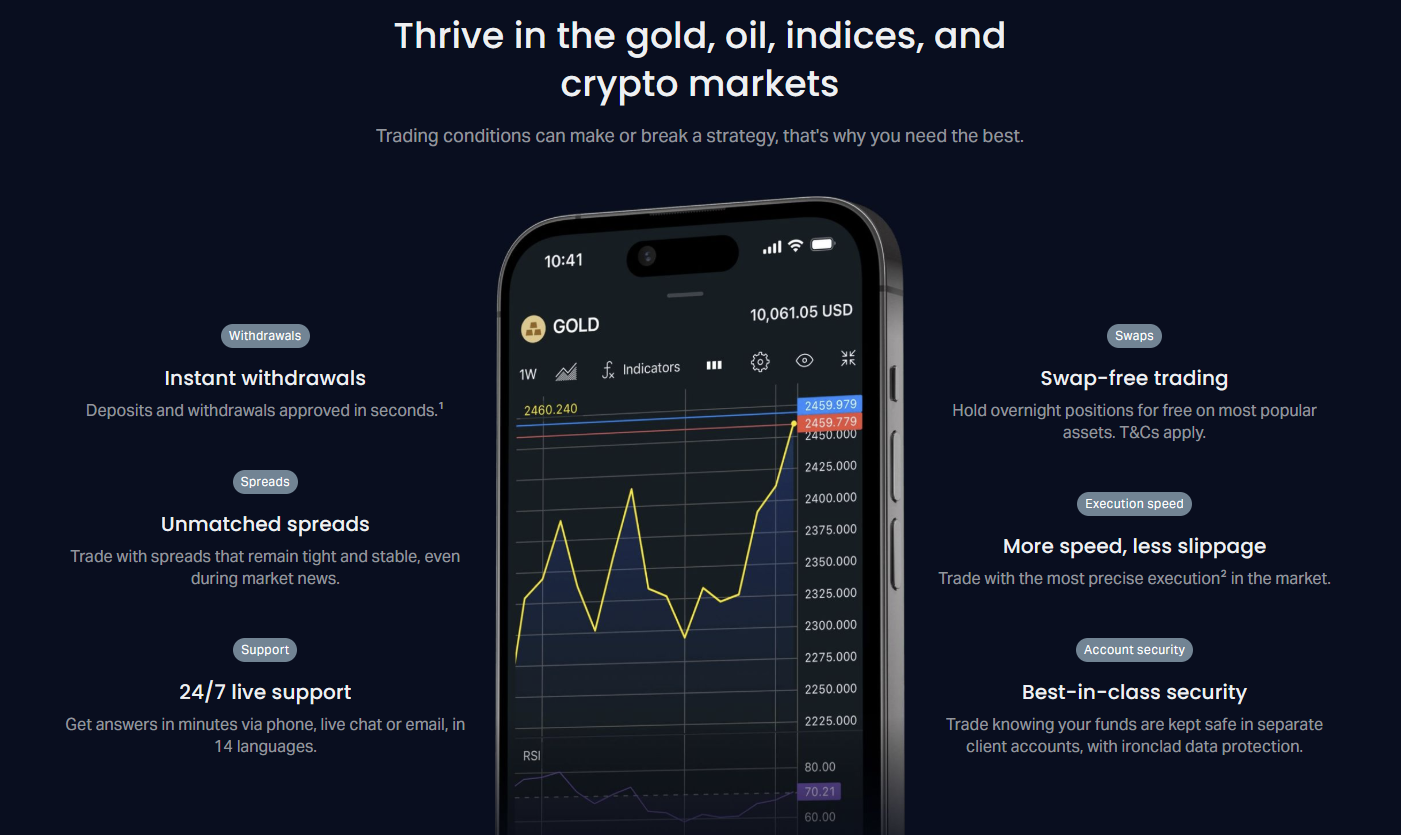
Technical support covers MetaTrader 4, MetaTrader 5, Exness Web Terminal, and the Exness mobile app. Agents troubleshoot connection issues, order execution questions, indicator installation, Expert Advisor configuration, and platform update problems. The help center contains step-by-step guides for common tasks like VPS setup, multi-terminal configuration, and mobile push notification enablement.
For platform-specific bugs, agents collect diagnostic information including platform build number, operating system, and connection logs. Clients can generate these logs directly from the terminal's 'Journal' tab. Providing this data in the initial contact accelerates escalation to the technical development team when needed. The broker also maintains a public status page for platform-wide incidents.
Partner and IB Support Options
Introducing Brokers and affiliates access dedicated support through the Partner Area and a specialized partnerships email. This channel handles commission structure questions, marketing material requests, sub-affiliate management, and payout schedule inquiries. Partner managers are assigned based on volume tiers and geographic focus, providing proactive outreach for high-performing partners.
Scroll horizontally to see all columns
| Tier | Monthly Volume | Support Features |
|---|---|---|
| Standard | Up to $500K | Email support, Partner Area tickets |
| Advanced | $500K - $2M | Dedicated manager, priority email, monthly calls |
| Premier | Over $2M | Senior manager, weekly calls, custom reporting, event invites |
Partner support operates during standard business hours in the partner's registered region. The Partner Area includes a comprehensive dashboard with real-time commission tracking, client analytics, and marketing asset library. Partners can generate referral links, create custom landing pages, and access co-branded materials without support intervention.
Multilingual Support Coverage
Exness supports over 15 languages across its contact channels, reflecting its diverse global client base. Live chat and email provide the broadest language coverage, while phone support focuses on languages with sufficient regional demand. The help center articles and platform interfaces are localized for major languages, reducing the need for support contact on basic navigation questions.
- English: All channels, 24/7
- Chinese (Simplified & Traditional): Chat, email, phone
- Thai: Chat, email, phone
- Vietnamese: Chat, email, phone
- Indonesian: Chat, email, phone
- Arabic: Chat, email
- Spanish: Chat, email
- Portuguese: Chat, email, phone (Brazil)
- Malay: Chat, email
- Korean: Chat, email
- Japanese: Chat, email
- Hindi: Chat, email
- Bengali: Chat, email
- Urdu: Chat, email
- Turkish: Chat, email
Language coverage extends beyond translation — agents understand regional trading habits, local payment ecosystems, and cultural communication preferences.
Key Takeaways for Exness Contact
Choosing the right contact method depends on urgency, complexity, and documentation needs. Live chat resolves most real-time issues within minutes. Email creates permanent records for compliance and finance matters. Phone support adds personal guidance for complex onboarding. The Personal Area ticketing system ties everything together with full context and history.
Always start with the Personal Area when logged in. The integrated support widget provides the fastest route to the right team with your account context pre-loaded. For public inquiries without an account, the website chat widget and published emails remain fully functional.
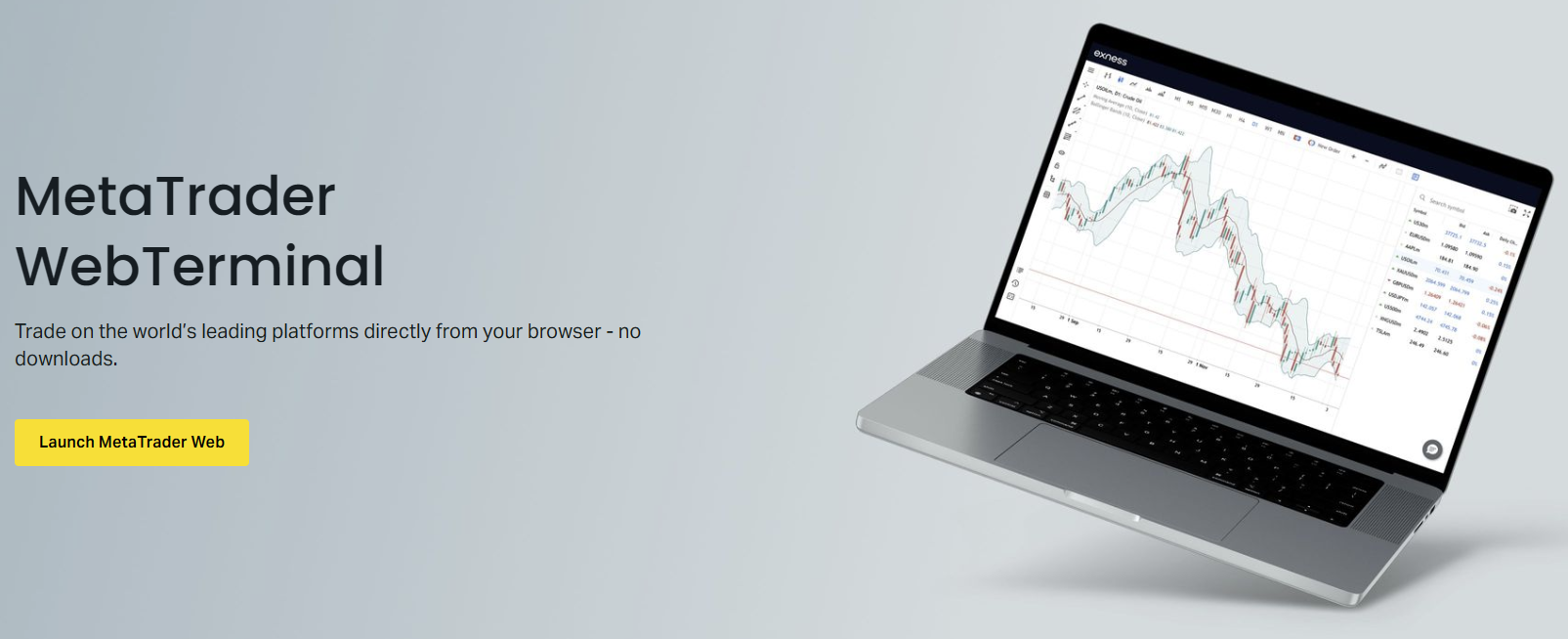
The web-based terminal includes a built-in help menu linking directly to platform-specific tutorials and the contact widget. This integration means traders never need to leave the trading environment to seek assistance. The same design philosophy applies to the mobile app, where support access sits one tap away from any screen.
Final Assessment of Exness Contact Channels
Exness delivers a comprehensive, multi-channel support infrastructure that scales with client needs. The integration between live chat, email, phone, and the Personal Area ticketing system creates a seamless experience where context persists across channels. Regional phone numbers and extensive language coverage demonstrate genuine commitment to localized service rather than token translation. Response times meet or exceed industry standards for a broker of this scale. The self-service help center and in-platform support widgets empower traders to resolve common issues independently, reserving agent capacity for complex cases. For traders evaluating brokers, the accessibility and depth of Exness contact options represent a meaningful operational advantage.
Frequently Asked Questions
What is the fastest way to contact Exness support?
Live chat provides the fastest response, typically under 30 seconds during peak hours. Access it through the website widget or Personal Area dashboard.
Does Exness offer 24/7 phone support?
Phone support operates during regional business hours, not 24/7. The global English line +357 25 030 959 runs 24/5 Monday through Friday. Regional numbers follow local business hours.
How do I submit verification documents to Exness?
Upload documents directly in the Personal Area verification portal. For manual review cases, email [email protected] with your account number and clear document scans.
Can I get support in my local language?
Exness supports over 15 languages including English, Chinese, Thai, Vietnamese, Indonesian, Arabic, Spanish, Portuguese, Malay, Korean, Japanese, Hindi, Bengali, Urdu, and Turkish across chat and email channels.
Where do I find my chat transcript after a live chat session?
All chat transcripts save automatically in the Personal Area under Support History. You can view, download, or reopen cases from there.
What email should I use for withdrawal issues?
Contact [email protected] for withdrawal delays, payment provider disputes, or refund requests. Include your transaction ID and account number for faster processing.
How do partners and IBs contact dedicated support?
Partners use the Partner Area ticketing system or email [email protected]. Higher-tier partners receive dedicated manager contact details for direct communication.
Is there a status page for platform outages?
Yes, Exness maintains a public status page for platform-wide incidents. Check it before contacting support if you experience connection or execution issues.