

Forex & CFD Trading
Exness Nasdaq Trading: Complete Guide to US Tech Index CFDs
Discover trading conditions, platforms, and strategies for Nasdaq CFDs on Exness broker.

Forex Analyst
Forex Analyst specializing in currency markets, market trends, technical and fundamental analysis, and providing clear insights to help traders make informed decisions.
Exness Nasdaq trading provides access to one of the world's most watched technology-focused stock indices through contracts for difference. The Nasdaq 100 index tracks the performance of the largest non-financial companies listed on the Nasdaq stock exchange, including giants like Apple, Microsoft, Amazon, and Nvidia. Trading this index as a CFD allows speculation on price movements without owning the underlying shares, offering flexibility for both long and short positions. Exness offers this instrument under the symbol USTEC or NAS100 depending on the platform, with trading available nearly 24 hours a day during the business week.
Contents
- Understanding Nasdaq 100 Index CFDs on Exness
- Exness Trading Platforms for Nasdaq Access
- MetaTrader 5 for Index Trading
- Exness Web Terminal for Browser-Based Trading
- Mobile Trading with Exness App and MetaTrader Mobile
- Trading Conditions for Nasdaq on Exness
- Account Types Suitable for Index Trading
- Execution Quality and Order Types
- Risk Management Tools for Volatile Indices
- Trading Hours and Market Sessions
- Analytical Resources for Nasdaq Analysis
- Cost Structure: Spreads, Swaps, and Commissions
- Opening Your First Nasdaq Trade on Exness
- Key Takeaways for Exness Nasdaq Trading
The broker has built its reputation on tight spreads, rapid order execution, and a range of platforms that cater to different trading styles. Whether you prefer the depth of MetaTrader 5, the accessibility of a browser-based web terminal, or the convenience of mobile apps, Exness provides multiple pathways to the Nasdaq market. This guide examines the trading conditions, platform features, cost structure, and practical steps for engaging with Nasdaq CFDs on Exness, helping you make informed decisions about incorporating this popular index into your trading approach.
Index CFDs differ from traditional stock trading in several important ways. Leverage amplifies both potential gains and losses, making risk management essential. The Nasdaq 100 is known for higher volatility compared to broader indices like the S&P 500, driven by the concentration of technology stocks that can react sharply to earnings reports, macroeconomic data, and sector-specific news. Exness addresses this volatility with stable spreads even during major news events, negative balance protection, and a range of order types that support precise entry and exit strategies.
Understanding Nasdaq 100 Index CFDs on Exness
The Nasdaq 100 index represents a capitalization-weighted basket of 100 of the largest domestic and international non-financial companies listed on the Nasdaq stock market. Technology companies dominate the index, typically accounting for more than half of its total weight, with the remainder spread across consumer services, healthcare, and industrials. This composition makes the index a barometer for the technology sector and growth-oriented equities. When trading the Nasdaq 100 as a CFD on Exness, you enter a contract that mirrors the index price movements, settling the difference in cash rather than delivering physical shares.
- Symbol: USTEC on MT4/MT5, NAS100 on Exness Terminal and Web Terminal
- Contract size: 1 lot equals 1 index point (varies by account type)
- Minimum trade size: 0.01 lots (micro-lot availability)
- Maximum leverage: up to 1:200 for Professional accounts, 1:20 for Retail clients under ESMA
- Trading hours: Monday 01:05 – Friday 23:55 server time (GMT+2/GMT+3 with DST)
- Daily break: 23:55 – 01:05 server time (20-minute pause around US market close)
- Dividend adjustments: Applied to positions held overnight on ex-dividend dates
- No commission on Standard accounts; Raw Spread and Zero accounts charge per-lot commission
The index composition is rebalanced quarterly in March, June, September, and December, with occasional special rebalances when corporate actions warrant. Exness automatically handles these adjustments in the CFD pricing, so traders do not need to manage corporate actions manually. The pricing feed aggregates liquidity from multiple tier-one providers, aiming to reflect the underlying futures market closely. During regular US trading hours (13:30–20:00 GMT), spreads typically reach their tightest levels as liquidity peaks.
Exness Trading Platforms for Nasdaq Access
Exness supports Nasdaq trading across its full platform suite, each offering distinct advantages. The choice of platform affects available tools, charting capabilities, order types, and the overall trading experience. All platforms connect to the same pricing engine and execution infrastructure, so core trading conditions remain consistent regardless of your preferred interface.
MetaTrader 5 for Index Trading
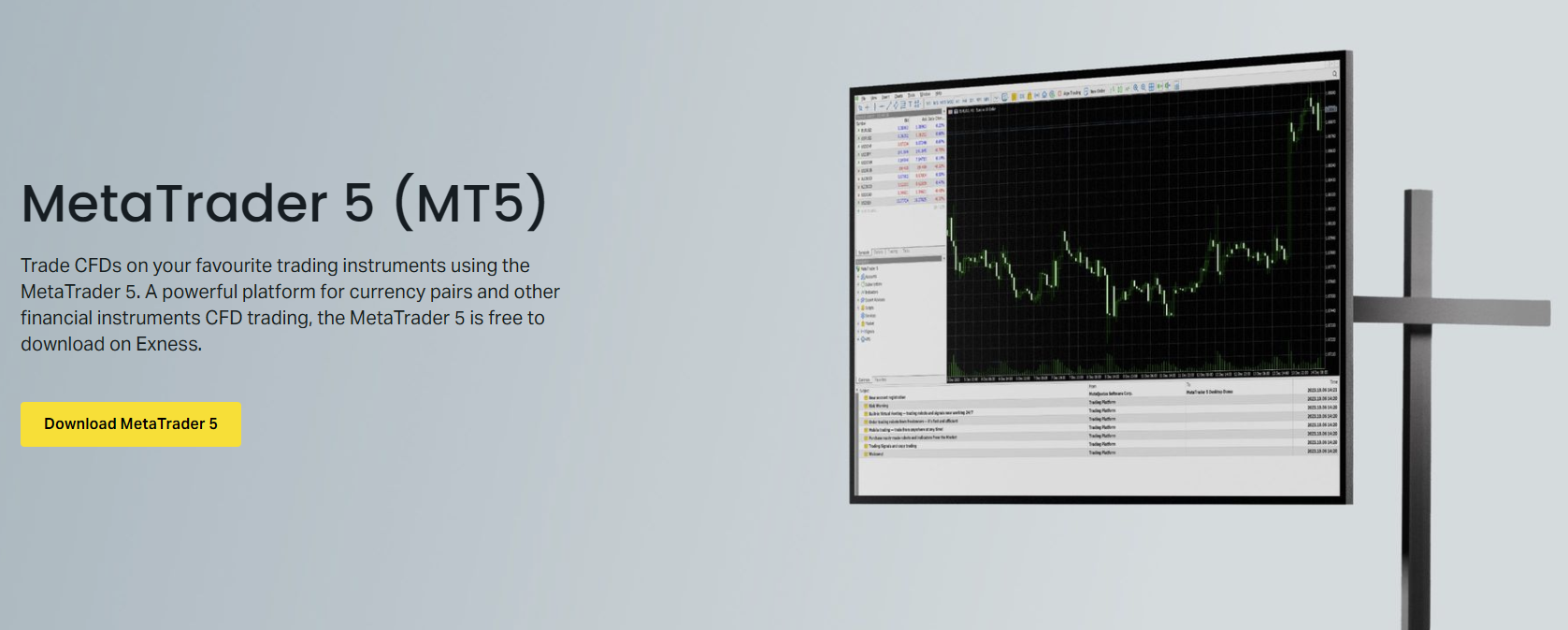
MetaTrader 5 remains the most feature-rich option for Nasdaq traders on Exness. The platform provides 21 timeframes, 38 built-in technical indicators, 44 analytical objects, and an economic calendar integrated directly into the terminal. Depth of Market (DOM) shows liquidity levels at different prices, which is valuable for an instrument like the Nasdaq where order flow can shift rapidly during earnings season. The Strategy Tester supports multi-currency backtesting, allowing you to validate index strategies against historical data. Expert Advisors enable algorithmic trading, and the MQL5 community offers thousands of ready-made robots and indicators specifically for index CFDs.

MT5 also supports hedging and netting modes, giving flexibility in position management. The platform is available as a desktop application for Windows and macOS, as a web-based version requiring no installation, and as mobile apps for iOS and Android. Exness provides a custom MT5 build with optimized server connections and pre-configured symbol sets that include all available indices, reducing setup time for new users.
Exness Web Terminal for Browser-Based Trading
The Exness Web Terminal runs directly in modern browsers without downloads or plugins. It offers a streamlined interface with essential charting tools, one-click trading, and real-time price updates. The terminal supports multiple chart layouts, technical indicators, and drawing tools sufficient for most discretionary strategies. Because it operates server-side, the web terminal maintains connectivity even if your local internet connection fluctuates briefly, and it works across operating systems including Linux and Chrome OS where desktop MT5 may not be available.
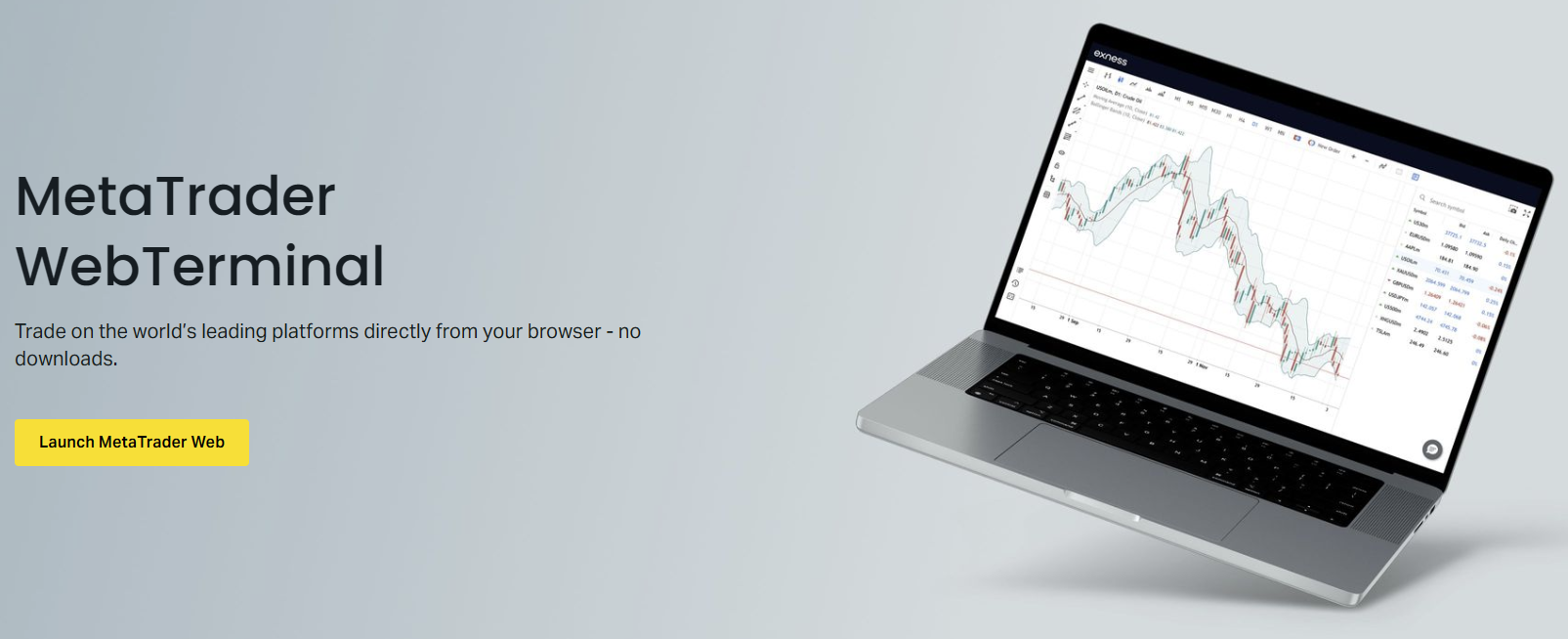
The web terminal integrates with the Exness Personal Area, allowing seamless transitions between account management, deposits, withdrawals, and trading. It also supports the Exness Trade app for mobile, sharing watchlists and chart templates across devices. For traders who value accessibility and speed over advanced algorithmic features, the web terminal presents a compelling option for Nasdaq trading.
Mobile Trading with Exness App and MetaTrader Mobile
Mobile access to Nasdaq markets is available through two routes: the proprietary Exness Trade app and the standard MetaTrader 4/5 mobile applications. The Exness Trade app emphasizes account management, quick deposits and withdrawals, and a simplified trading interface with push notifications for price alerts and margin calls. MetaTrader mobile apps replicate the desktop experience more fully, including custom indicators, Expert Advisor monitoring, and advanced charting. Both options support biometric login, dark mode, and offline mode for viewing charts without an active connection.
The Exness Trade app includes a built-in economic calendar, market news feed from FXStreet, and trading signals from Trading Central, all accessible without leaving the app. For Nasdaq traders, the earnings calendar filter highlights upcoming reports from index constituents, helping anticipate volatility spikes. The app also provides one-tap access to the trading calculator, letting you compute margin requirements, pip values, and swap costs for any position size before executing.
Trading Conditions for Nasdaq on Exness
Trading conditions define the practical cost and execution quality you experience when trading Nasdaq CFDs. Exness structures its offering around several account types, each with distinct spread, commission, and leverage profiles. Understanding these differences helps you select the account that aligns with your trading frequency, position sizing, and cost sensitivity.
Scroll horizontally to see all columns
| Account Type | Typical Spread (points) | Commission (per lot) | Max Leverage (Retail) | Min Deposit |
|---|---|---|---|---|
| Standard | 1.5 – 3.0 | None | 1:20 | $1 |
| Standard Cent | 1.5 – 3.0 | None | 1:20 | $1 |
| Pro | 0.8 – 1.5 | None | 1:200 | $200 |
| Raw Spread | 0.0 – 0.5 | $3.5 per side | 1:200 | $200 |
| Zero | 0.0 – 0.3 | $3.5 per side | 1:200 | $200 |
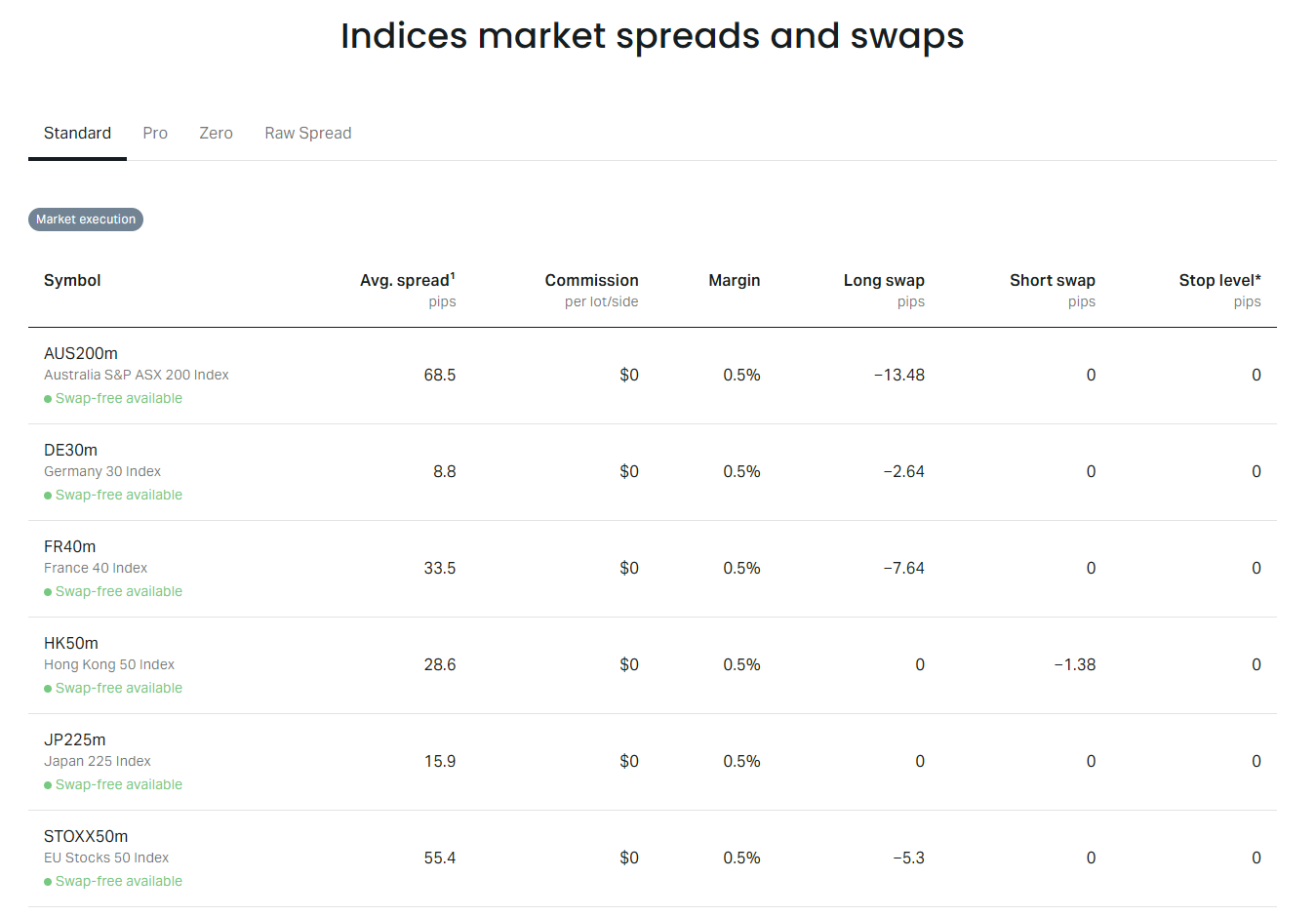
Spreads on the Nasdaq 100 tend to widen during the daily break (23:55–01:05 server time), major economic releases (NFP, CPI, FOMC), and earnings announcements from heavyweight constituents. Exness employs a no-requotes policy with market execution, meaning orders fill at the best available price without dealer intervention. Slippage can occur during gaps or extreme volatility, but positive slippage is passed on to the client equally. The broker also offers a VPS hosting service for traders running Expert Advisors, reducing latency to the trade servers.
Stable spreads during high-impact news events distinguish brokers with deep liquidity pools from those that widen spreads excessively to manage their own risk.
Account Types Suitable for Index Trading
Each Exness account type serves a different trader profile. Standard and Standard Cent accounts use spread-only pricing with no commissions, making cost calculation straightforward for beginners. The Cent account denominates balances in cents, allowing micro-position sizing with minimal capital — useful for testing Nasdaq strategies live with real market conditions but negligible risk. Professional accounts (Pro, Raw Spread, Zero) require a $200 minimum deposit and eligibility verification but unlock higher leverage up to 1:200 and tighter spreads.
- Standard: Best for swing traders and beginners who prefer all-inclusive spreads
- Standard Cent: Ideal for strategy testing and learning with real market exposure
- Pro: Suits active day traders wanting commission-free pricing with tighter spreads
- Raw Spread: Designed for scalpers and high-frequency traders who value near-zero spreads
- Zero: Targets algorithmic traders and institutions needing the tightest possible pricing
Islamic (swap-free) versions of all account types are available for clients who cannot earn or pay interest due to religious principles. These accounts replace overnight swaps with a fixed administration fee per lot held open past the rollover time. The fee varies by instrument and is disclosed in the contract specifications. For Nasdaq CFDs, the administration fee is typically lower than the standard swap rate for long positions, making Islamic accounts potentially cost-effective for longer-term index holdings.
Execution Quality and Order Types
Exness operates a hybrid execution model combining Straight Through Processing (STP) for Standard accounts and Electronic Communication Network (ECN) connectivity for Raw Spread and Zero accounts. All accounts benefit from market execution with no dealing desk intervention. The broker publishes execution statistics quarterly, including average execution speed, slippage distribution, and fill rates. For Nasdaq CFDs, the average execution speed is typically under 50 milliseconds during peak liquidity hours.
Available order types include market orders, pending orders (buy limit, sell limit, buy stop, sell stop, buy stop limit, sell stop limit), and trailing stops. The stop limit orders combine a stop trigger with a limit price, providing protection against slippage during fast moves — particularly relevant for the Nasdaq during earnings gaps. One-click trading is enabled by default on all platforms, and the Exness Terminal adds a depth-of-market ladder for visual order placement. Partial fills are supported for large orders, and the minimum distance for stop loss and take profit orders is zero points on most account types, allowing precise risk definition.
Zero minimum stop distance on index CFDs enables precise risk management around key technical levels without arbitrary broker-imposed buffers.
Risk Management Tools for Volatile Indices
The Nasdaq 100 can move 2–3% in a single session during earnings season or macroeconomic surprises. Exness provides several built-in risk controls. Negative balance protection ensures you cannot lose more than your account equity, a regulatory requirement for retail clients in many jurisdictions and a voluntary extension for professional clients. Margin call and stop-out levels are set at 100% and 50% respectively for most accounts, with real-time margin monitoring in the Personal Area and trading platforms.
The Exness trading calculator, accessible from the Personal Area and mobile app, computes required margin, pip value, and swap costs for any position size before you trade. This tool helps avoid accidental over-leveraging, especially when switching between instruments with different contract specifications. The calculator also shows the impact of leverage changes on margin requirements, useful when adjusting risk for upcoming volatility events.
Trading Hours and Market Sessions
Nasdaq CFD trading hours on Exness follow the underlying futures market with extended access. The primary session aligns with US equity market hours (13:30–20:00 GMT), where volume and liquidity are highest. Pre-market (09:00–13:30 GMT) and after-hours (20:00–23:00 GMT) sessions see thinner liquidity and wider spreads but allow reaction to earnings releases that often occur outside regular hours. The 20-minute daily break at 23:55–01:05 server time coincides with the futures market reset and rollover processing.
Scroll horizontally to see all columns
| Session | Time Range | Liquidity | Typical Spread |
|---|---|---|---|
| Pre-Market | 09:00 – 13:30 | Low | Wide |
| Regular Hours | 13:30 – 20:00 | High | Tightest |
| After Hours | 20:00 – 23:00 | Medium | Moderate |
| Daily Break | 23:55 – 01:05 | Closed | N/A |
| Asian/Early European | 01:05 – 09:00 | Very Low | Wide |
Weekend trading is not available for Nasdaq CFDs, as the underlying market is closed. Positions held over the weekend incur triple swap charges on Wednesday night (to account for Saturday and Sunday). The trading schedule adjusts for US daylight saving time changes in March and November, with Exness announcing the exact transition dates in advance. During US holidays when the cash market closes but futures trade (e.g., Independence Day), Exness typically maintains reduced-hours trading with wider spreads.
Analytical Resources for Nasdaq Analysis
Exness provides a suite of analytical tools to support Nasdaq trading decisions. The integrated economic calendar covers US macroeconomic releases, Fed speeches, and earnings dates for major index constituents. Trading Central signals offer technical analysis-based trade ideas with entry, stop loss, and take profit levels, updated multiple times daily. The market news feed from FXStreet delivers real-time headlines with impact ratings, filterable by instrument. All these resources are accessible within the trading platforms, the web terminal, and the Exness Trade app.
- Economic calendar with Nasdaq-relevant filters (tech earnings, Fed dates, NFP, CPI)
- Trading Central technical signals for USTEC/NAS100 with multiple timeframes
- FXStreet market news with sentiment indicators and breaking alerts
- Exness Terminal built-in indicators: VWAP, pivot points, volume profile
- MT5 custom indicators from MQL5 marketplace (many free for index trading)
- Daily and weekly market outlook reports from Exness analysts
- Correlation matrix showing Nasdaq relationship to USD, gold, and other indices
For fundamental analysis, the earnings calendar is particularly valuable. The Nasdaq 100's top 10 holdings often represent 40–50% of the index weight, so earnings from Apple, Microsoft, Nvidia, Amazon, and Tesla can move the entire index. Exness highlights these high-impact events in the calendar with expected EPS, revenue estimates, and previous results. Combining this with technical levels (support/resistance, moving averages, VWAP) creates a more complete picture for trade planning.
Cost Structure: Spreads, Swaps, and Commissions
Total trading cost on Nasdaq CFDs comprises the spread, commission (if applicable), and overnight swap charges. The spread is the primary cost for Standard and Pro accounts, while Raw Spread and Zero accounts replace most of the spread with a fixed per-lot commission. Swaps apply to positions held past the daily rollover (00:00 server time) and reflect the interest rate differential adjusted for the broker's markup. For index CFDs, swaps are typically negative for long positions and positive for short positions, though this can invert during periods of high short demand.
Scroll horizontally to see all columns
| Account Type | Spread Cost (avg) | Commission Cost | Total Cost (points) | USD Equivalent* |
|---|---|---|---|---|
| Standard | 2.0 pts | $0 | 2.0 | ~$20 |
| Pro | 1.2 pts | $0 | 1.2 | ~$12 |
| Raw Spread | 0.3 pts | $7 | 1.0 | ~$10 |
| Zero | 0.1 pts | $7 | 0.8 | ~$8 |
*USD equivalent assumes 1 lot = 1 index point and Nasdaq 100 at ~18,000. Actual value varies with index level. Swap costs for holding overnight are additional: approximately -0.5 to -1.5 points per night for long positions on Standard accounts, lower on Professional accounts. Islamic accounts replace swaps with a fixed daily fee of roughly 0.3–0.5 points per lot. Traders should verify current rates in the contract specifications or trading calculator before holding positions overnight.
Opening Your First Nasdaq Trade on Exness
Starting Nasdaq trading on Exness involves a straightforward process from registration to first execution. The broker has streamlined onboarding with instant account opening for demo and live accounts, though live trading requires identity verification per regulatory requirements. The following steps outline the typical journey for a new client.
- Register on the Exness website or app with email and password
- Select account type (Standard recommended for beginners)
- Complete profile verification: upload ID and proof of address
- Fund the account via card, bank transfer, or e-wallet (instant for most methods)
- Download preferred platform (MT5, Web Terminal, or Exness Trade app)
- Locate USTEC (MT4/MT5) or NAS100 (Exness Terminal) in the symbol list
- Open chart, apply analysis, and set position size using the calculator
- Place market or pending order with stop loss and take profit
- Monitor position in the terminal or mobile app
- Close manually or let stop/take profit execute automatically
Demo accounts are available with virtual funds and identical trading conditions to live accounts, except they do not reflect slippage or requotes during extreme volatility. Exness offers unlimited demo accounts with no expiration, making them suitable for extended strategy testing. The demo environment uses the same price feed and execution engine, providing a realistic simulation of Nasdaq trading costs and platform behavior.
Key Takeaways for Exness Nasdaq Trading
Exness Nasdaq trading combines competitive pricing, multiple platform choices, and robust risk controls to create a viable environment for trading the US technology index. The availability of micro-lots and cent accounts lowers the barrier to entry, while Raw Spread and Zero accounts cater to cost-sensitive high-volume traders. Execution quality remains consistent across account types, with market execution and no requotes as standard. The broker's analytical toolkit — economic calendar, Trading Central signals, and integrated news — supports both technical and fundamental approaches to the Nasdaq 100.
Traders should match their account type to their strategy: swing traders may prefer Standard for simplicity, scalpers benefit from Raw Spread or Zero commissions, and algorithmic traders gain from MT5's Strategy Tester and VPS hosting. Risk management remains paramount given the Nasdaq's volatility profile; using the trading calculator, setting appropriate stops, and sizing positions conservatively are essential practices. With 24/5 access, tight spreads during US hours, and instant withdrawal capability, Exness provides the infrastructure needed to trade the Nasdaq 100 effectively.
Frequently Asked Questions
What is the minimum deposit to trade Nasdaq on Exness?
The minimum deposit is $1 for Standard and Standard Cent accounts. Professional accounts (Pro, Raw Spread, Zero) require a $200 minimum deposit and eligibility verification.
Which symbol represents Nasdaq 100 on Exness platforms?
On MetaTrader 4 and 5, the symbol is USTEC. On the Exness Terminal and Web Terminal, it appears as NAS100. Both refer to the same Nasdaq 100 index CFD.
What are the typical spreads for Nasdaq on Exness?
Typical spreads range from 0.0–0.5 points on Raw Spread and Zero accounts, 0.8–1.5 points on Pro accounts, and 1.5–3.0 points on Standard accounts during regular US trading hours. Spreads widen during low liquidity periods and major news events.
Can I trade Nasdaq on Exness with 1:500 leverage?
Maximum leverage for indices is 1:200 on Professional accounts. Retail clients under ESMA regulation are limited to 1:20 for major indices. Leverage of 1:500 is only available for forex majors on eligible Professional accounts.
Does Exness charge swap fees for holding Nasdaq positions overnight?
Yes, swap charges apply to positions held past 00:00 server time. Long positions typically incur negative swaps (cost), while short positions may receive positive swaps (credit). Islamic accounts replace swaps with a fixed daily administration fee.
Is there a demo account for practicing Nasdaq trading?
Exness offers unlimited free demo accounts with virtual funds. Demo accounts replicate live trading conditions including spreads, execution, and platform features, but do not simulate slippage during extreme volatility.
What trading platforms support Nasdaq on Exness?
Nasdaq CFDs are available on MetaTrader 4, MetaTrader 5, Exness Web Terminal, Exness Trade mobile app, and MT4/MT5 mobile apps. All platforms connect to the same pricing and execution engine.
How do dividend adjustments affect Nasdaq CFD positions?
When a Nasdaq 100 constituent pays a dividend, the index price typically drops by the dividend amount. Exness applies a cash adjustment to CFD positions: long positions receive a credit, short positions incur a debit, neutralizing the economic impact.