

Mobile Trading
Exness iOS App: Complete Guide for iPhone Traders
Everything you need to know about Exness for iOS including features, installation, and trading tools.


Forex Analyst
Forex Analyst specializing in currency markets, market trends, technical and fundamental analysis, and providing clear insights to help traders make informed decisions.
The Exness iOS app brings professional-grade trading capabilities to Apple devices, allowing traders to access global markets from anywhere. This comprehensive guide covers everything from initial download to advanced trading features, helping both new and experienced traders maximize their mobile trading experience.
Contents
- Exness iOS App Overview and Key Features
- How to Download Exness for iPhone
- Why Exness May Not Appear in Your App Store
- Installation Process for Exness on iOS
- Trading Platforms Available on Exness iOS
- Account Management Features
- Market Analysis Tools on Mobile
- Security and Protection Measures
- Deposits and Withdrawals via Mobile App
- Exness iOS vs Android Comparison
- Troubleshooting Common iOS App Issues
- Optimizing Exness iOS for Different Trading Styles
- Final Assessment of Exness iOS App
Mobile trading has become essential for modern market participants who need to monitor positions, execute trades, and manage accounts while away from their desks. The Exness application for iPhone and iPad delivers full functionality including real-time quotes, advanced charting, technical indicators, and seamless account management.
Understanding the installation process, available features, and platform differences ensures traders can make informed decisions about their mobile trading setup. This guide addresses common questions about availability, compatibility, and functionality specific to the iOS ecosystem.
Whether you are exploring Exness for iOS for the first time or looking to optimize your existing mobile trading workflow, the following sections provide detailed insights into every aspect of the application.
Exness iOS App Overview and Key Features
The Exness iOS application provides a native trading experience optimized for Apple devices running iOS 12.0 or later. The app integrates directly with Exness trading infrastructure, offering access to the same markets, instruments, and execution quality available on desktop platforms.
- Real-time streaming quotes for forex, metals, energies, indices, stocks, and cryptocurrencies
- Full MT4 and MT5 integration with synchronized account data
- Advanced charting with multiple timeframes and technical indicators
- One-tap trading with customizable order templates
- Comprehensive account management including deposits and withdrawals
- Economic calendar and market news integration
- Trading calculator for position sizing and risk management
- Push notifications for price alerts and margin calls
- Biometric authentication with Face ID and Touch ID support
- Dark mode compatibility for reduced eye strain
The application maintains feature parity with the Android version while leveraging iOS-specific capabilities such as haptic feedback, secure enclave storage for credentials, and seamless integration with iOS system features. Regular updates ensure compatibility with the latest iOS releases and introduce new trading tools.
How to Download Exness for iPhone
Downloading the Exness app on iPhone follows the standard App Store installation process. Unlike Android where APK files can be sideloaded, iOS requires installation through Apple's official marketplace, ensuring security and automatic updates.
- Open the App Store on your iPhone or iPad
- Search for "Exness" in the search tab
- Locate the official Exness app published by Exness Global Ltd
- Tap "Get" then authenticate with Face ID, Touch ID, or Apple ID password
- Wait for installation to complete
- Launch the app and log in with your Exness credentials
The App Store listing includes version history, user ratings, and screenshots showcasing the interface. Always verify the publisher name matches Exness Global Ltd to avoid counterfeit applications. The download size typically ranges between 80-120 MB depending on the version.
For traders in regions where the App Store version may have restrictions, Exness provides alternative access through the web terminal at trade.exness.com, which functions fully in Safari without requiring installation. This browser-based solution offers nearly identical functionality to the native app.
Why Exness May Not Appear in Your App Store
Some users report difficulty finding Exness in their local App Store. This typically occurs due to regional regulatory restrictions rather than technical issues. Financial applications face varying compliance requirements across jurisdictions, and Apple enforces these restrictions at the store level.
- Regulatory licensing requirements differ by country
- Apple may restrict financial apps in certain regions
- Local financial authority approval may be pending
- App Store policies vary for leveraged trading products
If the app is unavailable in your region, the web terminal provides full trading functionality through Safari. Additionally, changing your Apple ID region to a supported country may grant access, though this affects all App Store purchases and subscriptions associated with that Apple ID.
Installation Process for Exness on iOS
After downloading from the App Store, the initial setup process configures the app for your trading preferences. First launch presents a streamlined onboarding flow designed to get you trading quickly while ensuring security compliance.
- Accept terms of service and privacy policy
- Enable biometric authentication (Face ID or Touch ID)
- Set up a 4-digit PIN as backup authentication
- Configure push notification preferences for price alerts
- Select default account type for quick switching
- Choose chart theme (light, dark, or system default)
- Enable or disable haptic feedback for trade confirmations
The app requests permission to send notifications, which is recommended for receiving margin calls, price alerts, and execution confirmations. Location services are not required for trading functionality. All permissions can be adjusted later in iOS Settings under the Exness app entry.
A well-configured mobile app reduces friction during critical trading moments, allowing focus on market analysis rather than navigation.

Trading Platforms Available on Exness iOS
The Exness iOS app provides access to both MetaTrader 4 and MetaTrader 5 platforms through native integration. Unlike some brokers who offer only a proprietary mobile app, Exness delivers the full MT4 and MT5 experience on iOS with feature parity to desktop versions.
Scroll horizontally to see all columns
| Feature | MT4 on iOS | MT5 on iOS |
|---|---|---|
| Timeframes | 9 standard | 21 including custom |
| Technical Indicators | 30 built-in | 38 built-in |
| Order Types | Market, Pending, Stop | Market, Pending, Stop, Stop Limit |
| Depth of Market | Not available | Full Level 2 data |
| Economic Calendar | External only | Integrated |
| Hedging Support | Native | Native and netting |
Both platforms synchronize seamlessly with desktop installations. Chart templates, indicators, and expert advisors configured on desktop appear automatically on mobile. The app also includes Exness Terminal, a proprietary web-based platform optimized for mobile browsers with streamlined one-click trading.
Traders can switch between platforms within the app without re-logging. Account credentials work across MT4, MT5, and Exness Terminal simultaneously. This flexibility allows using MT4 for familiar workflows while accessing MT5's expanded instrument range and advanced order types.
Account Management Features
The Exness iOS app includes comprehensive account management capabilities that eliminate the need to visit the website for routine operations. Personal Area functionality is embedded directly in the app, providing a unified experience.
- Open new real or demo accounts instantly
- Switch between multiple trading accounts
- View detailed account history with filtering
- Monitor margin level, free margin, and equity in real time
- Manage leverage settings per account
- Configure swap-free status for eligible accounts
- Access partner and IB dashboard for affiliates
- Download account statements in PDF or CSV format
Account verification documents can be uploaded directly through the app using the device camera. The KYC process typically completes within a few hours during business days. Push notifications alert you when verification status changes or additional documents are required.
Market Analysis Tools on Mobile
Technical analysis on mobile devices has historically been limited by screen size, but the Exness iOS app implements several innovations to overcome this constraint. The charting engine supports multi-touch gestures for intuitive navigation.
- Pinch-to-zoom on price and time axes independently
- Swipe to scroll through historical data
- Double-tap to reset chart scale
- Long-press for crosshair with exact price and time values
- Landscape mode for expanded chart view
- Split-screen support on compatible iPad models
The app includes Trading Central integration providing automated technical analysis, pattern recognition, and trade ideas directly on charts. Economic calendar events display as vertical markers on relevant instrument charts with forecast, previous, and actual values.
Scroll horizontally to see all columns
| Category | Indicators Available |
|---|---|
| Trend | MA, EMA, Bollinger Bands, Parabolic SAR, Ichimoku |
| Oscillators | RSI, Stochastic, MACD, CCI, Momentum |
| Volume | Volume, On Balance Volume, Money Flow Index |
| Volatility | ATR, Standard Deviation, Chaikin Volatility |
| Custom | Support for .ex4/.ex5 custom indicators |
Mobile charting has evolved from a convenience to a legitimate analysis platform, particularly when paired with tablet-sized screens.
Security and Protection Measures
Security architecture for the Exness iOS app leverages Apple's platform security features combined with broker-specific protections. Understanding these layers helps traders assess the safety of mobile trading.
- End-to-end encryption for all API communications
- Secure Enclave storage for biometric templates and encryption keys
- Certificate pinning prevents man-in-the-middle attacks
- Automatic session timeout after configurable inactivity period
- Device binding prevents unauthorized device access
- Two-factor authentication with TOTP or SMS codes
- Withdrawal whitelist for approved destination addresses
- Real-time login alerts for new device detection
The app undergoes regular penetration testing and holds security certifications. Exness maintains segregation of client funds regardless of access method. Mobile trading does not introduce additional counterparty risk beyond the standard broker relationship.
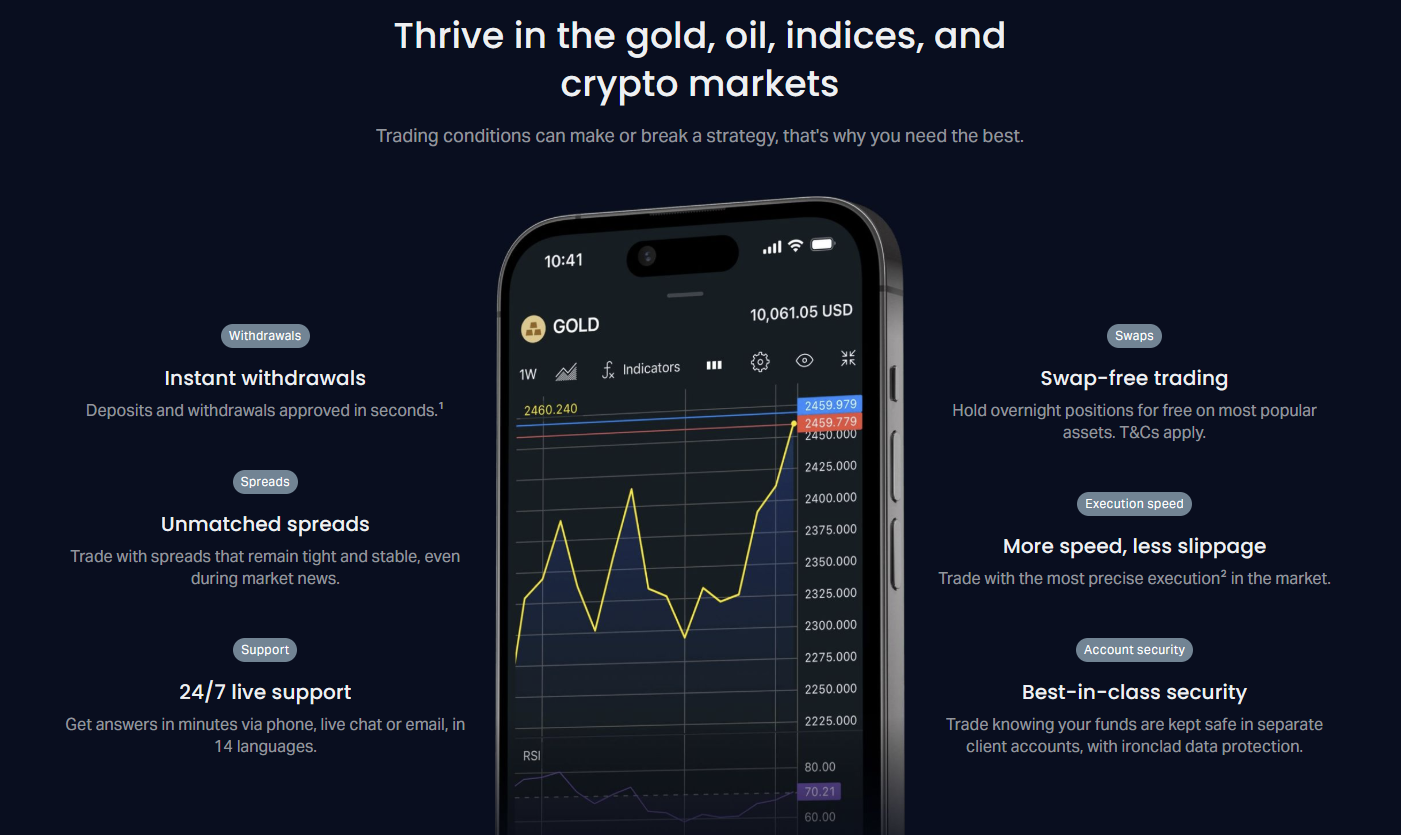
For enhanced security, traders can enable withdrawal confirmation via email or SMS for every transaction. The app also supports hardware security keys through the Lightning/USB-C port for institutional-grade two-factor authentication.
Deposits and Withdrawals via Mobile App
Fund management on the Exness iOS app supports all payment methods available in your region. The mobile interface streamlines the deposit and withdrawal process with saved payment details and instant processing for supported methods.
- Credit and debit cards (Visa, Mastercard, Maestro)
- Electronic wallets (Skrill, Neteller, WebMoney, Perfect Money)
- Bank wire transfers with SWIFT details pre-filled
- Local payment methods specific to your country
- Cryptocurrency deposits (BTC, USDT, ETH, USDC)
- Internal transfers between Exness accounts
Instant withdrawal methods process 24/7 including weekends. Bank transfers follow standard banking hours. The app displays real-time status updates for all transactions. Minimum deposit and withdrawal amounts match the web platform requirements for each payment method.
Scroll horizontally to see all columns
| Method | Min Deposit | Processing Time |
|---|---|---|
| Credit/Debit Card | $10 | Instant |
| E-Wallets | $1 | Instant |
| Bank Wire | $500 | 1-3 business days |
| Cryptocurrency | $10 equivalent | Blockchain confirmation |
| Local Methods | Varies by region | Instant to 24 hours |
Mobile fund management eliminates the friction of switching devices for financial operations, keeping traders focused on markets rather than administration.
Exness iOS vs Android Comparison
While core functionality remains identical across platforms, iOS and Android versions have platform-specific differences worth understanding. These differences stem from operating system capabilities and design guidelines rather than feature prioritization.
Scroll horizontally to see all columns
| Aspect | iOS Version | Android Version |
|---|---|---|
| Biometric Auth | Face ID and Touch ID | Fingerprint and Face Unlock |
| Background Refresh | Limited by iOS | More flexible background execution |
| File Export | Files app integration | Direct file system access |
| Widget Support | iOS 14+ home screen widgets | Android home screen widgets |
| Picture-in-Picture | Supported on iPad | Supported on Android 8+ |
| Haptic Feedback | Taptic Engine integration | Vibration motor API |
iOS widgets provide quick access to account equity, watchlist prices, and market movers without opening the app. Android offers more granular notification control and background data sync. Both platforms receive feature updates simultaneously.
Troubleshooting Common iOS App Issues
Even well-designed applications encounter occasional issues. The following solutions address the most frequently reported problems by Exness iOS users.
- App crashes on launch: Update iOS, reinstall app, check storage space
- Login fails: Verify credentials, check internet connection, try web terminal
- Charts not loading: Switch between WiFi and cellular, clear app cache
- Orders not executing: Check market hours, verify sufficient margin, update app
- Notifications not appearing: Enable in iOS Settings, check Focus modes
- Biometric auth not working: Re-enroll in Settings, ensure clean sensor
- Sync issues with desktop: Log out and back in, check server selection
For persistent issues, the app includes a built-in support chat accessible from the menu. Response times average under five minutes during business hours. Screenshots can be attached directly from the iOS share sheet to accelerate troubleshooting.
Most mobile trading issues resolve with basic connectivity checks and app updates before requiring support intervention.
Optimizing Exness iOS for Different Trading Styles
The app's flexibility accommodates various trading approaches. Configuration choices can significantly impact efficiency depending on your strategy and time horizon.
- Scalpers: Enable one-tap trading, use tick charts, set tight default stop losses
- Day traders: Configure multiple watchlists, use split-screen on iPad, enable news alerts
- Swing traders: Set price alerts at key levels, use weekly/monthly timeframes, enable weekend analysis
- Position traders: Focus on swap rates, use economic calendar, monitor rollover costs
- Algorithmic traders: Test EAs on mobile MT5, monitor VPS status, review execution logs
Customizable quick-action buttons on the main screen provide instant access to your most-used functions. The app remembers your last-used chart layout, timeframe, and indicator set for each instrument, reducing setup time when switching markets.
Final Assessment of Exness iOS App
The Exness iOS app stands as a fully-featured mobile trading solution that respects the needs of serious traders. Its integration with MT4 and MT5, comprehensive account management, and robust security architecture make it a viable primary trading platform for many users, not merely a companion to desktop software.
The App Store distribution model ensures automatic updates and Apple's security review, while the web terminal alternative guarantees access regardless of regional restrictions. Regular feature updates demonstrate ongoing development commitment.
- Native iOS performance with platform-appropriate design
- Full MT4 and MT5 functionality with desktop synchronization
- Comprehensive fund management without leaving the app
- Advanced charting suitable for technical analysis
- Strong security leveraging Apple's hardware protections
- Responsive support integrated directly in the application
Traders considering Exness for iOS should evaluate their specific needs around charting complexity, multi-account management, and regional availability. The demo account option allows risk-free testing of all features before committing real capital.
Frequently Asked Questions
Is the Exness iOS app free to download and use?
Yes, the Exness iOS app is completely free to download from the App Store. There are no subscription fees or in-app purchases required for trading functionality. Standard trading costs such as spreads and commissions apply per your account type.
Can I use the same Exness account on iOS and desktop simultaneously?
Yes, you can log into the same Exness account on multiple devices simultaneously including iOS, Android, desktop MT4/MT5, and web terminal. All positions, orders, and settings synchronize in real time across platforms.
Does the Exness iOS app support expert advisors and custom indicators?
The MT5 version on iOS supports custom indicators (.ex5 files) transferred via iTunes File Sharing or iCloud Drive. Expert advisors cannot run directly on mobile but can be monitored if running on a VPS or desktop. MT4 on iOS has limited custom indicator support.
What iOS version is required for the Exness app?
The Exness iOS app requires iOS 12.0 or later. This covers iPhone 5s and newer, iPad Air and newer, iPad mini 2 and newer, and iPod touch 7th generation. The app is optimized for current iOS versions and screen sizes including Dynamic Island on iPhone 14 Pro and later.
How do I update the Exness app on my iPhone?
Updates are delivered through the App Store. Enable automatic updates in Settings > App Store > App Updates, or manually update by opening the App Store, tapping your profile, and pulling down to refresh available updates.
Can I trade all Exness instruments on the iOS app?
Yes, all instruments available on your account type are accessible on iOS including forex pairs, metals, energies, indices, stocks, and cryptocurrencies. Instrument availability depends on your account type and regional regulations, not the platform.
Is my money safe when trading on the Exness iOS app?
Client funds are segregated regardless of access method. The iOS app uses end-to-end encryption, certificate pinning, and Apple's Secure Enclave for credential storage. Two-factor authentication and withdrawal whitelists provide additional protection layers.
What should I do if Exness is not available in my country's App Store?
Use the web terminal at trade.exness.com which works fully in Safari on iOS without installation. This provides nearly identical functionality. Alternatively, you can change your Apple ID region to a supported country, though this affects all App Store content.