

Mobile Trading Applications
Exness Go: Complete Guide to the Mobile Trading App
Everything traders need to know about Exness Go app functionality, installation, and mobile trading experience.

Forex Analyst
Forex Analyst specializing in currency markets, market trends, technical and fundamental analysis, and providing clear insights to help traders make informed decisions.
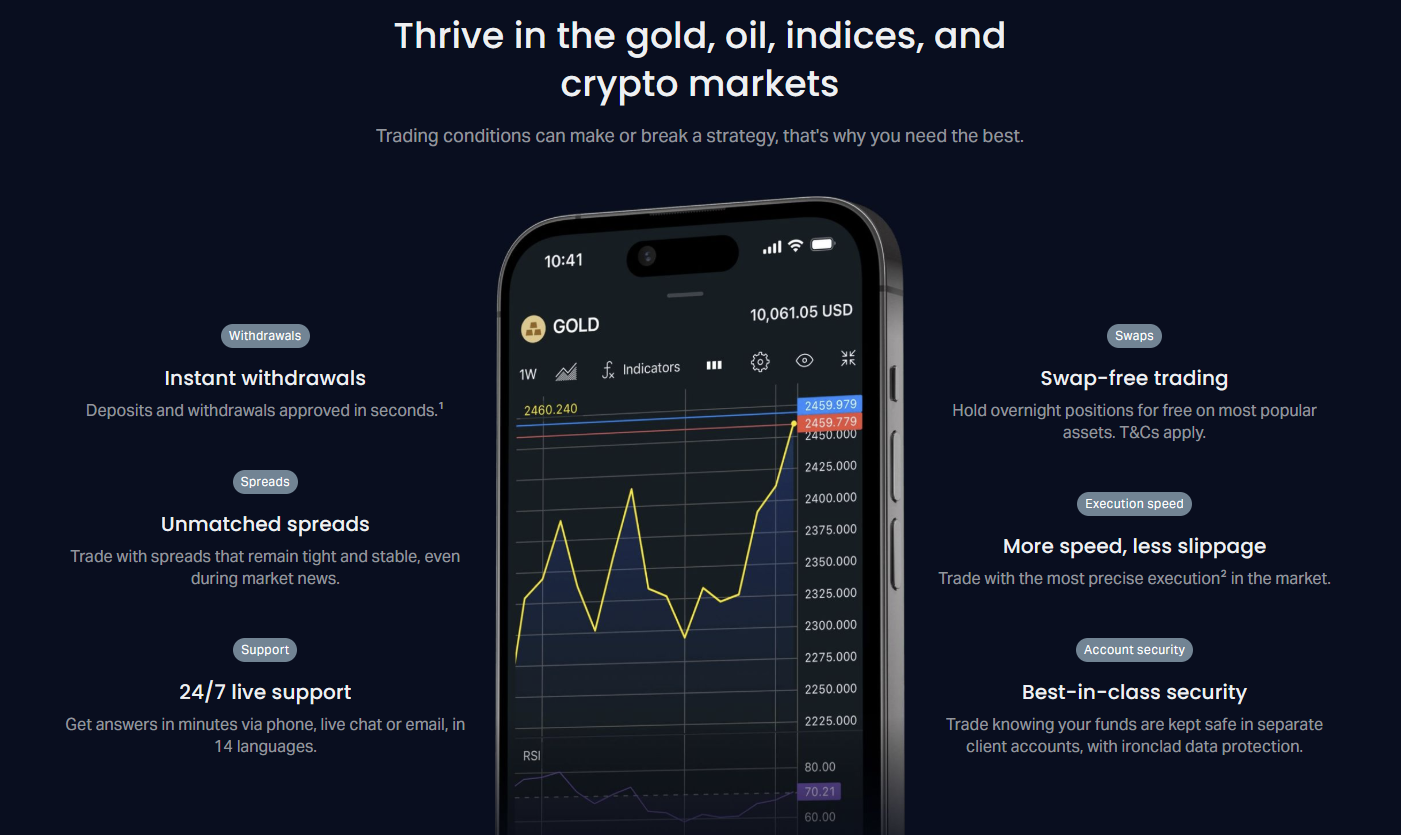
Exness Go represents the broker's proprietary mobile trading application designed for traders who want full market access from their smartphones. Unlike third-party platforms such as MetaTrader 4 or MetaTrader 5, this native application was built specifically for the Exness ecosystem, offering streamlined account management, integrated analytical tools, and direct access to the broker's trading infrastructure. The app supports both iOS and Android devices, providing a consistent experience across operating systems while maintaining the low spreads, fast execution, and instant withdrawal capabilities that Exness is known for.
Contents
- Core Features of Exness Go
- Downloading and Installing Exness Go
- iOS Installation via App Store
- Android Installation via Google Play
- Direct APK Download for Android
- Trading Instruments and Market Access
- Charting and Technical Analysis Capabilities
- Order Execution and Position Management
- Order Types Supported
- Account Management and Personal Area Integration
- Account Operations Available In-App
- Deposits and Withdrawals on Mobile
- Supported Payment Methods
- Security Features and Data Protection
- Exness Go vs MetaTrader Mobile: Key Differences
- Trading Costs and Conditions on Mobile
- Spread and Commission Structure by Account Type
- Analytical Resources and Market Intelligence
- Performance and Reliability Considerations
- Customization and User Experience
- Troubleshooting Common Issues
- Login and Authentication Problems
- Connection and Data Feed Issues
- Order Execution Errors
- App Crashes and Performance Degradation
- Final Assessment of Exness Go for Mobile Traders
The application serves as an all-in-one solution for retail traders who prefer managing their positions, analyzing markets, and handling deposits or withdrawals without switching between multiple platforms. It combines trading functionality with personal area features, meaning users can verify accounts, adjust leverage, monitor margin levels, and contact support directly from the same interface. This integration reduces friction for active traders who need to react quickly to market movements while maintaining oversight of their account health.
Since its launch, Exness Go has undergone regular updates that expand its instrument coverage, improve charting capabilities, and enhance the user interface based on trader feedback. The development team prioritizes stability during high-volatility periods, ensuring that order execution remains reliable when markets move rapidly. For traders who value simplicity without sacrificing professional-grade tools, the app occupies a middle ground between basic mobile terminals and complex desktop platforms.
Core Features of Exness Go
The Exness Go application includes a comprehensive feature set that covers the entire trading lifecycle from market analysis to position management and account administration. Understanding these capabilities helps traders decide whether the native app meets their needs or if they should supplement it with MetaTrader mobile versions.
- Real-time quotes for forex pairs, metals, energies, indices, stocks, and cryptocurrencies
- Interactive charts with multiple timeframes ranging from one minute to monthly intervals
- Technical indicators including moving averages, RSI, MACD, Bollinger Bands, and more
- Drawing tools for trend lines, support and resistance levels, Fibonacci retracements
- One-tap trading with customizable order templates for market, limit, and stop orders
- Position management with trailing stops, partial closes, and risk calculators
- Integrated economic calendar with filterable events and impact ratings
- Trading Central signals and market analysis directly within the app
- Push notifications for price alerts, margin calls, and executed orders
- Biometric authentication and two-factor authentication for enhanced security
The charting engine deserves particular attention because it represents a significant upgrade over basic mobile terminals. Traders can overlay multiple indicators, save chart templates, and switch between candlestick, bar, and line chart types. The drawing tools remain persistent across sessions, so annotated levels stay visible when reopening the app. For technical analysts who rely on visual pattern recognition, this persistence eliminates the frustration of redrawing key levels every session.
Account management features are deeply integrated rather than treated as a separate module. Users can open new real or demo accounts, switch between account types, adjust leverage settings, and monitor margin requirements in real time. The app displays equity, free margin, and margin level with color-coded warnings when thresholds approach critical levels. Deposit and withdrawal functions support the same payment methods available on the web platform, including instant withdrawal options for eligible methods.
Downloading and Installing Exness Go
The Exness Go download process differs slightly between iOS and Android devices, but both paths lead to the same verified application. Understanding the correct installation method prevents accidental downloads of unofficial or outdated versions that could compromise account security.
iOS Installation via App Store
iPhone and iPad users should open the App Store and search for "Exness Go" or "Exness Trading App." The official application is published by Exness Global Ltd and displays the verified developer badge. Tap "Get" to begin the download, then authenticate with Face ID, Touch ID, or Apple ID password. The app requires iOS 13.0 or later and occupies approximately 150 MB of storage space. After installation, the app icon appears on the home screen and can be launched immediately.
Android Installation via Google Play
Android users navigate to the Google Play Store and search for the same terms. The official listing shows Exness as the developer with a high rating and substantial download count. Tap "Install" and accept the requested permissions, which include network access, biometric hardware access for fingerprint login, and storage access for saving chart images and logs. The Android version supports devices running Android 8.0 (Oreo) or newer and requires roughly 120 MB of free space.
Direct APK Download for Android
In regions where Google Play is unavailable or for traders who prefer direct installation, Exness provides an official APK file through its website. This method requires enabling "Install from unknown sources" in Android security settings, which should be disabled again after installation for security. The APK version receives the same updates as the Play Store version but may require manual updating when new releases are published. Always verify the download URL matches the official Exness domain to avoid modified packages.

After the first launch, the app prompts for login credentials or offers a demo account creation flow. Existing Exness clients enter their registered email and password, then complete two-factor authentication if enabled. New users can register directly in the app, which guides them through email verification, profile completion, and the initial deposit process. The onboarding includes a brief tutorial highlighting key interface elements, which can be revisited later from the settings menu.
Scroll horizontally to see all columns
| Platform | Minimum OS Version | Storage Space | RAM Recommended |
|---|---|---|---|
| iOS | iOS 13.0 | 150 MB | 2 GB |
| Android | Android 8.0 | 120 MB | 3 GB |
| Android (APK) | Android 8.0 | 130 MB | 3 GB |
Trading Instruments and Market Access
Exness Go provides access to the full range of instruments available through the broker, organized into logical categories that simplify navigation. The instrument list updates dynamically based on market hours, showing only tradeable assets during active sessions. This prevents confusion when attempting to place orders on closed markets.
- Forex: Major, minor, and exotic currency pairs with spreads from 0.0 pips on Raw Spread and Zero accounts
- Metals: Gold (XAUUSD), Silver (XAGUSD), Platinum, and Palladium with flexible leverage
- Energies: US Oil (WTI), UK Oil (Brent), Natural Gas with competitive swap rates
- Indices: Major global indices including US30, US500, USTEC, GER40, UK100, JPN225
- Stocks: Popular shares from US, EU, and Asian exchanges with dividend adjustments
- Cryptocurrencies: BTC, ETH, LTC, XRP, BCH, and major altcoins with 24/7 trading
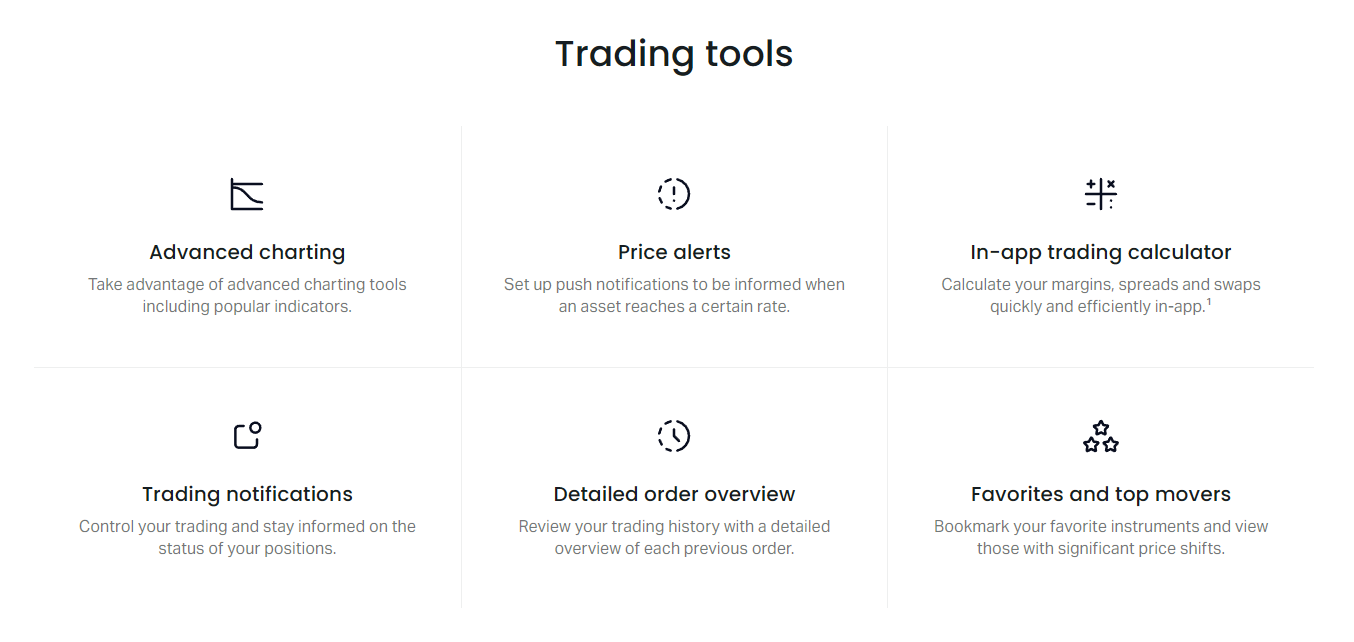
Each instrument displays real-time bid and ask prices, spread value, swap rates for long and short positions, and contract specifications including lot size, margin requirements, and trading hours. Tapping an instrument opens its detailed view with the chart, order ticket, and recent price history. The search function supports filtering by name, symbol, or category, making it easy to locate specific markets among hundreds of available options.

Market depth (Level 2) data is available for selected instruments, showing the order book with volume at each price level. This feature helps scalpers and high-frequency traders assess liquidity and potential slippage before entering large positions. The depth view updates in real time and can be customized to show a specific number of price levels. For most retail traders, the standard Level 1 quotes provide sufficient information, but the availability of depth data demonstrates the app's capability to serve more sophisticated strategies.
Charting and Technical Analysis Capabilities
The charting module in Exness Go balances accessibility for beginners with depth for experienced technicians. The interface uses a clean layout that maximizes chart area while keeping essential controls within thumb reach. Gesture controls include pinch-to-zoom, horizontal swipe for time navigation, and vertical swipe for price scale adjustment. These interactions feel natural on touchscreens and reduce the need for precise button taps during fast-moving markets.
- Nine timeframes: M1, M5, M15, M30, H1, H4, D1, W1, MN
- Three chart types: Candlesticks, Bars, Line
- Over 30 built-in technical indicators organized by category
- Custom indicator support through the Exness web platform sync
- Drawing tools: Trend lines, channels, Fibonacci, Gann, Andrews Pitchfork
- Text annotations and label tools for marking key events
- Chart templates for saving and loading preferred configurations
- Screenshot sharing directly to messaging apps or email
Indicator customization allows adjusting periods, colors, line thickness, and calculation methods (simple, exponential, smoothed, linear weighted). Multiple indicators can occupy the same sub-window or separate panels, with independent scaling for each. The app remembers indicator settings per instrument and timeframe, so switching between EURUSD H1 and GOLD M15 preserves the appropriate analysis setup for each. This per-context memory is a subtle but valuable feature for multi-market traders.
Persistent chart annotations across sessions eliminate the repetitive work of redrawing key levels, a common frustration in lesser mobile terminals.
Order Execution and Position Management
Order placement in Exness Go follows a streamlined workflow that minimizes taps while preserving all necessary parameters. The order ticket slides up from the bottom of the screen, keeping the chart visible for reference. Traders select buy or sell, choose order type (market, limit, stop, stop-limit), set volume in lots or units, and optionally attach stop-loss and take-profit levels. The ticket displays estimated margin required, potential profit/loss at target levels, and swap costs for overnight positions.
Order Types Supported
The app supports the complete range of order types available on Exness platforms. Market orders execute instantly at the best available price. Limit orders (buy limit, sell limit) trigger at a specified price or better. Stop orders (buy stop, sell stop) activate when the market reaches a defined level. Stop-limit orders combine a trigger price with a limit price, providing control over the maximum fill price after activation. Trailing stops can be set in points or as a percentage, automatically adjusting as the position moves favorably.
- Market Execution: Instant fill at current market price
- Pending Orders: Buy Limit, Sell Limit, Buy Stop, Sell Stop
- Stop-Limit Orders: Trigger price with limit price protection
- Trailing Stop: Dynamic stop-loss that follows profitable moves
- OCO Orders: One-cancels-other for bracket strategies
- Partial Close: Reduce position size while keeping remainder open
Position management tools include a consolidated view of all open trades with real-time profit/loss, swap accrual, and margin impact. Each position shows a quick-action menu for modifying stops, adding to the position, partial closing, or full closure. The risk calculator integrates with the order ticket, showing the monetary value of a stop-loss at the current volume and the resulting risk-to-reward ratio based on the take-profit level. This immediate feedback helps traders maintain consistent risk parameters across different instruments and account sizes.
Scroll horizontally to see all columns
| Feature | Exness Go | MT4 Mobile | MT5 Mobile |
|---|---|---|---|
| Market Execution | Yes | Yes | Yes |
| Pending Orders | Yes | Yes | Yes |
| Stop-Limit Orders | Yes | No | Yes |
| Trailing Stop | Yes | Yes | Yes |
| OCO Orders | Yes | No | Yes |
| Partial Close | Yes | Yes | Yes |
| Risk Calculator | Built-in | Manual | Manual |
Account Management and Personal Area Integration
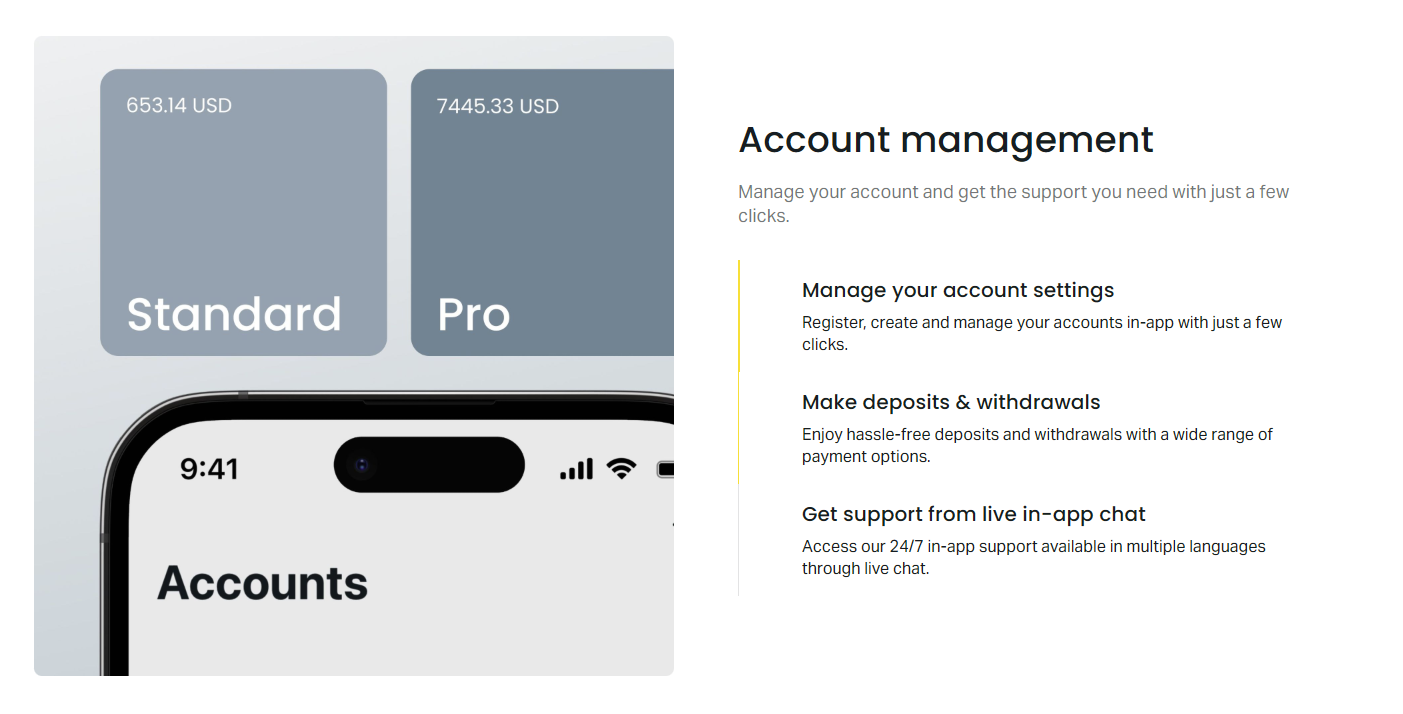
One of Exness Go's distinguishing features is the deep integration with the Exness Personal Area. Traders no longer need to open a browser to handle administrative tasks. The app provides a dedicated account section that mirrors the web portal's functionality, optimized for mobile screens. This integration covers the entire client lifecycle from registration through verification, funding, and ongoing account maintenance.
Account Operations Available In-App
The account management module supports creating new trading accounts (Standard, Standard Cent, Pro, Raw Spread, Zero), switching between existing accounts, and archiving unused ones. Leverage can be adjusted per account within the broker's allowed ranges, with immediate effect on margin requirements. The verification center guides users through identity and address document uploads, showing real-time status updates. Notification preferences for email, SMS, and push alerts are configurable per event type.
- Open new real or demo accounts with instant activation
- Switch between multiple accounts without re-logging in
- Adjust leverage from 1:2 to 1:Unlimited (where permitted)
- Upload verification documents with camera or gallery selection
- View verification status and required documents
- Manage notification preferences for price alerts, news, promotions
- Access transaction history with filtering by date, type, account
- Download account statements in PDF or CSV format
The transaction history view provides comprehensive filtering options including date range, transaction type (deposit, withdrawal, swap, commission, adjustment), currency, and trading account. Each entry shows the status, amount, fees, and processing time. For withdrawals, the app displays the estimated arrival time based on the selected method. This transparency helps traders plan cash flows and reconcile records without logging into the web portal.
Deposits and Withdrawals on Mobile
Funding and withdrawing from the Exness Go app uses the same payment infrastructure as the web platform, ensuring consistency in processing times, limits, and supported methods. The mobile interface optimizes the flow for smaller screens, with large touch targets and clear progress indicators. Most importantly, the instant withdrawal feature — a hallmark of Exness — functions identically on mobile, allowing eligible clients to receive funds within minutes for supported payment systems.
Supported Payment Methods
The available payment methods vary by client residence country and account verification level. Common options include bank cards (Visa, Mastercard), electronic wallets (Skrill, Neteller, WebMoney, Perfect Money), local bank transfers, and region-specific solutions like UPI for India, Pix for Brazil, or various mobile money services in Africa. Cryptocurrency deposits (USDT, BTC, ETH) are supported for verified accounts. Each method displays its minimum and maximum limits, processing time, and any applicable fees before the user confirms the transaction.
- Bank cards: Instant deposits, withdrawals to same card within 1-7 business days
- E-wallets: Instant deposits and withdrawals for verified accounts
- Local bank transfers: 1-3 business days depending on region
- Cryptocurrency: Blockchain confirmation times (typically under 30 minutes)
- Regional methods: UPI, Pix, mobile money, local gateways
- Internal transfer: Instant between Exness accounts
The withdrawal workflow includes a security confirmation step that may require two-factor authentication code entry or biometric verification. This prevents unauthorized fund transfers even if the device is unlocked. Withdrawal requests can be tracked in real time, with status updates from "Pending" through "Processing" to "Completed." Push notifications inform the user at each stage, eliminating the need to repeatedly check the app.
Security Features and Data Protection
Security architecture in Exness Go follows a defense-in-depth approach, combining device-level protections, application-level controls, and backend monitoring. The app does not store passwords or full API keys locally; instead, it uses secure token-based authentication with automatic refresh. Biometric authentication (Face ID, Touch ID, fingerprint) can be enabled as a convenient alternative to entering credentials, with the biometric data never leaving the device's secure enclave.
- End-to-end encryption for all API communications using TLS 1.3
- Certificate pinning to prevent man-in-the-middle attacks
- Biometric authentication with fallback to PIN/password
- Two-factor authentication via authenticator app or SMS
- Automatic session timeout after configurable inactivity period
- Remote logout capability from the web Personal Area
- Device management: view and revoke active sessions
- Transaction signing for sensitive operations (withdrawals, leverage changes)
The app includes a security advisory section that educates users about common threats such as phishing links, fake support accounts, and social engineering attempts. Exness emphasizes that they never request passwords, 2FA codes, or remote desktop access through any channel. The in-app support chat connects directly to verified support agents, reducing the risk of impersonation scams that often target traders on external messaging platforms.
Certificate pinning and token-based authentication make Exness Go resistant to common mobile attack vectors, provided users keep their OS updated and avoid jailbroken or rooted devices.
Exness Go vs MetaTrader Mobile: Key Differences
Traders often ask whether to use Exness Go or the MetaTrader 4/5 mobile applications. Both approaches have merit, and many experienced traders install all three for different purposes. Understanding the trade-offs helps allocate each platform to its strongest use case.
Scroll horizontally to see all columns
| Aspect | Exness Go | MT4 Mobile | MT5 Mobile |
|---|---|---|---|
| Account Management | Full in-app | Limited | Limited |
| Deposits/Withdrawals | Full in-app | Not available | Not available |
| Chart Timeframes | 9 | 9 | 21 |
| Technical Indicators | 30+ | 30 | 38 |
| Custom Indicators | Via web sync | No | No |
| Economic Calendar | Integrated | No | Yes |
| Trading Central Signals | Integrated | No | No |
| Market Depth (Level 2) | Selected instruments | No | Yes |
| Hedging/Netting | Both supported | Hedging only | Both supported |
| Push Notifications | Comprehensive | Basic | Basic |
| Biometric Login | Yes | Yes | Yes |
| Offline Mode | View only | View only | View only |
Exness Go excels at account administration, funding operations, and integrated research tools. The economic calendar and Trading Central signals are native features that require no external setup. MetaTrader 5 mobile offers more timeframes and indicators, making it preferable for traders who rely on complex multi-timeframe analysis or custom indicators. MetaTrader 4 mobile remains popular for its simplicity and widespread EA compatibility, though it lacks netting mode and depth of market. Many professionals use Exness Go for account management and quick trades, while running MT5 mobile for detailed technical work.
Trading Costs and Conditions on Mobile
Trading conditions on Exness Go mirror those on all other Exness platforms because they share the same pricing engine and liquidity pool. Spreads, commissions, swaps, and leverage are identical whether trading from the mobile app, web terminal, or desktop MetaTrader. This consistency ensures that strategy performance does not vary by platform choice. The app displays all costs transparently in the instrument specifications and order ticket.
Spread and Commission Structure by Account Type
Exness offers several account types with distinct cost structures. Standard and Standard Cent accounts use spread-only pricing with no commission, starting from 0.3 pips on major pairs. Pro accounts also use spread-only pricing but with tighter spreads from 0.1 pips. Raw Spread and Zero accounts charge a commission per lot (typically $3.5 per side per lot) in exchange for spreads from 0.0 pips. The mobile app shows the effective all-in cost (spread + commission) for each account type when viewing instrument details, helping traders compare real trading costs.
Scroll horizontally to see all columns
| Account Type | Min Spread (EURUSD) | Commission | Min Deposit | Max Leverage |
|---|---|---|---|---|
| Standard | 0.3 pips | None | $1 | 1:Unlimited |
| Standard Cent | 0.3 pips | None | $1 | 1:Unlimited |
| Pro | 0.1 pips | None | $200 | 1:Unlimited |
| Raw Spread | 0.0 pips | $3.5/lot/side | $200 | 1:Unlimited |
| Zero | 0.0 pips | $3.5/lot/side | $200 | 1:Unlimited |
Swap rates (overnight financing costs) are visible for each instrument and update daily. The app shows both long and short swap values in points and in the account currency. For traders holding positions beyond the daily rollover (typically 22:00 UTC), these costs can accumulate significantly. The swap-free (Islamic) account option is available for eligible clients and can be requested through the app's support chat. Margin requirements and stop-out levels (0% for most account types) are also displayed per instrument.
Analytical Resources and Market Intelligence
Beyond charting tools, Exness Go includes several research resources that help traders make informed decisions without leaving the app. These resources are curated from Exness's internal analytics team and partner providers, offering a mix of technical and fundamental perspectives.
- Trading Central: Automated technical analysis with pattern recognition and target projections
- FX Street News: Real-time financial news feed filtered by instrument relevance
- Economic Calendar: Filterable events with actual, forecast, and previous values
- Market Sentiment: Client positioning data showing long/short ratios per instrument
- Daily Analytics: Video and written market outlooks from Exness analysts
- Webinar Schedule: Upcoming educational sessions with registration links
- Trading Signals: Actionable ideas with entry, stop-loss, and take-profit levels
The Trading Central integration is particularly valuable for mobile traders who lack screen space for extensive manual analysis. The tool scans charts across timeframes and identifies patterns such as triangles, wedges, head-and-shoulders, and candlestick formations. Each signal includes a confidence rating, projected price targets, and invalidation levels. Traders can set alerts on specific signals to receive push notifications when price approaches key levels. The economic calendar supports custom filters by currency, impact level, and time range, with the option to add events to the device calendar.
Performance and Reliability Considerations
Mobile trading applications face unique performance challenges including variable network conditions, limited device resources, and OS-level background restrictions. Exness Go addresses these through several architectural decisions. The app uses a lightweight protocol for price streaming that minimizes bandwidth usage while maintaining sub-second latency on 4G/5G and Wi-Fi connections. Chart data is cached intelligently, allowing recent history to remain accessible during brief connectivity interruptions.
- Adaptive bitrate price streaming for unstable connections
- Local chart data cache for offline viewing of recent candles
- Background execution protection for pending orders and stops
- Battery optimization mode that reduces update frequency when unplugged
- Crash reporting with automatic recovery of chart state
- Regular updates addressing OS compatibility and security patches
During high-impact news events (NFP, CPI, central bank decisions), the app's order routing prioritizes execution speed over auxiliary features. Non-critical background tasks such as news feed updates and analytics refreshes are temporarily throttled to preserve CPU and network capacity for the trading engine. This design choice reflects the reality that mobile traders often rely on the app precisely during volatile moments when desktop access is unavailable.
Adaptive streaming and background throttling during news events demonstrate a design philosophy that prioritizes execution reliability over feature completeness when resources are constrained.
Customization and User Experience
Personalization options in Exness Go allow traders to tailor the interface to their workflow. The home screen can be configured to show preferred widgets: watchlist, open positions, account summary, economic calendar, or news feed. Dark and light themes follow the system setting by default but can be forced independently. Font size scaling respects the device accessibility settings, and the chart color scheme can be customized per chart type (bullish/bearish candles, grid lines, background).
- Customizable home screen widgets with drag-and-drop arrangement
- Watchlist groups for organizing instruments by strategy or session
- Default order template for one-tap trading with preset SL/TP
- Chart color schemes: Classic, Dark, High Contrast, Custom
- Price alert manager with sound, vibration, and push options
- Language selection from 15+ supported languages
- Time zone setting independent of device time zone
- Gesture shortcuts for common actions (swipe to close, long-press for menu)
The watchlist system supports multiple named lists that can be switched with a horizontal swipe. Each list remembers its sort order (alphabetical, by daily change, by spread, custom) and column visibility. Traders who follow specific sectors (e.g., tech stocks, energy commodities, JPY pairs) can create dedicated lists and toggle between them instantly. The default order template feature is a time-saver for scalpers: configure preferred volume, stop-loss distance, and take-profit ratio once, then execute with a single tap on the bid or ask price.
Troubleshooting Common Issues
Even well-designed applications encounter issues related to device diversity, network variability, and OS updates. The following guidance addresses the most frequently reported problems and their resolutions.
Login and Authentication Problems
If the app rejects valid credentials, first verify that the email and password are correct by logging into the web Personal Area. Ensure the device clock is synchronized automatically, as time drift can invalidate 2FA codes. For biometric failures, remove and re-register the fingerprint or face ID in the app settings. If the account is locked due to multiple failed attempts, use the "Forgot Password" flow or contact support through the in-app chat. The app does not store passwords locally, so clearing app data does not affect stored credentials — they are never stored.
Connection and Data Feed Issues
Price streaming interruptions usually indicate network problems rather than server issues. Switch between Wi-Fi and mobile data to isolate the cause. The app's connection status indicator (top-right corner) shows green for healthy, yellow for degraded, red for disconnected. Tapping the indicator runs a quick diagnostic. If charts fail to load, pull down to refresh or change the timeframe to force a data request. Clearing the chart cache in Settings > Storage can resolve persistent display anomalies without affecting account data.
Order Execution Errors
Common execution errors include "Insufficient Margin," "Market Closed," "Invalid Volume," and "Off Quotes." Insufficient margin means free margin is below the required amount for the new position — reduce volume or close existing trades. Market closed appears when attempting to trade outside session hours; check the instrument's trading schedule. Invalid volume typically results from entering a lot size below the minimum step (e.g., 0.01 lots for most forex). Off quotes indicate the requested price is no longer available; use market execution or widen the limit/stop price.
App Crashes and Performance Degradation
If the app crashes on launch or during specific actions, ensure the OS and app are updated to the latest versions. Restart the device to clear memory pressure. On Android, clearing the app cache (not data) can resolve corruption without requiring re-login. If crashes persist, uninstall and reinstall from the official store. Performance degradation over time often stems from accumulated chart cache; the Settings > Storage screen shows cache size and provides a one-tap clear option. Keeping at least 1 GB of free device storage prevents OS-level throttling.
Frequently Asked Questions
Is Exness Go available for both iOS and Android devices?
Yes, Exness Go is available on the Apple App Store for iOS 13.0+ and on Google Play Store for Android 8.0+. An official APK is also provided for Android users without Play Store access.
Can I use Exness Go for demo trading before opening a real account?
Yes, the app includes a demo account registration flow that creates a practice account with virtual funds. Demo accounts mirror real trading conditions including spreads, execution, and available instruments.
Does Exness Go support all the same instruments as the desktop platform?
Yes, the mobile app provides access to the complete instrument list including forex, metals, energies, indices, stocks, and cryptocurrencies. No markets are exclusive to desktop.
Are trading costs different on Exness Go compared to MT4 or MT5?
No, spreads, commissions, swaps, and leverage are identical across all Exness platforms because they share the same pricing engine and liquidity pool.
Can I deposit and withdraw funds directly from the Exness Go app?
Yes, the app includes full deposit and withdrawal functionality with the same payment methods, limits, and processing times as the web platform, including instant withdrawals for eligible accounts.
Does Exness Go support automated trading or Expert Advisors?
No, Exness Go does not support Expert Advisors or custom algorithmic trading. For automated strategies, use MetaTrader 4 or 5 desktop or VPS solutions.
How do I enable two-factor authentication in the Exness Go app?
Go to Settings > Security > Two-Factor Authentication and follow the setup wizard using an authenticator app (Google Authenticator, Authy) or SMS verification.
What should I do if Exness Go crashes or freezes during trading?
Restart the app and device, ensure both OS and app are updated, clear chart cache in Settings > Storage. If issues persist, reinstall from the official store and contact in-app support.
Final Assessment of Exness Go for Mobile Traders
Exness Go succeeds as a purpose-built mobile trading application that prioritizes the complete trader workflow over feature parity with desktop terminals. Its greatest strength lies in the seamless integration of trading, analysis, and account management within a single native interface. For traders who value convenience and need to manage positions, fund accounts, and monitor markets from a smartphone, the app delivers a cohesive experience that eliminates the context switching between separate platforms. The charting tools, while not as extensive as MetaTrader 5 mobile, cover the needs of most discretionary traders and include thoughtful touches like persistent drawings and per-context indicator memory.
The security architecture reflects modern mobile best practices with certificate pinning, token-based authentication, and hardware-backed biometric support. Account administration features — verification, leverage changes, statement downloads, notification management — are genuinely complete rather than token gestures toward mobile support. The instant withdrawal capability functioning identically on mobile is a meaningful differentiator for traders who require rapid access to funds. Regular updates and responsive support channels indicate ongoing investment in the platform.
Traders with advanced technical analysis requirements, custom indicator dependencies, or algorithmic trading needs will still prefer MetaTrader 5 mobile or a desktop/VPS setup. However, for the majority of retail traders executing discretionary strategies across forex, metals, indices, and crypto, Exness Go provides a capable, reliable, and well-integrated mobile solution. The ability to run Exness Go alongside MT4/MT5 mobile on the same device means traders need not choose exclusively — each platform can serve its optimal role in a multi-app workflow.